6.3. “Click and Inspect” & Mission Editor
These screens enable planners to plan and edit autonomous missions as described in Section 7.
6.4. Mission Report
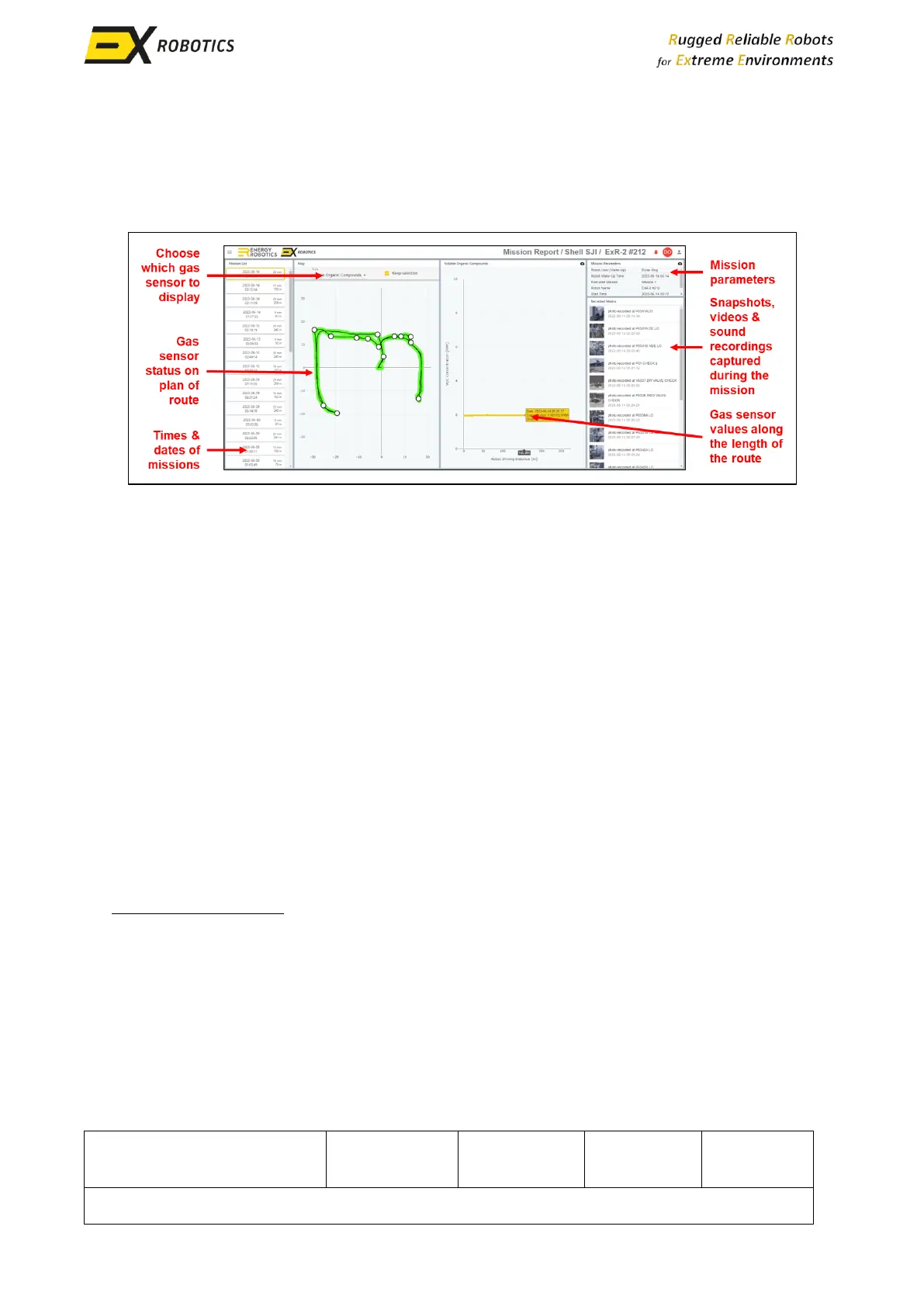
A typical mission report screen is as follows.
The data for a mission is displayed by clicking on the relevant block to the left of the screen.
▪ The gas detector and acoustic analyser values are displayed on the adjacent graphs.
▪ The plan will be green where the values were below the lower alarm level, amber where they
were between the two alarm levels, and red where they were above the upper alarm level.
Section 6.2 describes how to set the alarm levels.
▪ Other information that has been gathered at Waypoints is displayed in the right-hand part of
the screen.
▪ Snapshots and gas readings are uploaded immediately. Other recordings are uploaded when
the robot returns to its docking station. Video and sound recordings are limited to 2 minutes
for each action.
To study a chart in more detail:
▪ Hover the cursor over a point on the chart to get a digital reading.
▪ Zoom in with the mouse wheel or by left-clicking and dragging.
▪ Return to default scale by double-clicking.
7. Autonomous Missions
7.1. Overview
A robot mission is typically a circuit that starts and finishes at a docking station. During the circuit
the robot will record tasks when it’s stationary at a waypoint:
▪ A typical task is to record a video, snapshot, sound, or sensor reading.
▪ Tasks are targeted at points of interest (POIs). This is a 3D location at which the appropriate
camera or sensor is targeted. Examples of POIs are valves, flanges and pumps. To target the



 To Next Page