FOX3 T 201 Transmitter • Configuration Software 33
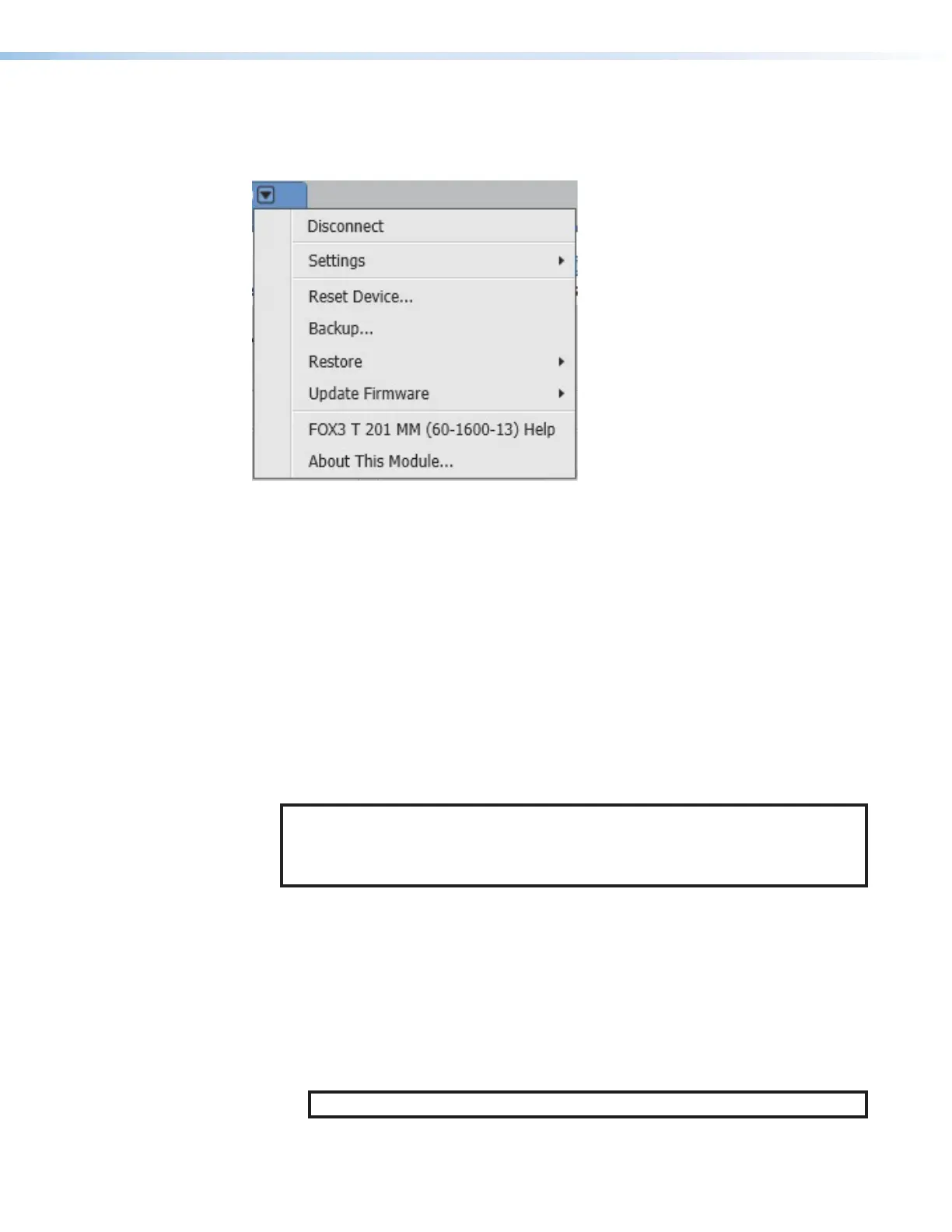
Device Menu
The Device menu contains options pertaining to device connection, configuration, and
information. For details about all these options, see the FOX3T201 PCS Help File.
Figure 27. Device Menu
• Disconnect — Disconnect the device from the PCS program and close the Device
tab.
• Settings — Open a submenu with the following options:
• Hardware Settings — Display the Hardware Settings dialog box with device
information and side tabs to change the device name, internal clock, and password
of the connected device.
It also contains an Edit Communication Settings button, which provides an
alternative method of accessing the Communication Settings dialog box.
• Communication Settings — Open the Communication Settings dialog box to
change IP settings of the connected device.
• Reset Device — Open the Reset Device dialog box, with selectable modes for
resetting the connected device, as well as the Unit Information (also displayed in the
Hardware Settings dialog box).
NOTE: The factory configured passwords for all accounts on this device have
been set to the device serial number. In the event of a complete system reset, the
passwords convert to the default, which is extron (see Roles and Permissions
Panel on page39 to change a password).
• Backup — Export all audio, video, and communication settings of the connected
device to the PC. This exported configuration can be saved as a backup file (with a
.extz extension), or used to replicate settings from one device to other devices of the
same model. When restoring a configuration, select specific device settings.
• Restore — Open a submenu containing restore options:
• Restore this Device — Upload a saved configuration for a FOX3T201 to the
connected device.
• Restore to Multiple Devices — Upload a saved configuration file for an
FOX3T201 to multiple devices on the network.
NOTE: The connected devices must be connected via LAN.
27



 To Next Page