FOX3 T 201 Transmitter • Internal Web Page 36
Web Page Panels
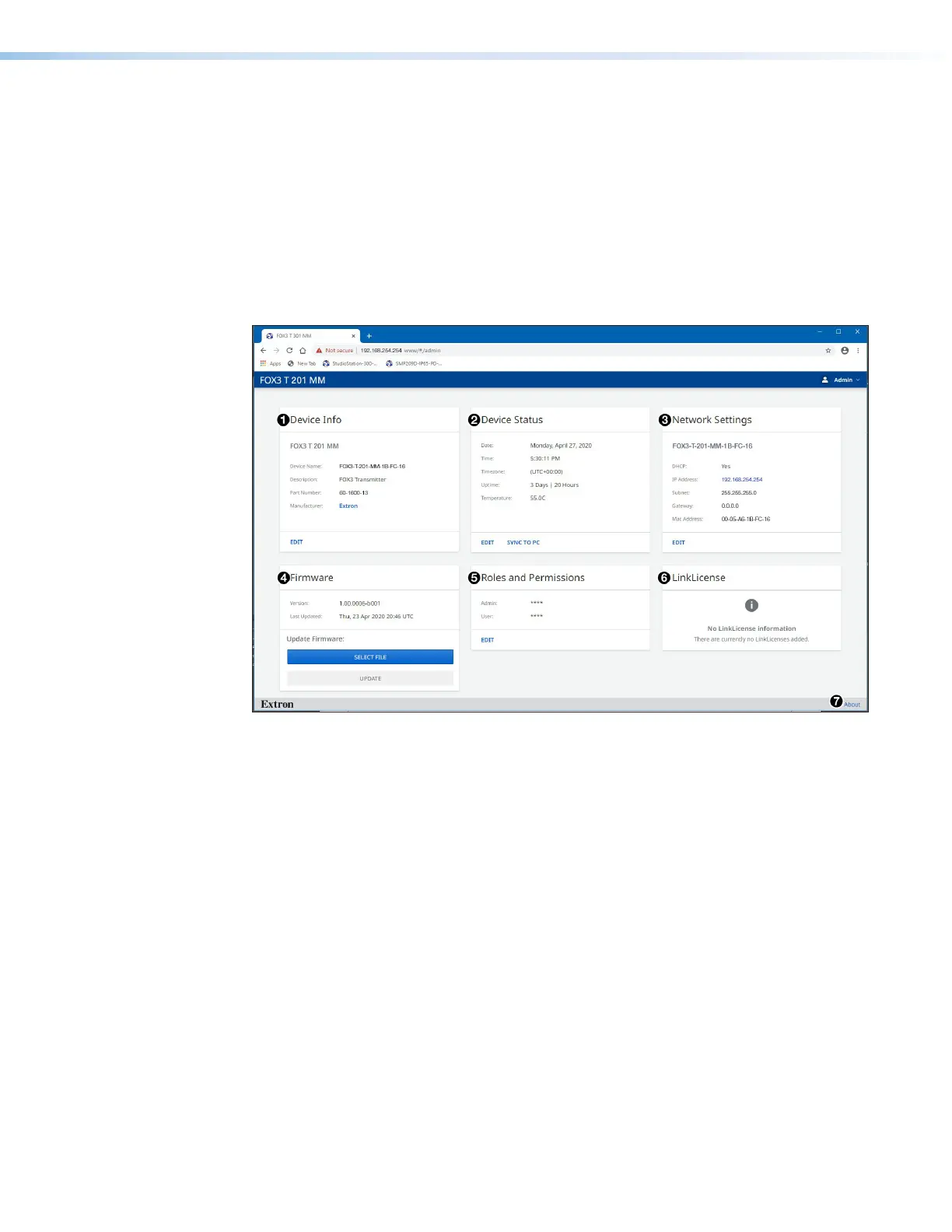
The FOX3T201 internal web page (see figure29) provides an overall, read-only view of the
status of the transmitter, with some editable fields. Panels are:
1
Device Info Panel
4
Firmware Panel
2
Device Status Panel
3
Network Settings Panel
5
Roles and Permissions Panel
6
LinkLicense Panel
The panels that can be edited have an EDIT link to click to access the panel. To
view general information about the FOX3T201, click the ABOUT link (
7
About the
FOX3T201).
Figure 29. FOX3T201 Internal Web Page
The internal web page does not automatically update. To see an updated page, click the
Refresh button on the web browser.
Device Info Panel
The Device Info panel (see figure29,
1
) displays the device name, a brief product
description, and the part number. The panel also contains an Extron link, which opens the
Extron website in a new window.
To change the name:
1. Click EDIT (see figure30 [left],
1
) in the Device Info panel. The Device Info
Settings panel opens to allow edits (right).
29



 To Next Page