FOX3 T 201 Transmitter • Installation and Operation 12
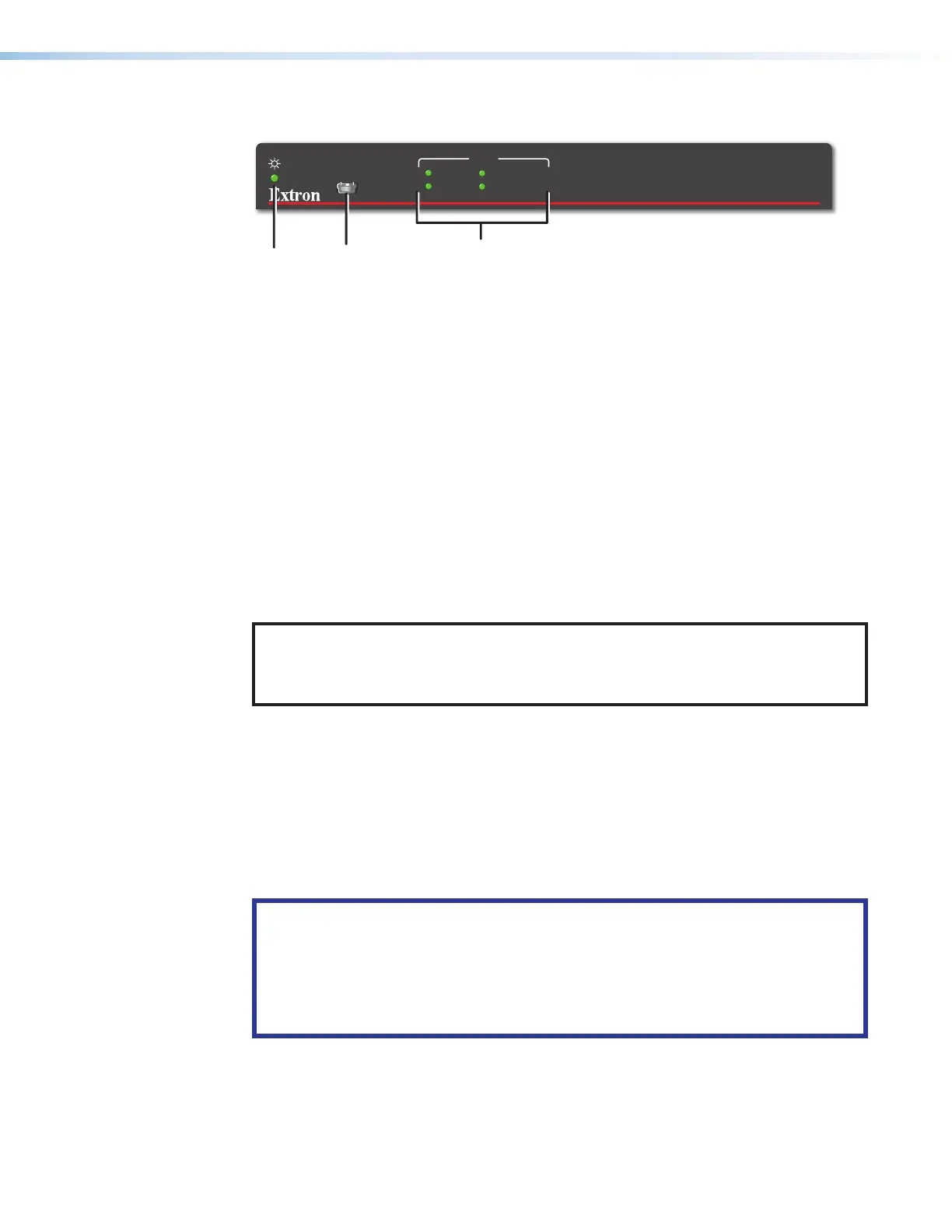
Front Panel Features
FOX3 T 201
CONFIG
INPUT
SIGNAL
HDCP
DIGITAL AUDIO
ANALOG AUDIO
A
A C
CB
B
Figure 9. Transmitter Front Panel Features
A
Power LED — The unit is receiving power and is operational.
B
Configuration port — This USB mini-B port is used to configure the unit and to
update firmware.
C
Input LEDs
• Signal — Lights when the unit detects an input video signal.
• HDCP — Lights when the input signal is HDCP encrypted.
• Digital Audio — Lights when digital audio is selected.
• Analog Audio — Lights when analog audio input is selected.
Operation
After the transmitter, receiver, and the connected devices are powered up, the system is fully
operational. If any problems are encountered, ensure all cables are routed and connected
properly.
NOTE: Ensure that the video source and display are properly connected to the FOX3
transmitter and receiver, and power is applied to the FOX3 devices and the display
before power is applied to the video source. If the other devices are not turned on
before the video source, the image may not appear.
Configuration and operation of the transmitter is accomplished via SIS Configuration
and Control starting on page17, the Internal Web Page starting on page35, and
Configuration Software starting on page26.
Reset
The rear panel Reset button initiates three levels of resets (numbered 1, 4, and 5). Use a
pointed stylus, ballpoint pen, or small screwdriver to access the recessed button.
See the Reset Modes and figure10 on page13 for a summary of the resets.
ATTENTION:
• Review the reset modes carefully. Some reset modes delete all user loaded
content and revert the device to default configuration.
• Analysez minutieusement les différents modes de réinitialisation. Certains modes
de réinitialisation suppriment l’intégralité du contenu chargé de l’utilisateur et
remettent l’appareil au mode de configuration par défaut.
9



 To Next Page