FOX3 T 201 Transmitter • Installation and Operation 13
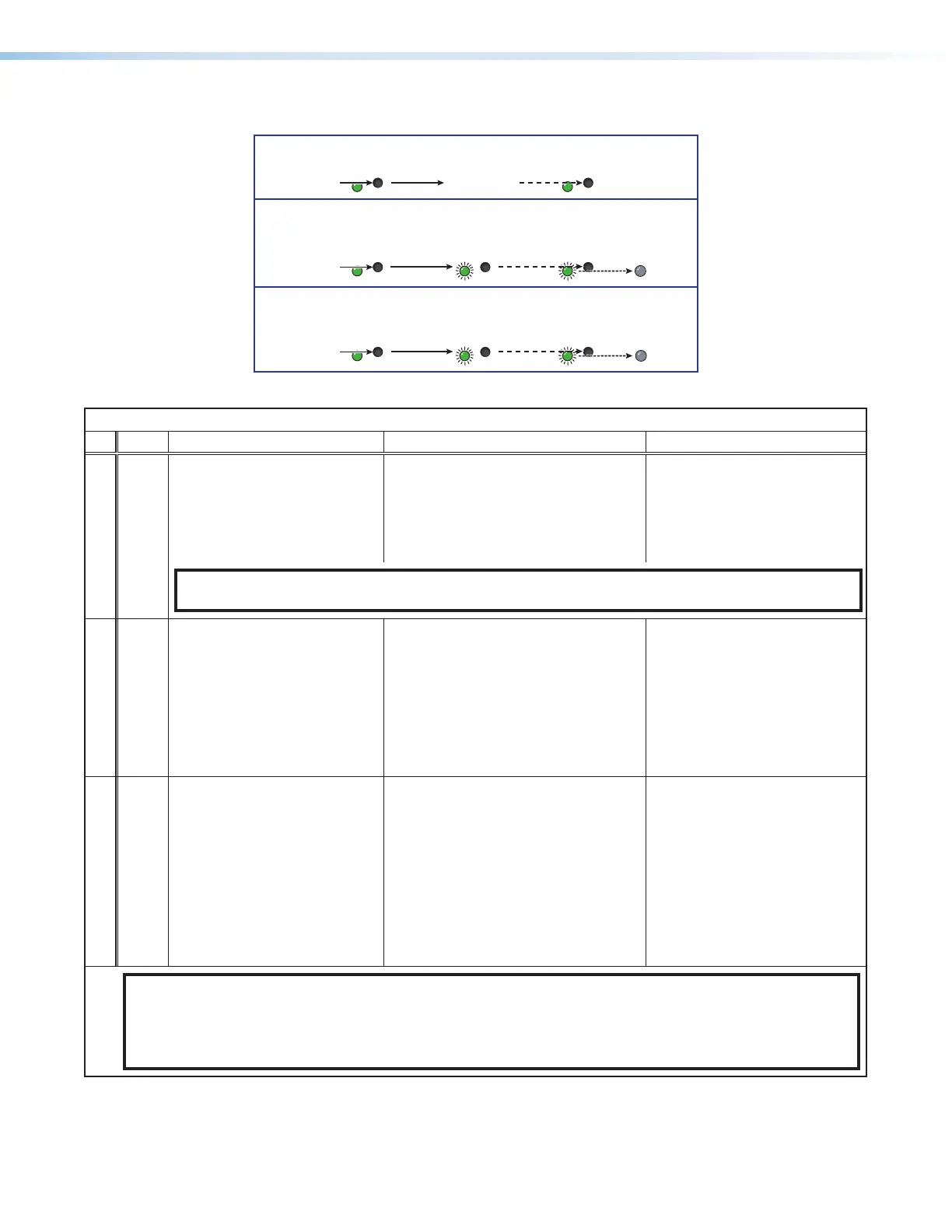
Perform resets of the unit as follows (see figure10):
RESET
RESET
RESET RESET
RESET RESET
RESET
RESET
Press and hold
the Reset button.
Mode 1
Apply power
to the FOX3.
Release Reset button.
Release, then immediately
press and release again.
Reset LED flashes, then goes off.
Mode 4
Reset LED flashes twice.
Press and hold
for 6 seconds.
Release, then immediately
press and release again.
Reset LED flashes, then goes off.
Mode 5
Reset LED flashes three
times.
Press and hold
for 9 seconds.
Figure 10. Resets
Reset Modes
Mode Activation Result Purpose and Notes
Use Factory Firmware
1 Hold in the recessed rear panel
Reset button while applying
power to the unit.
The device reverts to the factory default
firmware for a single power cycle.
Use to revert to the factory default
firmware for a single power cycle
if incompatibility issues arise with
user-loaded firmware. All user files
and settings are maintained.
NOTE: Do not operate with the default firmware loaded by a mode 1 reset. Use it only to load the most
current firmware to the device.
Reset All IP Settings
*4
Hold in the Reset button until the
Power LED blinks twice (once at
3seconds, again at 6seconds).
Then, release and press the
Reset button again within
1second*.
Sets the following back to factory default:
• Port mapping
• IP address (192.168.254.254)
• Subnet mask address
(255.255.255.0)
• Gateway address (0.0.0.0)
Turns DHCP off.
The Power LED blinks four times.
Use to reset all IP settings back to
factory defaults.
Equivalent to SIS command
1ZQQQ (see Resets on
page24).
Reset to Factory Defaults
*5
Hold in the Reset button until
the Power LED blinks three times
(once at 3seconds, again at
6seconds, again at 9seconds).
Then, release and press the
Reset button again within
1second*.
A complete reset to factory defaults
(except the firmware):
• Does everything mode 4 does.
• Clears port configurations.
• Resets all IP options.
• Clears all user settings.
• Resets all passwords.
• Clears all files from the unit.
• The Power LED blinks four times.
Use to start over with default
configuration and uploading, and
also to replace events.
Equivalent to SIS command
ZQQQ (see Resets).
NOTES:
• *For modes 4 and 5, nothing happens if the momentary press does not occur within 1 second.
• The factory configured passwords for all accounts on this device have been set to the device serial number. In
the event of a complete system reset, the passwords revert to the default, which is extron (see Roles and
Permissions Panel on page39 to change a password).
10



 To Next Page