version 4.7.2 – July 10th, 2022 Firmware version V2.1.7 and higher
EXXFIRE Installation and Service Manual 21
User Interface panel
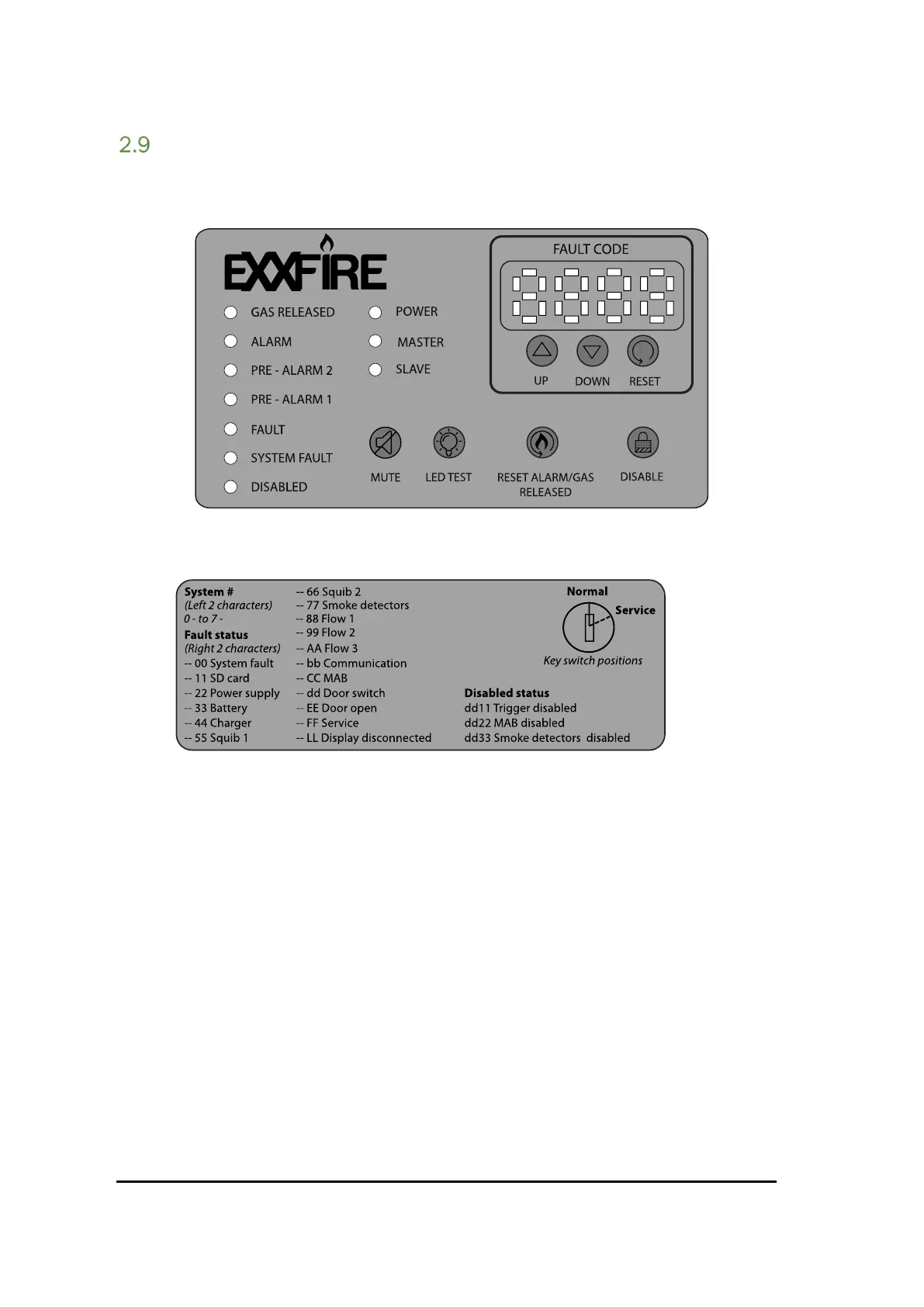
Each system has a User Interface panel as shown in Figure 11.
Figure 11 User interface panel
The user interface panel has a number of LEDs to indicate system statuses, a number of push
buttons to interact with the system and a 7-segment display to display detailed status information.
In addition to this a key switch is available to switch between normal operation mode and service
mode. In service mode a number of operations are allowed which are not available in normal
operational mode (e.g. disable the system or reset the Alarm status).
See Chapter 7 for a detailed description of the User Interface and all functions related to it.



 To Next Page