version 4.7.2 – July 10th, 2022 Firmware version V2.1.7 and higher
EXXFIRE Installation and Service Manual 47
4.4.2 Inside mounting
Handling of the EXXFIRE® 750CNF/1500CNF/2250CNF must only be done by qualified and trained
personnel, familiar with the product and its documentation (product datasheet, operating manual).
1. Take out the boxed EXXFIRE® 750CNF/1500CNF/2250CNF and the mounting kit from the
box.
2. Collect the necessary parts from the mounting kit, see Section 4.2
3. Unpack the needed Cool Gas Generator(s)
INSTALLATION OF COOL GAS GENERATOR(S)
Handling of the EXXFIRE® 750CNF/1500CNF/2250CNF must only be done by qualified and trained
personnel, familiar with the product and its documentation (product datasheet, operating manual).
4. First check if the Cool Gas Generators are not visibly damaged
5. Inspect if all the Temper Evident stickers are still in place
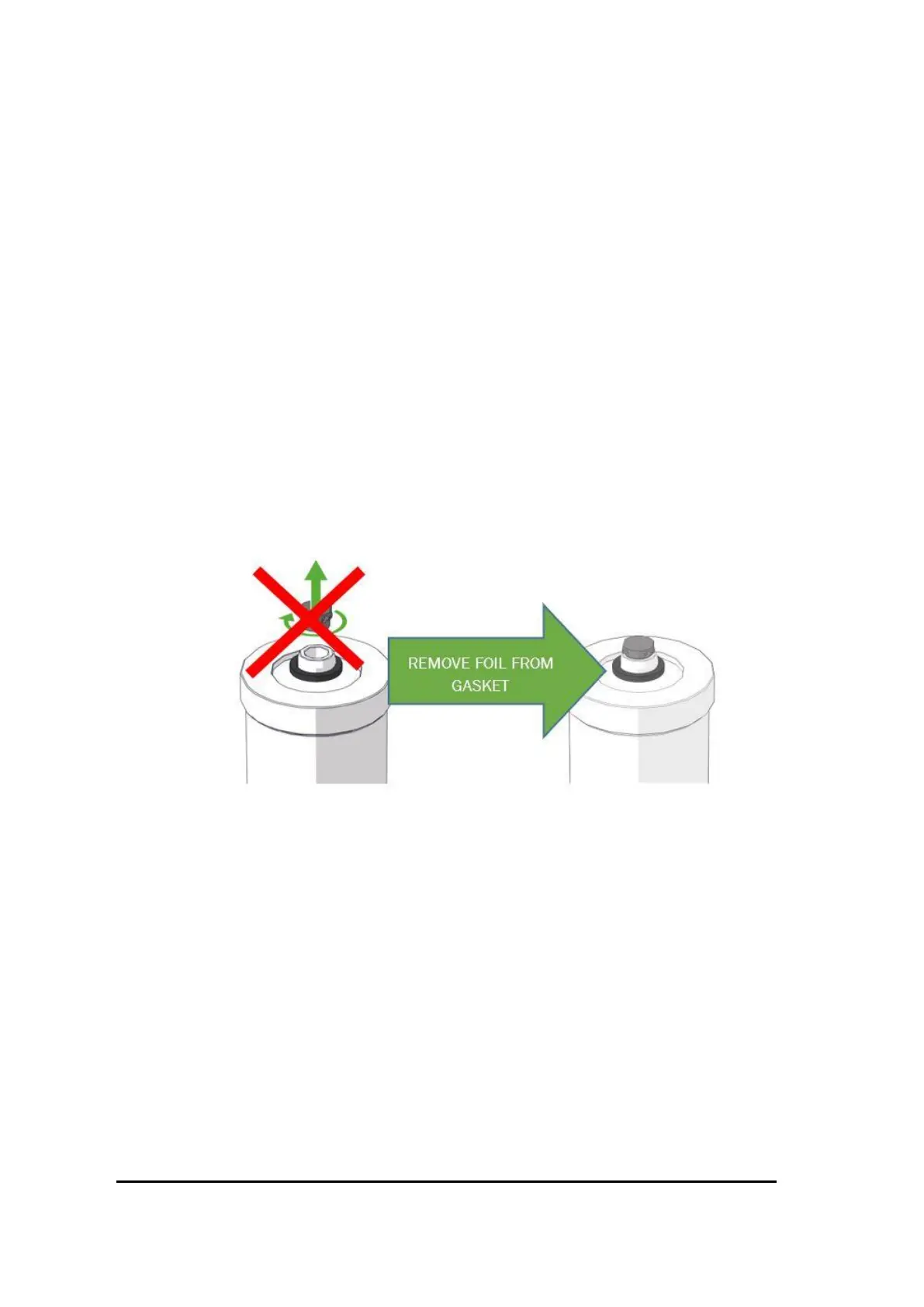
6. Do not remove the transportation nozzle from Generator!
Figure 31 Removing foiol
7. Remove the adhesive sticker of the gasket before placing the generator



 To Next Page