version 4.7.2 – July 10th, 2022 Firmware version V2.1.7 and higher
EXXFIRE Installation and Service Manual 72
5 CONFIGURATION
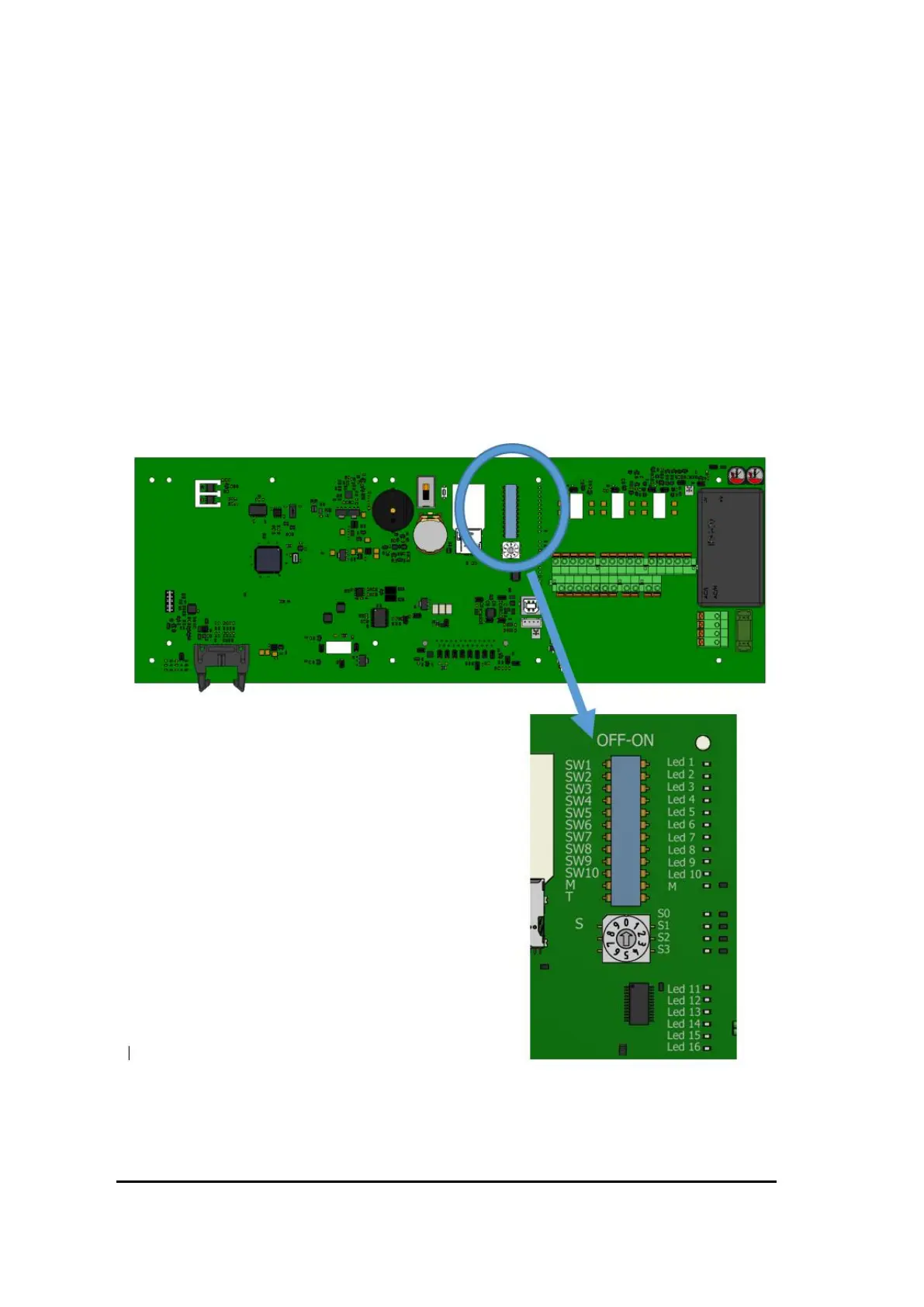
Several DIP switches are provided for installer level configuration settings. The switches can be
found directly above the air filter behind the rear right access panel. The switches are clearly
numbered 1-10 + M and T and can be set to ‘OFF’' or ‘ON’ or 0 or 1.
Also one rotary Switch, labelled “S”, is provided. This switch can be set to a value of 0 to 10.
Note 1: Switch settings will not take effect unless the system is restarted.
Note 2: DIP switches 2, 3, 4, 5, 6 and 7 need to be set on the Master system only. These
configuration settings will be sent by the Master system to all connected Slave systems as part of
system initialization and the Slave systems will copy these settings from the Master system.
Figure 59 Location of dip switches



 To Next Page