version 4.7.2 – July 10th, 2022 Firmware version V2.1.7 and higher
EXXFIRE Installation and Service Manual 58
4.5.3 Install wiring for Connecting Systems
In case of a standalone system this section is not applicable, and you can continue with section
4.5.4.
The system provides a communication bus to connect up to 8 systems. The connectors for this
bus are labelled RS485. Systems can be connected typically using a screened, fire-resistant, 4
core cable, of which three cores will be used for the bus connection.
Two sets of contacts are provided:
- The first set (left side) consists of three contacts: RS485 A, RS485 B and GND
- The second set (right side) consists of four contacts: RS485 A, RS485 B, GND and SHIELD
In a configuration where two systems are connected one cable must be used to connect
contacts RS485 A, RS485 B, GND and SHIELD on both systems. The SHIELD must be
connected, in the use case of multiple shields, please connect them together before connecting
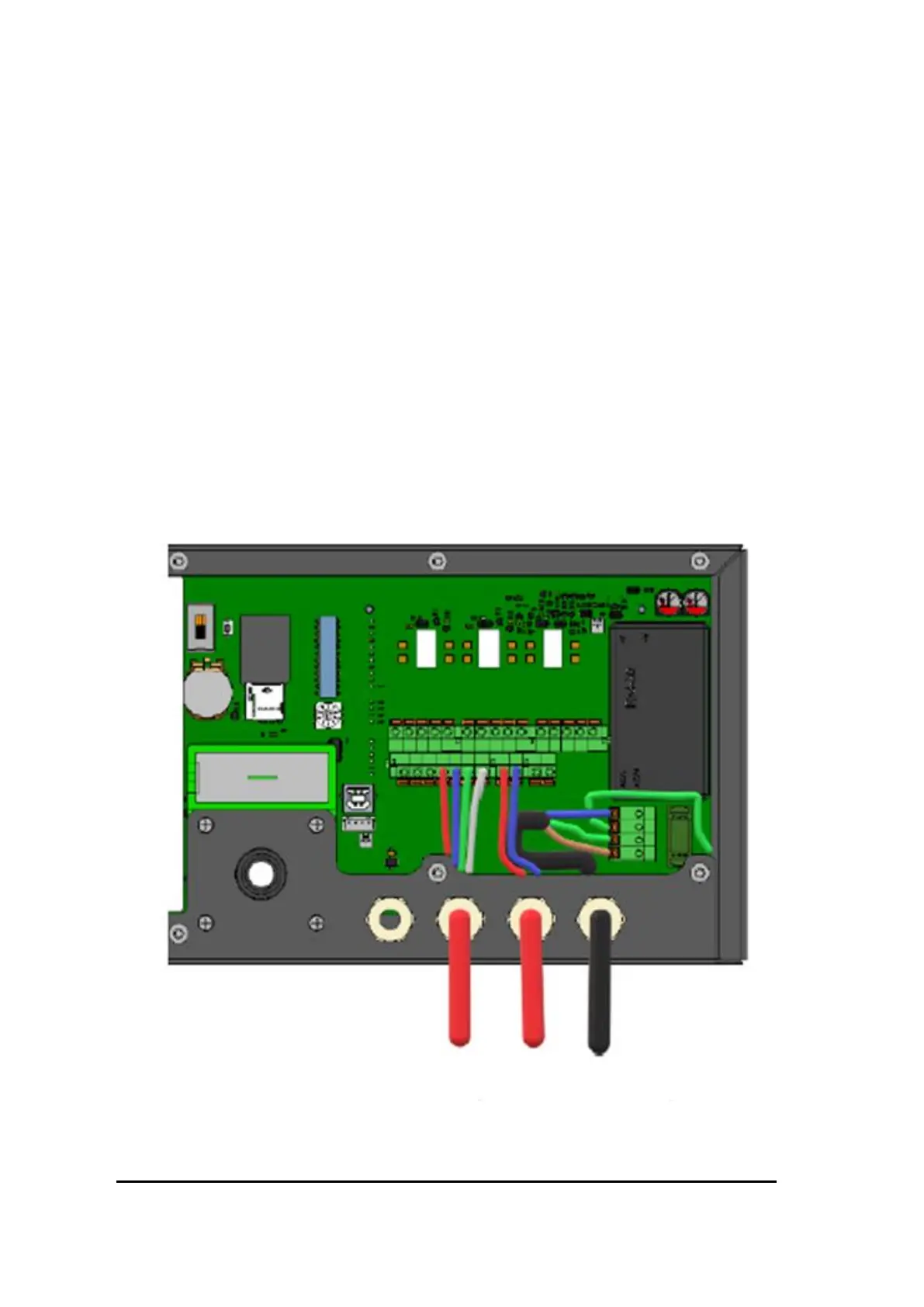
them to the system. Figure 47 shows an example of an RS485 connection including the
SHIELD connection.
Figure 47 Wiring for connecting a system to one adjacent system using the RS485 connector including SHIELD connection



 To Next Page