version 4.7.2 – July 10th, 2022 Firmware version V2.1.7 and higher
EXXFIRE Installation and Service Manual 87
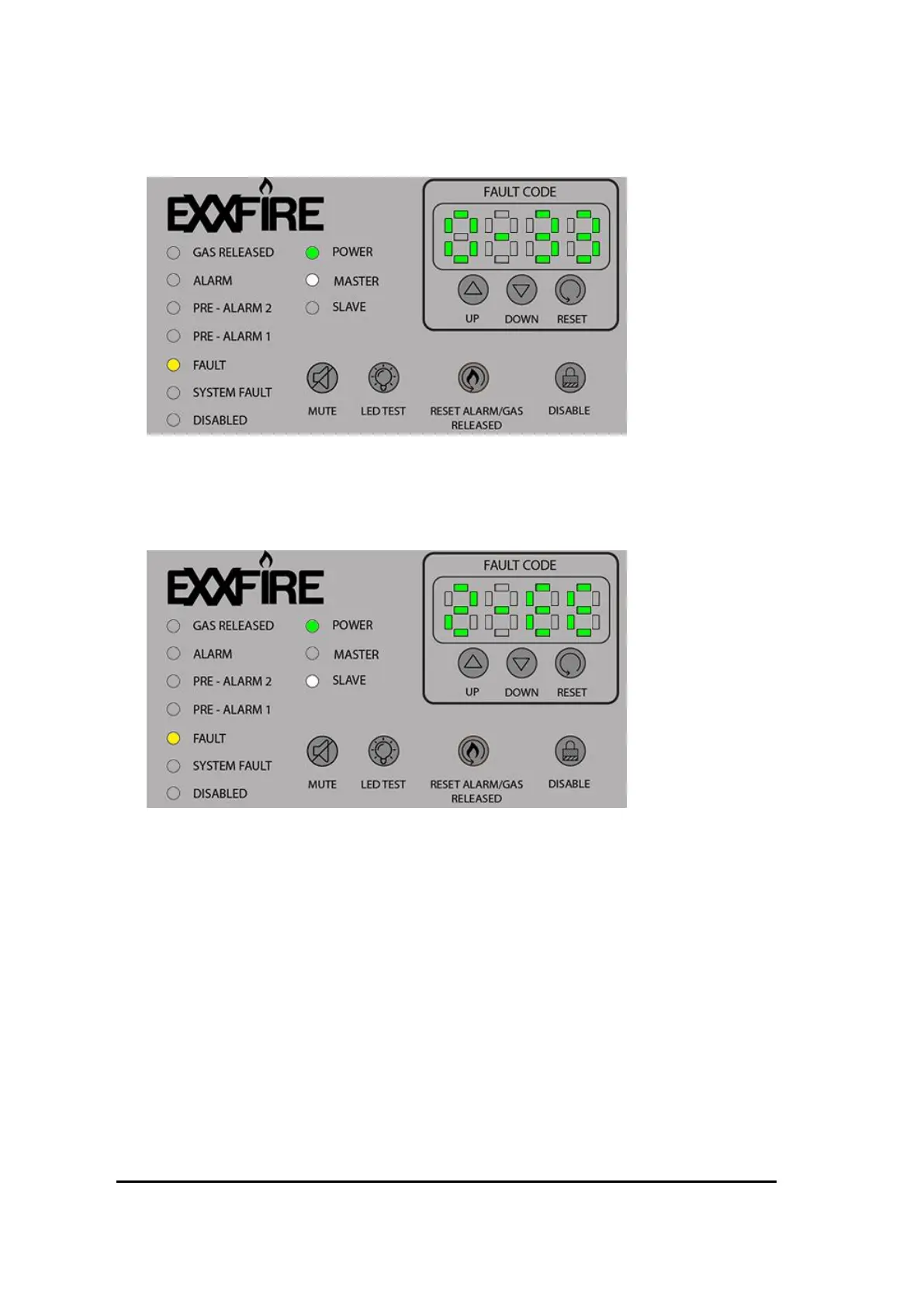
2. For a Master system (connected to Slave system(s)) that has a battery fault, the UI panel
will look like this:
Figure 62 UI Battery fault master
3. For Slave system #2 that has a Door Open fault, the UI panel will look like this (this same
fault code will also be shown on the display of the Master system):
Figure 63 UI open door fault slave
In case multiple fault conditions are active, only the most recent one will be shown on the display.
The display will start blinking to indicate the presence of multiple faults. The UP and DOWN push
buttons can then be used to scroll through the fault codes.



 To Next Page