FSG 90 System
4 Functional Description
32 FAV_D10024 December 2014
4 Functional Description
4.1 Introduction
This Section contains a functional description of each switch, push button, knob,
indicator, display and socket located on the front or rear of the FSG 90(X) together with
operating instructions.
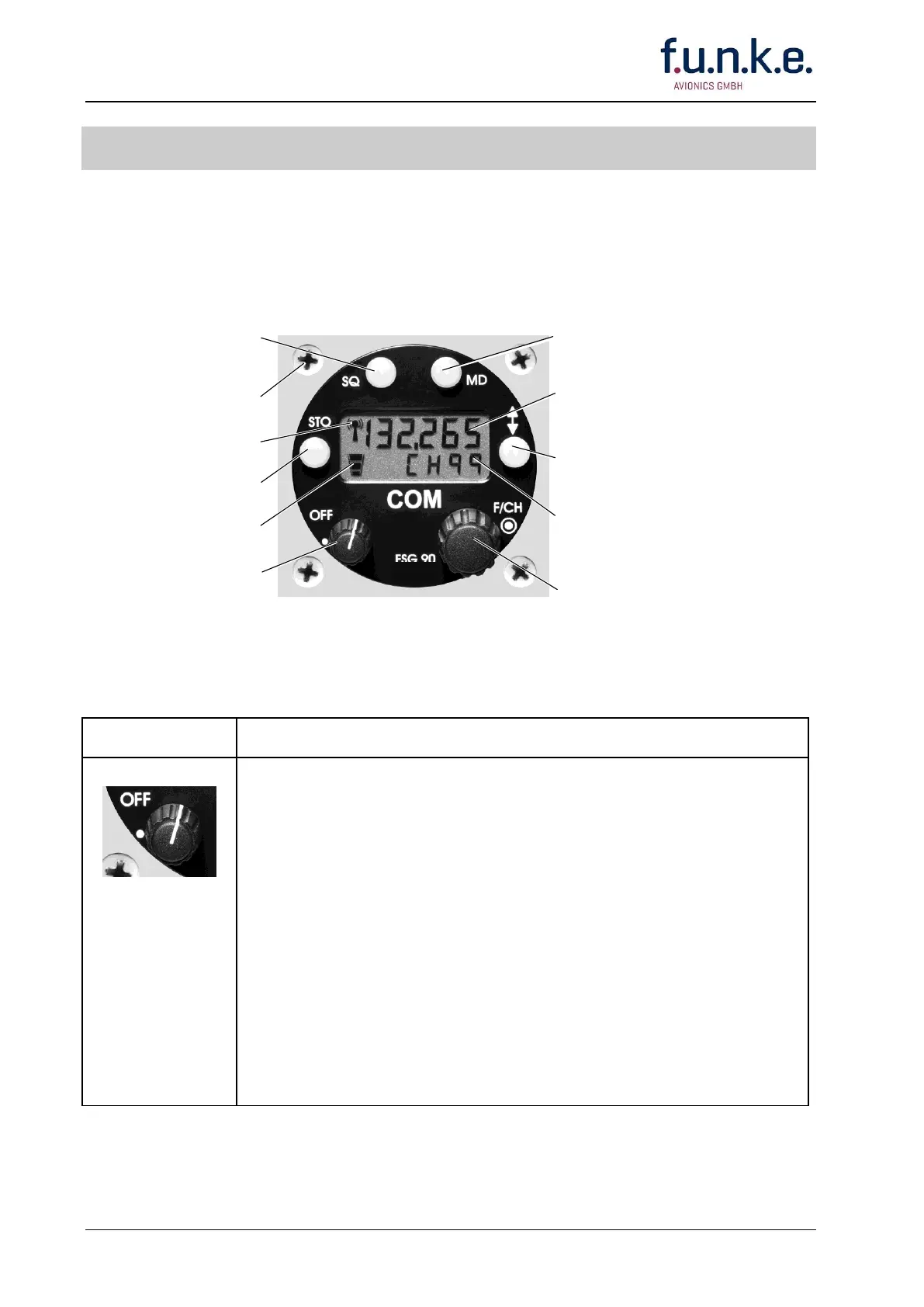
STO Push Button:
Stores adjustments
ON/OFF-VOL Switch:
Turns radio ON/OFF and
selects audio volume
Transmit Indicator
(appears when transmitting)
USE Frequency/Channel name in MHz/kHz:
6 digits displayed: 8.33/25 kHz Mode
5 digits displayed: 25 kHz only Mode
MD Push Button:
Changes operation mode
and corresponding display
Transfer Push Button:
shifts lower line STBY frequency/channel name to
upper line USE frequency/channel name and vice
versa
SQ Push Button:
Enables/disables "SQUELCH"
and switches ON/OFF
"TRANSMITTER BLOCKING"
STBY frequency/channel name or Channel
Memory Number or
no display (or SETUP)
F/CH-Switch:
Turning changes frequency/channel name
or Channel Memory Number,
Pushing changes access from MHz to kHz and
vice versa
Fig. 4-1: Operator's Controls and Indicators
4.2 Operator's Controls
Rotary step switch
To turn ON the radio rotate the ON/OFF-VOL knob clockwise from the OFF
position (dot).
When power is activated
all segments of the display are momentarily visible,
the automatic squelch is activated,
the display shows the frequency/ channel name in that Operating
Mode, which was used before last turning OFF.
Rotating the ON/OFF-VOL knob clockwise increases - turning counter-
clockwise decreases the audio volume audible in the a/c loudspeaker
(Receive only) or connected headphone (TX Sidetone and Receive).
To turn OFF the radio rotate the ON/OFF-VOL knob fully counterclockwise
(ccw) to the OFF position (dot). Blank display.



 To Next Page