FSG 90 System
5 SET-UP Procedure
December 2014 FAV_D10024 43
5.4.4 Adjusting the Sidetone volume
IMPORTANT!
Sidetone audible during transmit is only possible via headphones (if
applicable set maximum volume at the headset)
During this adjustment the transmitter is active. Carry out adjustment
quickly!
The microphone(s) sensitivity has to be adjusted properly (refer to
section 5.4.2)
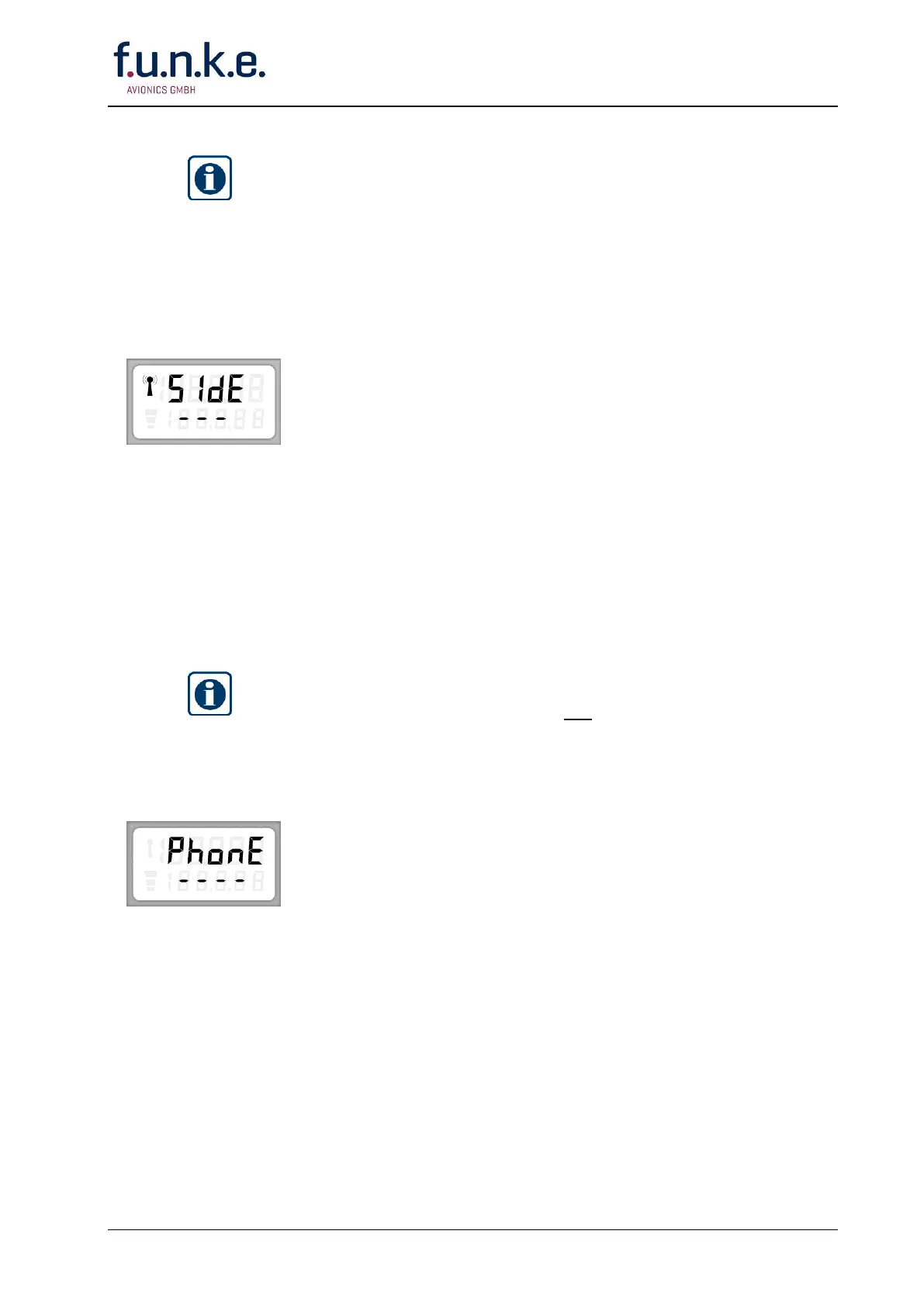
The display shows in the upper line alternately »SET« and »SIDE«.
Press and hold PTT key. Talk in a loud, clear voice with the
microphone one or two inches from your lips.
While talking adjust with the F/CH knob a convenient headphone
volume. The segments show the actual range. If more than four
segments are shown overmodulation occurs.
Release PTT key.
Confirm your adjustment by pushing the STO button!
If you want to carry on with the SET-UP procedure push once or
repeatedly the MD button till the desired menu appears.
5.4.5 Adjusting the headset volume
IMPORTANT!
Receiving is possible via loudspeaker and headphone.
First set with the ON/OFF-VOL knob loudspeaker volume to a convenient
level, and then adjust with the SET-UP procedure a suitable headphone
volume.
The display shows in the upper line alternately »SET« and
»PHONE«.
With the speaker, noise or communication is audible.
With the ON/OFF-VOL knob set speaker output to a convenient level,
leave ON/OFF-VOL knob as it is.
Put on headphone.
By rotating the F/CH knob adjust headphone level to a suitable
volume. The dashes show the range.
If the adjustment range is not sufficient increase or decrease with the
ON/OFF-VOL knob.
Confirm your adjustment by pushing the STO button!
If you want to carry on with the SET-UP procedure push once or
repeatedly the MD button till the desired menu appears.



 To Next Page