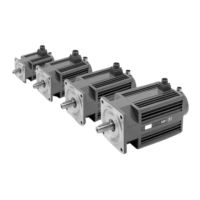
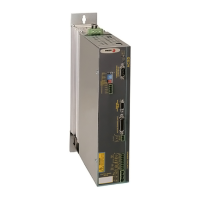
Digital Brushless AC Servo Drive system - Ref.1609 ACSD-29/80
CROWBAR (ON). Indicator light on top of the RESET button.
When lit, it indicates that the voltage of the internal bus has
exceeded the preset voltage values and the ballast resistor has
been activated.
VBUS OK. Indicator light on top of the RESET button. When lit, it
indicates that there is power voltage.
Push-buttons and switches
RESET. Push-button for resetting the system.
NODE SELECT. Rotary switch that sets the node number
assigned to the drive on the CAN bus. For further detail, see sec-
tion Initialization and adjustment of this manual.
SPEED SELECT. Switch that allows selecting the communication
speed of the CAN bus. For further detail, see section Initialization
and adjustment of this manual.
TERMINAL RESISTOR
Selector that, when in the
“ON” position, connects the
line terminating resistor
between CANL and CANH
of the bus.
Always activate ON at the
drive connected at the far-
thest end of the bus cable.
At the rest of the drives that
make up the system, ON
must always be deactivated.
See attached figure.
BUS
ACTIVITY
NODE
SELECT
CAN BUS
X4
GNDa
CANL
SHIELD
CANH
SHIELD
SPEED
SELECT
TERMINAL
RESISTOR
+5 V
NO
1
2
CROWBAR
< ON >
VBUS OK
RESET


 To Next Page
 Loading...