1. Determine location
2. Mount the Aura 14
3. Connect the Aura 14
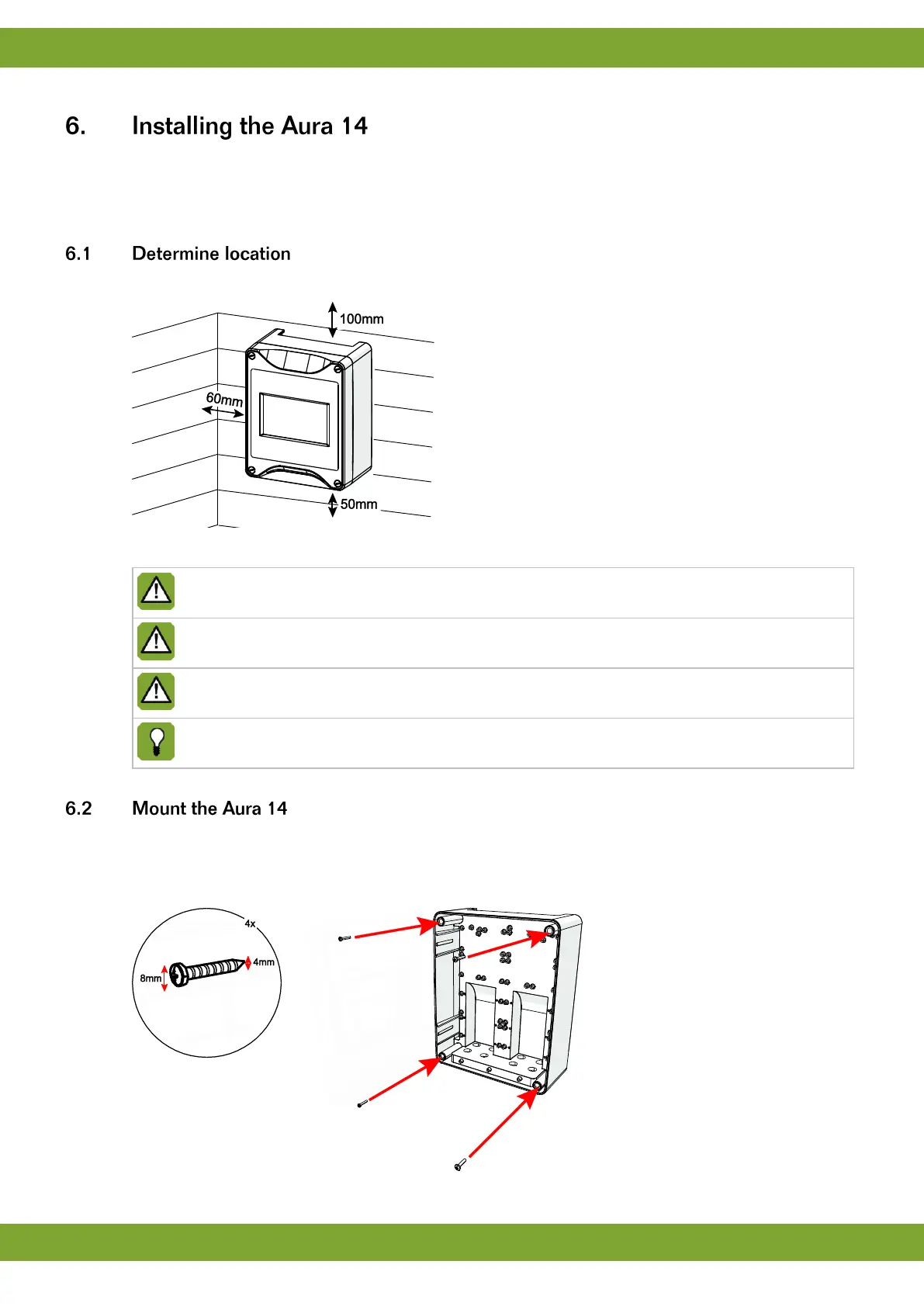
Takes into account the following guidelines:
Figure 1: required edge distances
Never place the Aura 14 in a place where the weather has direct influence (not in the sun, not in places
where the temperature can rise sharply etc.).
Never mount the Aura 14 near water pipes, drainage pipes etc.
Never mount the Aura 14 in a humid and/or dusty room and certainly not in the room where the animals
are present.
Mount the Aura 14 at such a height that you can control the Aura 14 easily (eye level) and square on a
solid backing. The swivels should be positioned at the bottom.
Mount the Aura 14 as follows:
1. Mark the screw holes by using the drilling template (taking into account the required edge distances).
2. Open the cover and fasten the control computer in the mounting holes on the corners.


 To Next Page