23
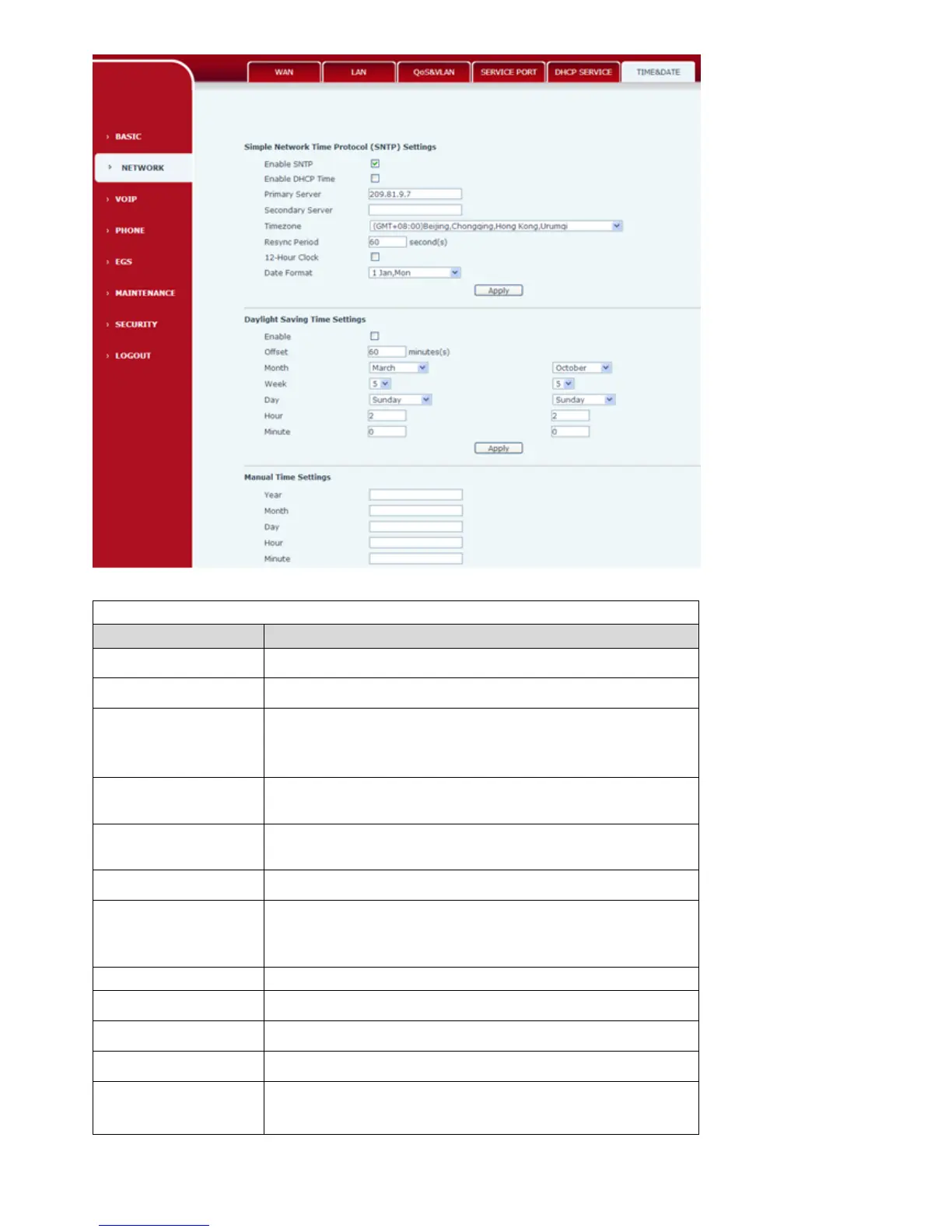
SNTP
Field Name Description
SNTP Time set
SNTP
Configurate whether enable SNTP server
DHCP Time Whether use DHCP dynamic to obtain time,after
enabling,phone will synchronization network time
automatically in certain time
Main Server Configurate phone obtain current time SNTP main
server address.
Backup Server Configurate phone obtain current time SNTP backup
Server address.
Territory
Configure the choice for time zone
Synchronous Query
inquiry from the server constantly to synchronize
,default 60 second
12 hours system System can switch to 12 hours,default is 24 hours
Date Format Configure date format
Date Separator Configure date separator
summer time set
Open the Daylight
Saving Time
Configure the daylight saving time



 To Next Page