14
Status
Field Name Description
Network
Shows the phone current WAN
configuration: include WAN IP
get way(Static、DHCP、PPPoE)and MAC address,IP,the
default gateway IP address
Accounts
Shows the phone current SIP LINE 1-2 r
egistered and the
corresponding number status. The bottom of the page
shows I21/I21T version number and release date.
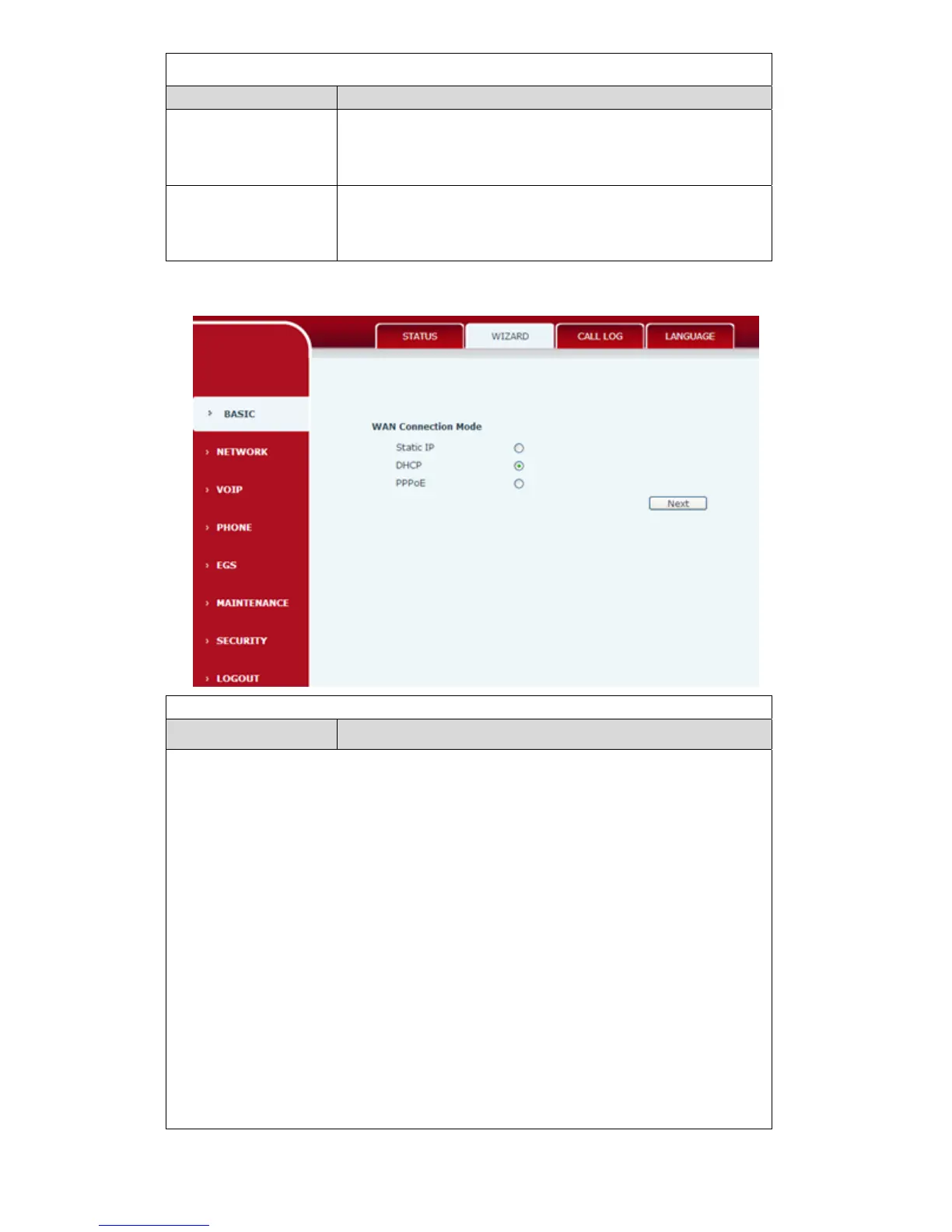
4.3.1.2. Wizard
Wizard
Field Name
Description
Telephone network on-line mode, please according to the actual network
environment
,select the appropriate network model.This phone provides
three kinds of network online ways:
Static : If your ISP Services provide you with a fixed IP address,you can
choose this.After selecting, you must fill the Static table with:IP Address /
Netmask /Gateway / Primary DNS and other related information. If you don't
know the information,please ask your ISP service provider or network
management personnel for assistance.
DHCP :in this mode,network information will got automatically from the
DHCP server,you need not to manually enter these fields.
PPPoE:select this mode. you must enter the ADSL online account and
password.
You can also reference
3.2.1 Network Settings,and set your network quickly.



 To Next Page