34
“<8>”:log level
“MAR 20 11:17:38”: happen time
“5,0003476426,IC Card,I20 IP Door Phone”:logs have include door open time ,Card
number/phone number ,open door type ,device.
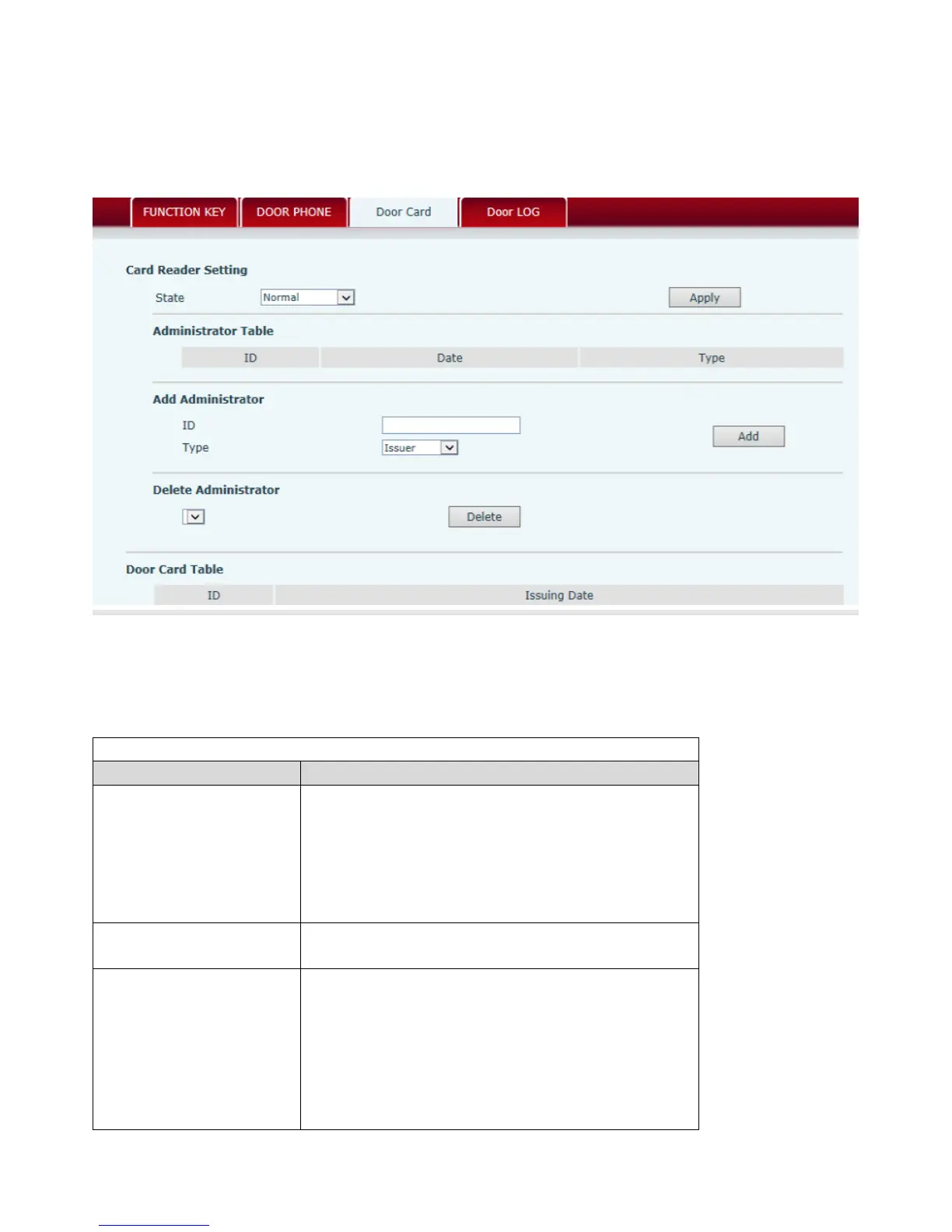
4.3.5.2. Door Card Setting
Door Card Setting,to config the ID card and admin the card issue and delete
Door Card Settin
Code Explanation
State ID Card Status Setting:
Normal Status, Wave card to open the door
Card Issuing Status, Update the ID card data to
phone database
Card Revoking Status, Delete the ID card data
from the database
Administrator Table
Administrator data table, display the
administrator ID, Date and Type
Add Administrator
Add Administrator, Admin Card Number, Type,
Card Issuer and Revocation. When the ID Card
status is in <Normal>,wave admin card to enter
card issuing mode, and then wave the additional
cards into the database, when the procedure
completed, wave admin card again to enter
Normal status.(Delete card procedure is



 To Next Page