31
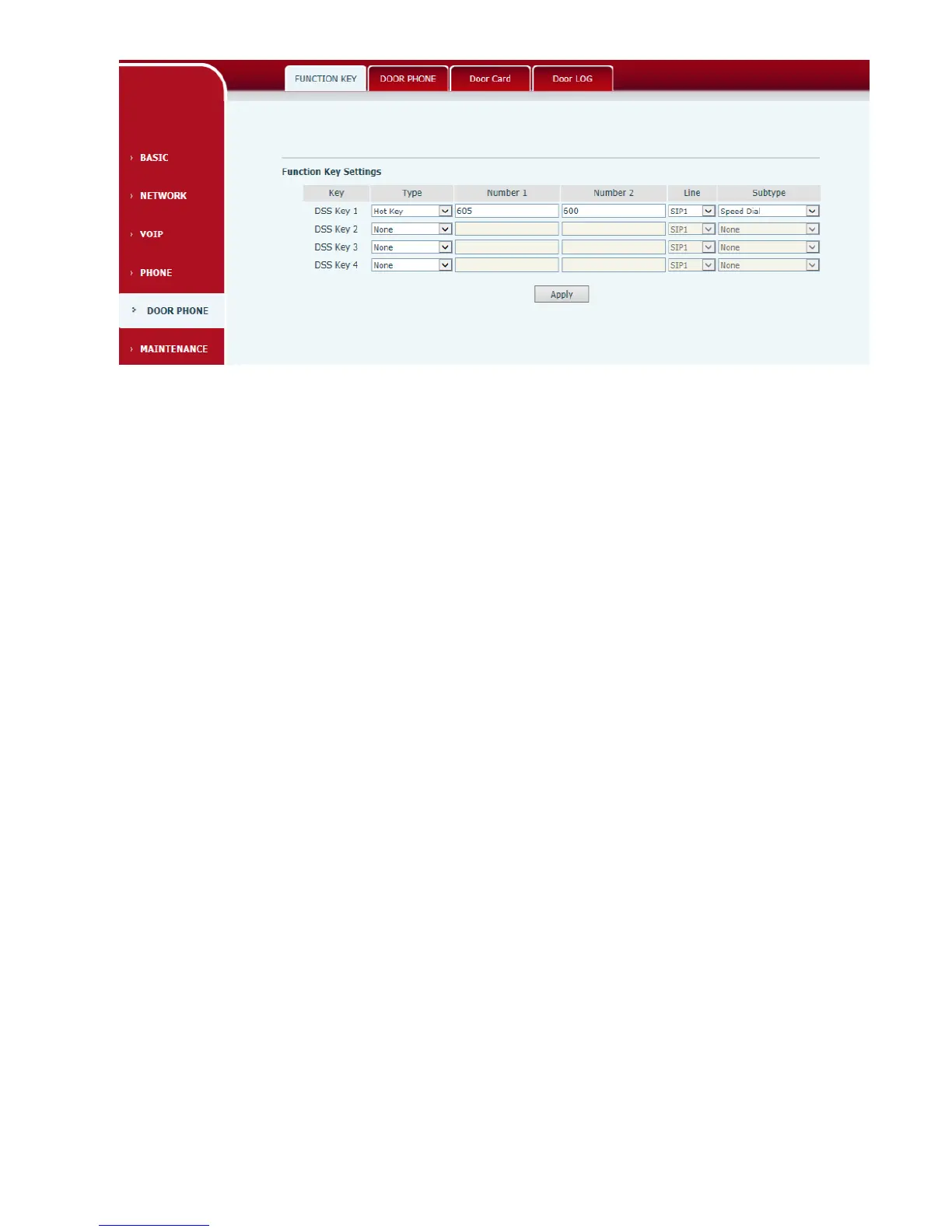
1) Type=Hot key
Number 1/2 is the fixed phone number, when press the DSS key, the phone call the fixed phone
number. this phone number can also be set as IP address.
2) Type=Key Event
You can set type as key event, there’re many options in the subtype for your selection.
None
Dial
Release
OK
3) Number Setting
Number1 and number2 is 2 different calling number, when the Dial Mode is <Main-Secondary>,
Number1 is the Main number and Number2is the secondary number; When the Dial Mode
is<Day/Night>,Number1 is the daytime period and Number2 is the night time period
EGS



 To Next Page