Manual MWD BP
FEIG ELECTRONIC GmbH Page 35 of 97 MWD BP_Handbuch_mehrsprachig_8.doc
E N G L I S H
9.4 Opening service parameters
To display the Service Parameter you have first to open the parameter entry as described in 9.1.
Service Parameter names are displayed with flashing character and static decimal point.
Menu navigation is conform to the navigation of standard parameter.
Symbol Key
Key-
press
Description Action
Display
Example
1. F+ or F- - long
Activate service parameter from
standard parameter menu
Display first service parameter
name
ÑA.
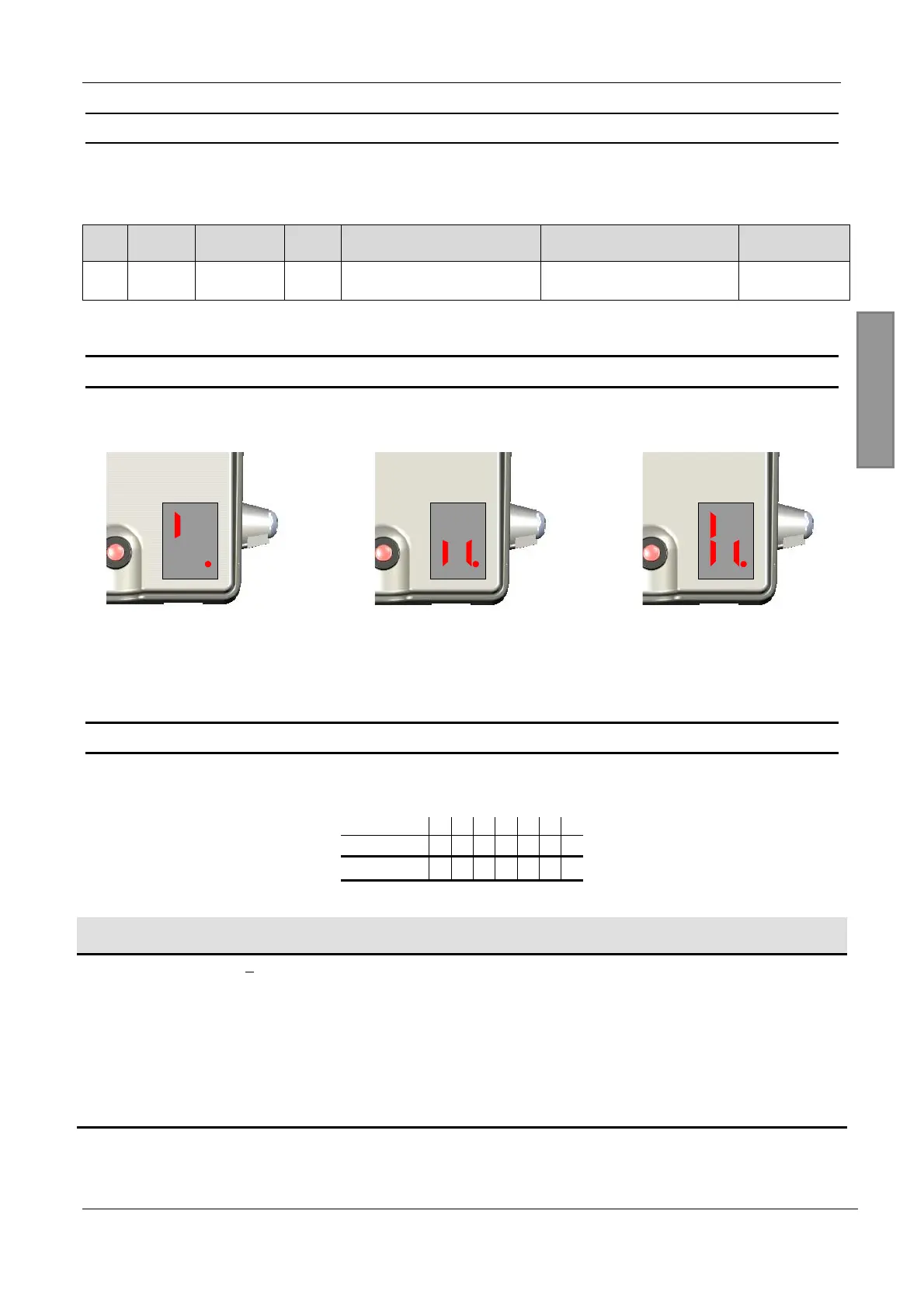
10 Display during operation
The motion detector shows whether and which of the two output relays has activated on the display.
8
Fig. 8: Relay 1 active
8
Fig. 9: Relay 2 active
8
Fig. 10: Relays 1+2 active
11 List of the parameters for adjusting the channel functionality
Parameter mode must be started before setting the parameters. The channel to be parameterised is selected
according to the following table depending on the device address.
Address 13579BD
Channel 1 13579BD
Channel 2 2468ACE
P. Setting
range
Function Description / note Factory
setting
L.
1 ... 9,
A ... F
Level
The sensitivity of the channel to be parameterised is
adjusted with this parameter.
1: low
...
F: high
)
The settings A to F correspond to the values 10 to 15.
9


 To Next Page