TST Startup FU3E
FEIG ELECTRONIC GmbH Page 12 of 29 FU3E_Inbetriebnahme_7_GB.doc
5 General Operating Notes for Parameterizing
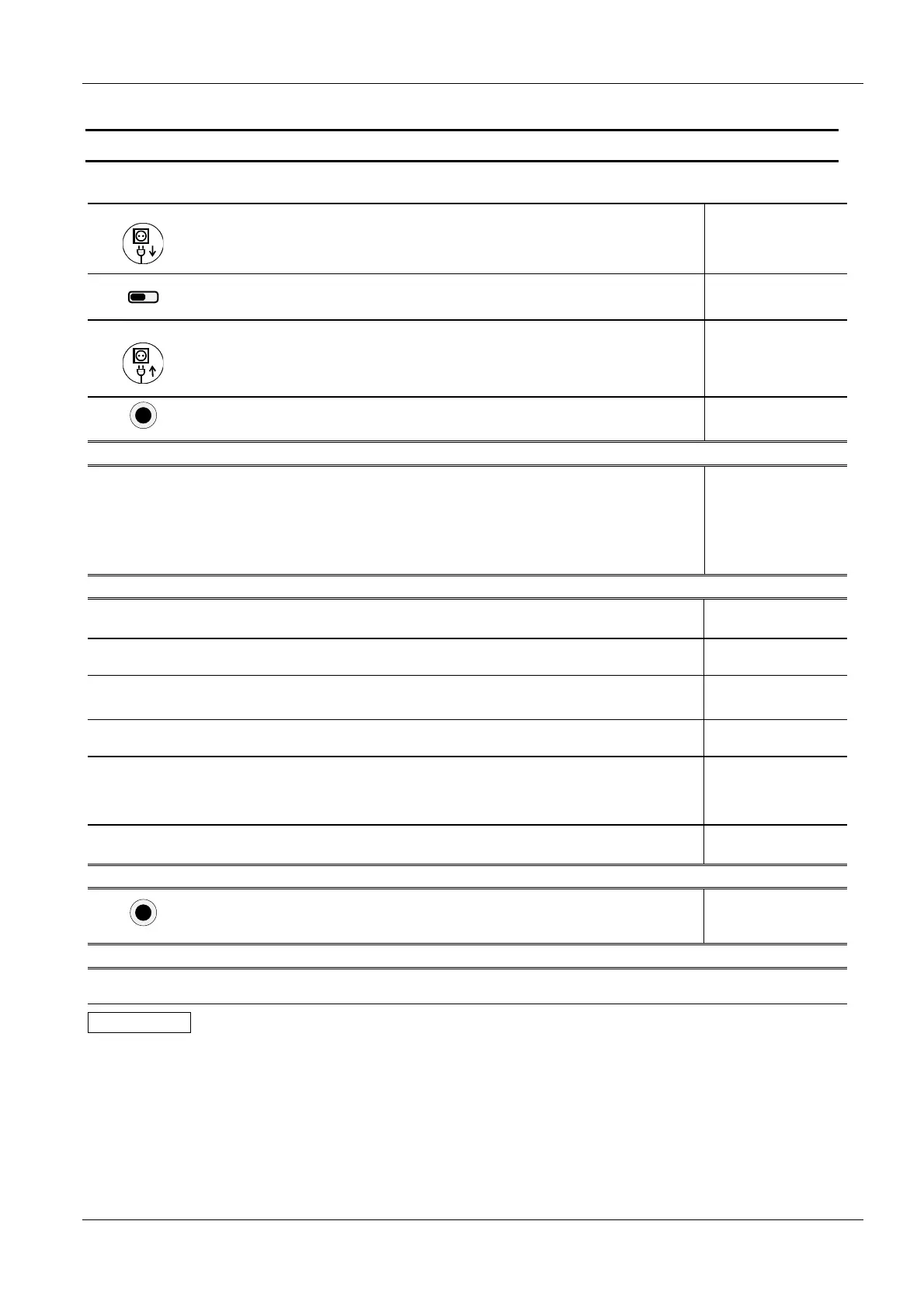
Opening parameterizing mode
1.
Turn off door
controller
Completely disconnect power
supply
(refer to safety notes)
7-segment display goes out after a
delay of several seconds
2.
SERVICE
Turn DIP
Switch ON
Service mode is activated,
close control cabinet.
3.
Turn on door
controller
Turn on controller
When service mode is active, the
leading decimal point flashes
Contents of the display depends on
controller status
.
...
4.
NOT-AUS
Emergency
STOP
press emergency STOP button
The parameterizing mode is directly
activated by pressing the emergency
stop button
P.000
Parameter selection with parameterizing mode open
¿
À
UP
or
DOWN
Select desired parameter
C A U T I O N:
Not all parameters are directly
viewable or changeable,
depending on password and
set positioning type
The parameter value can be viewed
or modified (see below)
Display varies with the selection
P.
...
Parameter processing with selected parameter
1.
Controller in parameterizing
mode
Displays the desired parameter name
P.
010
2.
Å
STOP (short) Opening the parameter
The current parameter value is
displayed:
5
3.
¿
Up
Up button for incrementing
parameter value
If the currently valid parameter value
is changed, the decimal points will
flash
6
or
À
Down
Down button for decrementing
parameter value
4
4.
Å
STOP (long) Save set parameter value
The parameter is considered to be
saved when no decimal points flash
6
or
STOP (short) Cancel set parameter value
Cancel, the original parameter value
is again displayed
4
5.
Å
STOP (short)
Switch to display of the
parameter name
Displays the parameter name
P.
010
Exiting parameterizing mode
NOT-AUS
Emergency
STOP
Immediately quits
parameterizing mode, door
operation is again active
The last stored value is automatically
retained
....
Resetting the controller
Press Å+¿+À simultaneously and hold down for approx. 3 seconds.
IMPORTANT
After approx. 1h service mode is automatically reset. To return to service mode, you must
reset the controller or turn it OFF and then ON again.



 To Next Page