33
%
240 mm
"
"
#
#
!
!
"
#
!
$
A 941 / AD 941
AD 951
Planer-Thicknesser
A 941 / AD 941 / AD 951
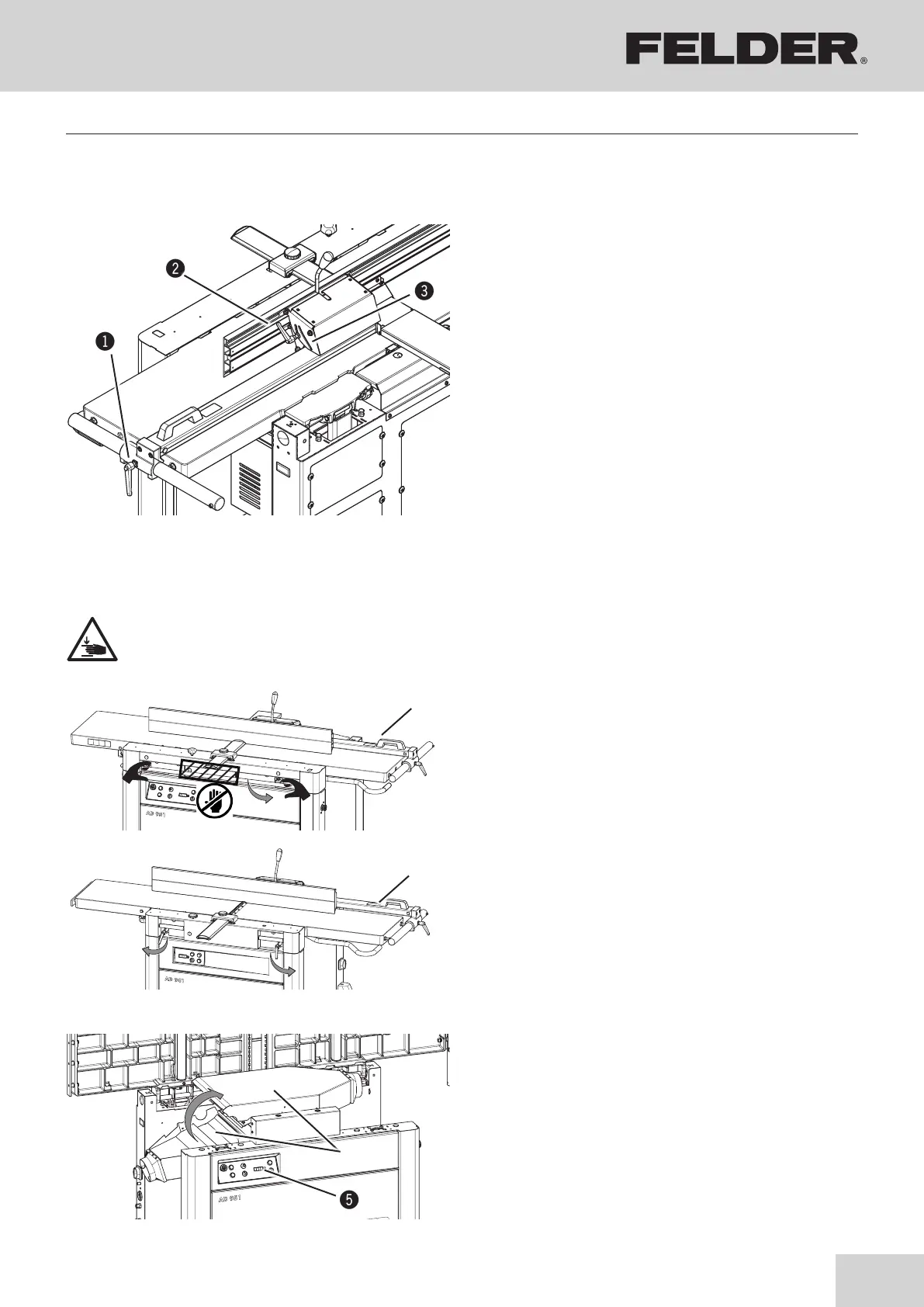
8.4 Adjusting the planing fence
!Cam lever
"Clamping lever
#Scale
Fig. 8-4: Fence for guiding the workpiece
Your machine is equipped with a fence for guiding the
workpiece.
The fence can be pivoted from 90° to 45°.
• Open clamping lever.
• Set the required angle (Scale).
• Close all clamping levers.
Sliding, clamping, remounting
• Open cam lever and move fence.
8.5 Retooling from a planer to a thicknesser
Fig. 8-5: Planer table
Proceed in reverse order when closing the joiner tables.
Ensure that the planing table is at least 240 mm below
the planing arbor.
Fig. 8-6: Thicknesser table
$Vacuum hood
%Digital display on rip fence
• Clamp the joiner fence
(see adhesive on stop).
AD 951
To unlock move the lever upwards.
danger of trapping!
A 941 / AD 941
Loosen and pull out the clamping lever.
• Pivot joiner tables up
• Pivot the exhaust hood up
!Glue
"Pull the lever forwards
#Release the clamping lever
Attention! danger of trapping!
Making adjustments and preparations



 To Next Page