39
212UAB
! "
Planer-Thicknesser
A 941 / AD 941 / AD 951
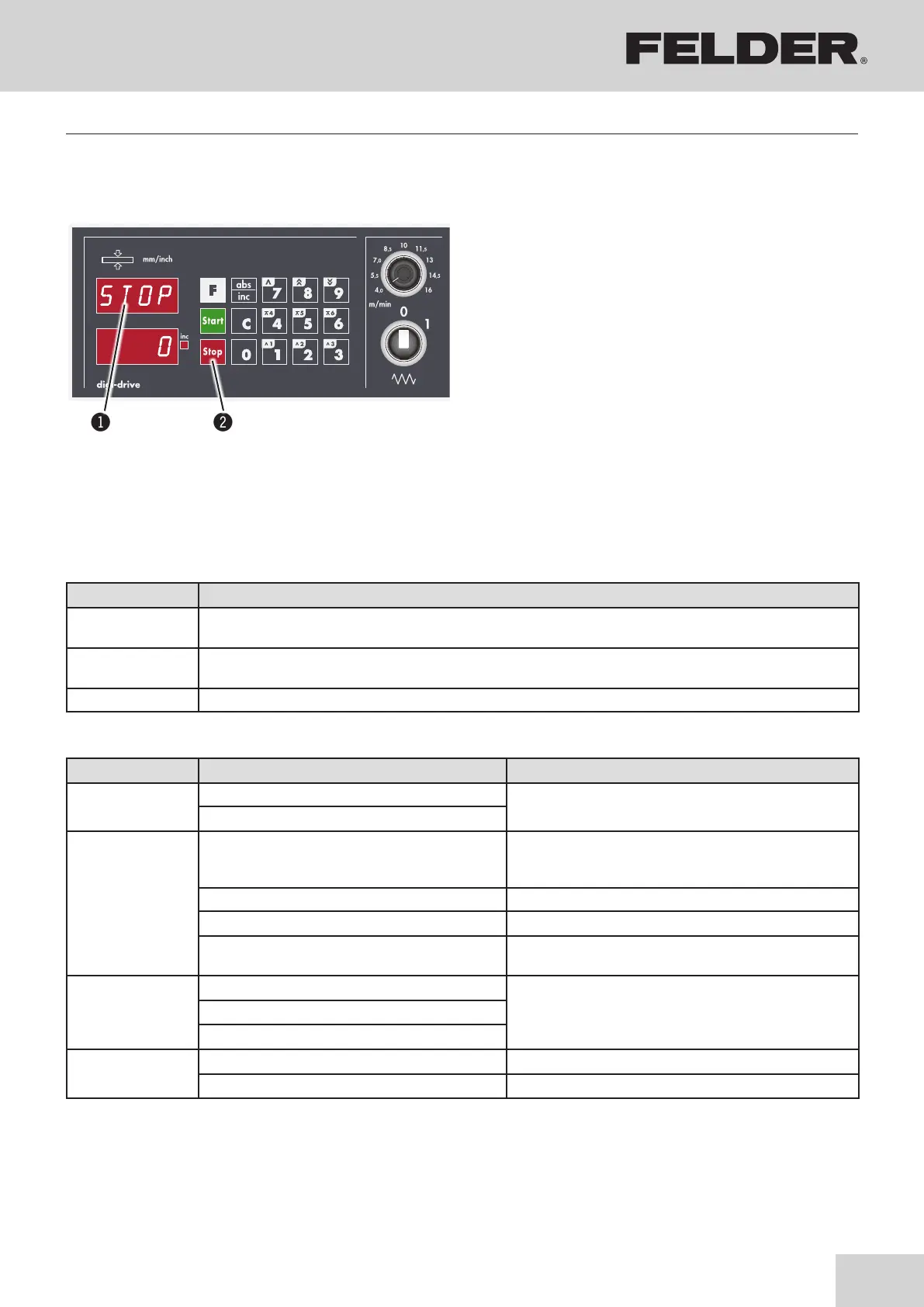
Fig. 8-15: Error messages
8.9.8 Error messages
If an error occurs, the error number or alternatively the
error text is displayed in the actual value display.
Error codes are deleted by pressing the Stop key.
!Actual value display
"Stop key
Making adjustments and preparations
Error codes Cause Solution
ENCO The direction of rotation is connected incorrectly
Please contact customer service.
Measuring system error
CURR
Axle drive is overloaded
(Collision with the workpiece)
Remove blockage
1. Thicknesser table: place to the bottom
2. Remove workpiece
Axis not calibrated (block) Calibration of control unit
Motor defect Please contact customer service.
Soiled mechanics (Thicknesser table height
spindles and chain drive)
Cleaning, Lubrication
See chapter entitled >Service<
SHOR
Cable scrimped
Please contact customer service.Motor defect
Error in electrical system
STOP
Emergency stop actuated Unlock the emergency stop switch
Extraction hood open Close dust extraction hood correctly (Thickness planing)
Note: Press the Stop key to delete error messages.
Status messages Description
–
END Upper limit switch
Thickness planing - The mechanical end position has been reached
_END Lower limit switch
Thickness planing - The mechanical end position has been reached
–
–
END Height limit switch triggered (Thickness planing)
8.9.9 Error messages - Cause and problem elimination



 To Next Page