52
A 941 / AD 941
AD 951
!
Planer-Thicknesser
A 941 / AD 941 / AD 951
Service
10.3.4 Safety break switches - Check efficiency
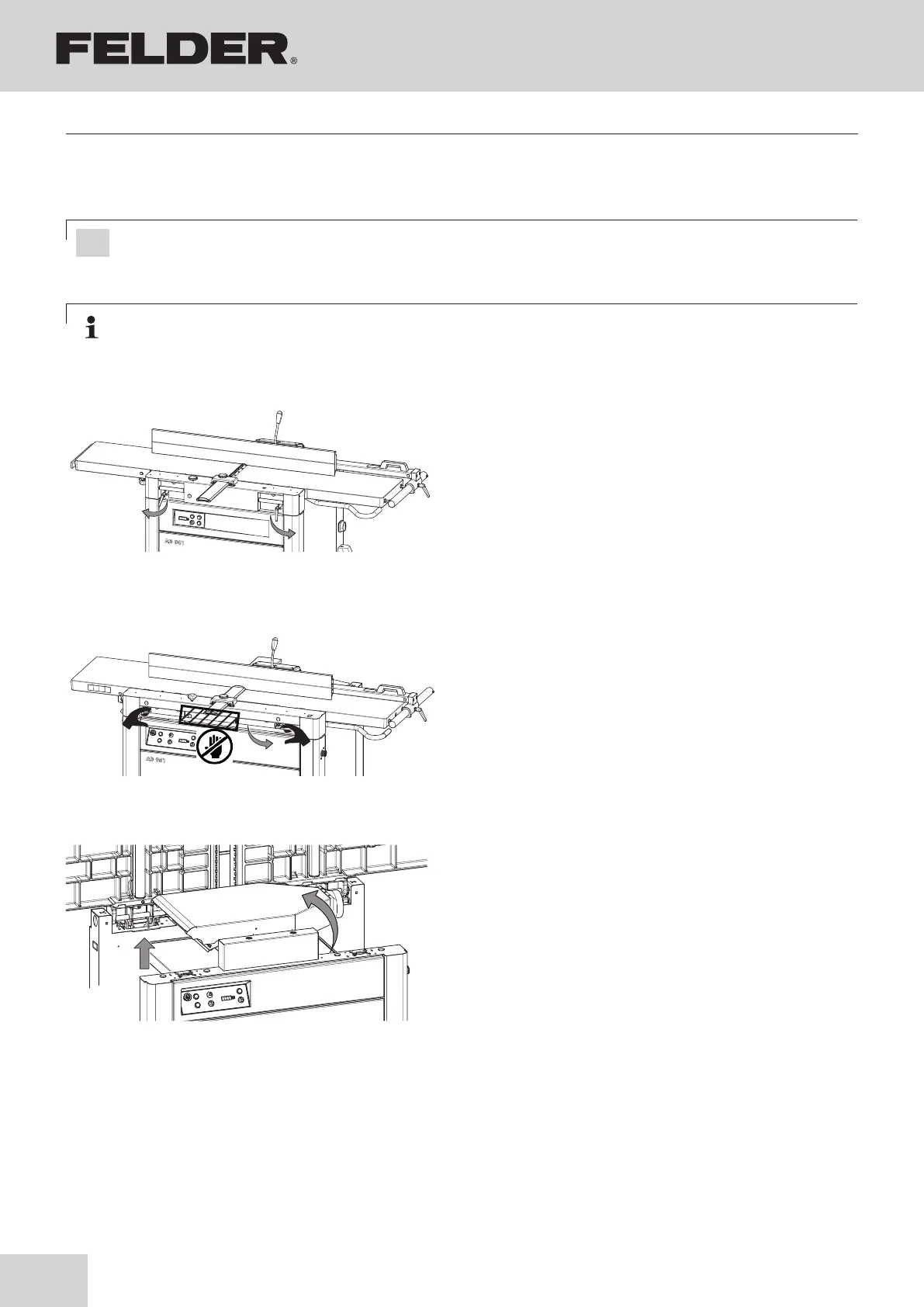
Fig. 10-A2: Break switch for the planer tables
Fig. 10-A1: Break switch for the planer tables
Fig. 10-A3: Break switch for the vacuum hood
Note: The unit must stop with the clamped tool after 10 seconds.
Please contact the FELDER KG service department, if problems or a fault- function should occur!
Attention! Your machine is equipped with safety break switches. The planer arbor can only run when the
joiner tables are closed or the extractor hood is tilted up.
1. Switch the machine off and ensure that it cannot be
switched on again.
2. If required, and depending on the previous machine
use:
• Reset the machine
• See chapter entitled >Making adjustments and
preparations<
3. Prepare the machine to operate
Switch machine on
4. When the machine is running:
Check efficiency
see Fig. 10-A1
Break switch for the planer tables
(A 941 / AD 941)
5. Loosen and pull out the clamping lever.
6. Open planer table
see Fig. 10-A2
Break switch for the planer tables
(AD 951)
5. Pull the lever forwards
6. Open planer table
see Fig. 10-A3
Break switch for the vacuum hood
5. Position the thicknesser table in the top most position.
6. Tilt up the vacuum hood.



 To Next Page