Page 15
iLiL
iLiL
iL
OFT DUOOFT DUO
OFT DUOOFT DUO
OFT DUO
XX
XX
X
iLiL
iLiL
iL
OFT DUOOFT DUO
OFT DUOOFT DUO
OFT DUO
XX
XX
X
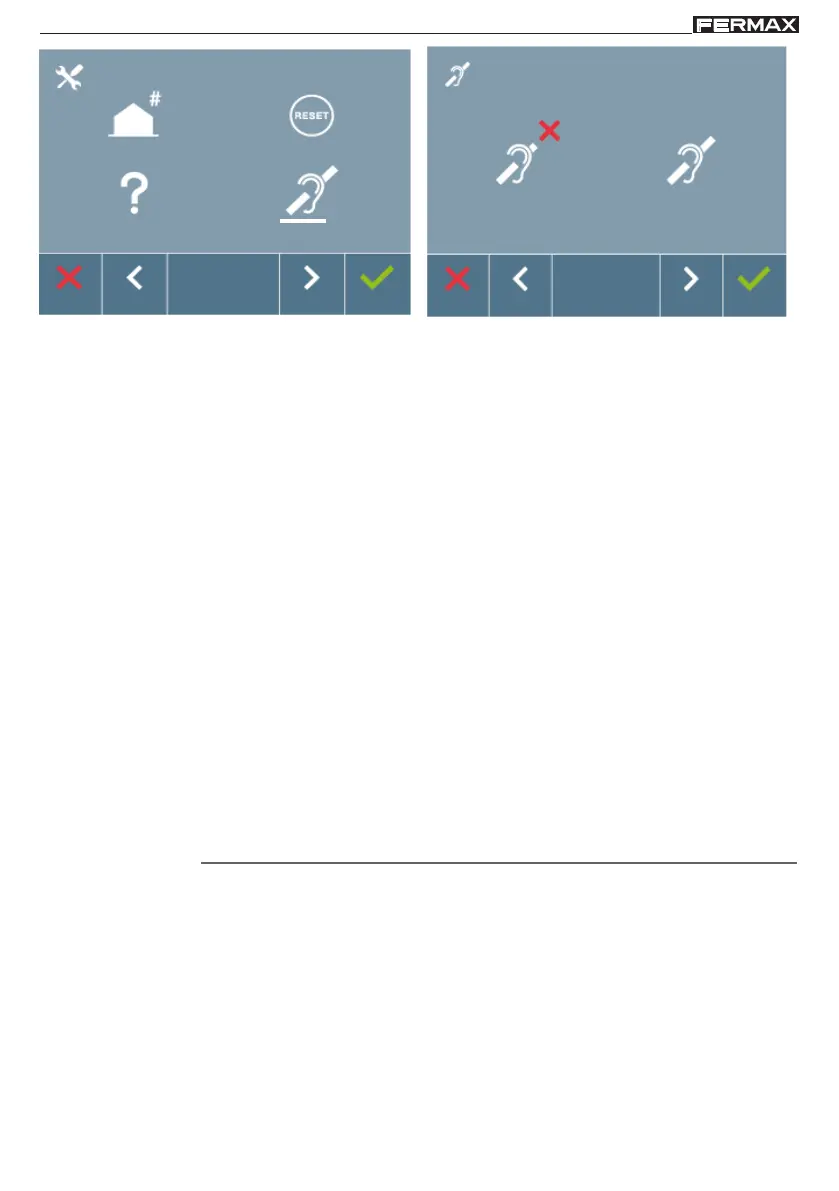
The white line below the icon indicates the function you are currently in. Upon pressing it is
selected. By default the loop is deactivated, even in models where the loop is included.
Section - User Manual
Congratulations on purchasing this quality product!
The iLoft Video Door Entry System monitor, with an informative, full colour
screen allows you to communicate with the entry panel, see the caller and
open the entrance door if you wish.
Thanks to its on-screen menu new features are included for configuring
the monitor's parameters.
We hope you enjoy its range of functions.
www.fermax.com














 To Next Page