Page 20
iLiL
iLiL
iL
OFT DUOOFT DUO
OFT DUOOFT DUO
OFT DUO
XX
XX
X
iLiL
iLiL
iL
OFT DUOOFT DUO
OFT DUOOFT DUO
OFT DUO
XX
XX
X
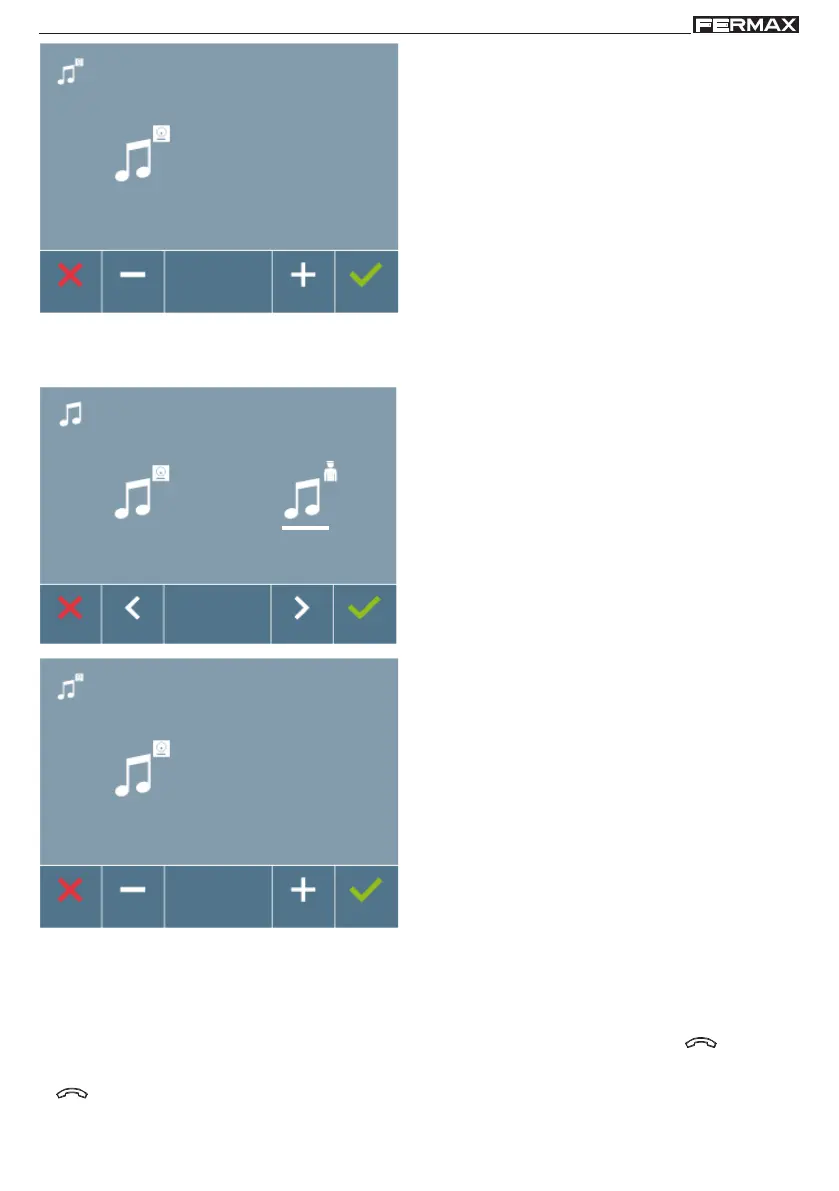
Once an option is selected, it displays and sounds
the current ring tone, pressing the ">" or "<" button
you can select and listen to the different available
ring tones on the monitor.
Note: Upon pressing:
- X (cancel): exit the screen without changes.
-
(confirm): all changes made are saved and
you exit the ringtone selection menu.
4
b) Selecting guard unit ringtone
Selecting this option you can change the ring tone
that is heard on the monitor when the guard unit
makes a call to a monitor.
It allows you to assign up to 5 different ringtones.
Once an option is selected, it displays and sounds
the current ring tone, pressing the ">" or "<" button
you can select and listen to the different available
ring tones on the monitor.
Note: Upon pressing:
- X (cancel): exit the screen without changes.
-
(confirm): all changes made are saved and
you exit the ringtone selection menu.
2
Within the conversation menu we can select between Simplex and Hands free mode.
Simplex Mode: press the audio activation button to talk and release to listen .
Note: In both cases, hanging-up and answering are done with a short-press of the button
.
4.2 CONVERSATION MODE














 To Next Page