Page 18
iLiL
iLiL
iL
OFT DUOOFT DUO
OFT DUOOFT DUO
OFT DUO
XX
XX
X
iLiL
iLiL
iL
OFT DUOOFT DUO
OFT DUOOFT DUO
OFT DUO
XX
XX
X
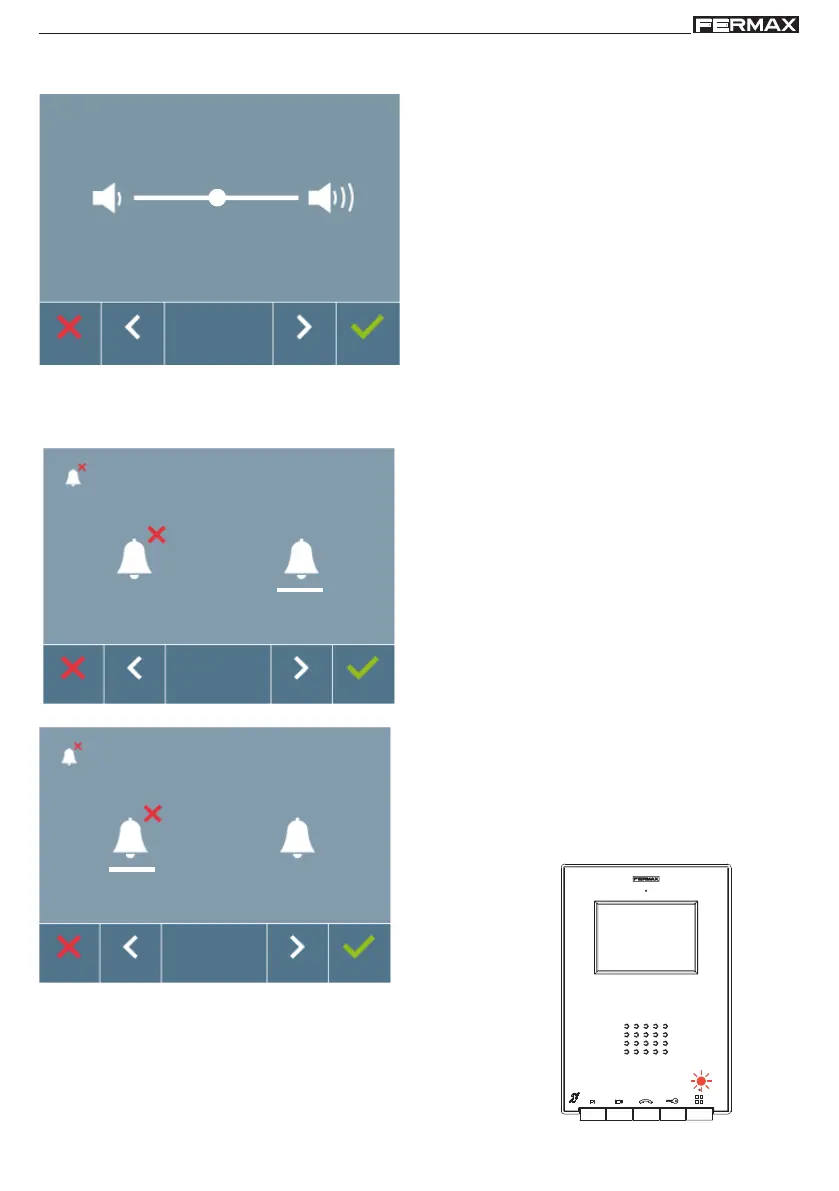
2. USER Menu: DO NOT DISTURB MODE (cancel call tone).
From this screen we can activate/deactivate the call tone (do not disturb mode).
The monitor's red LED blinks slowly when the do
not disturb option is activated.
It appears once exited from the programming.
1. USER Menu: CALL VOLUME SETTINGS ON MONITOR
You can adjust the ringtone volume within a range of ten possible values.
First of all you see and hear the current volume
which can be increased or decreased with the
corresponding arrow buttons indicated on the
screen. Via these we obtain the desired regulation.
Note: Upon pressing:
- X (
cancel): exit the screen without changes
-
(confirm): all changes made are saved and
the user menu screen appears
By default, normal operation mode is selected (listen
to the call).
Note: Upong pressing:
- X (
cancel): exit the screen without changes.
-
(confirm): all changes made are saved and
the user menu screen appears














 To Next Page