6. Commissioning
© Festo Didactic GmbH & Co. KG 39
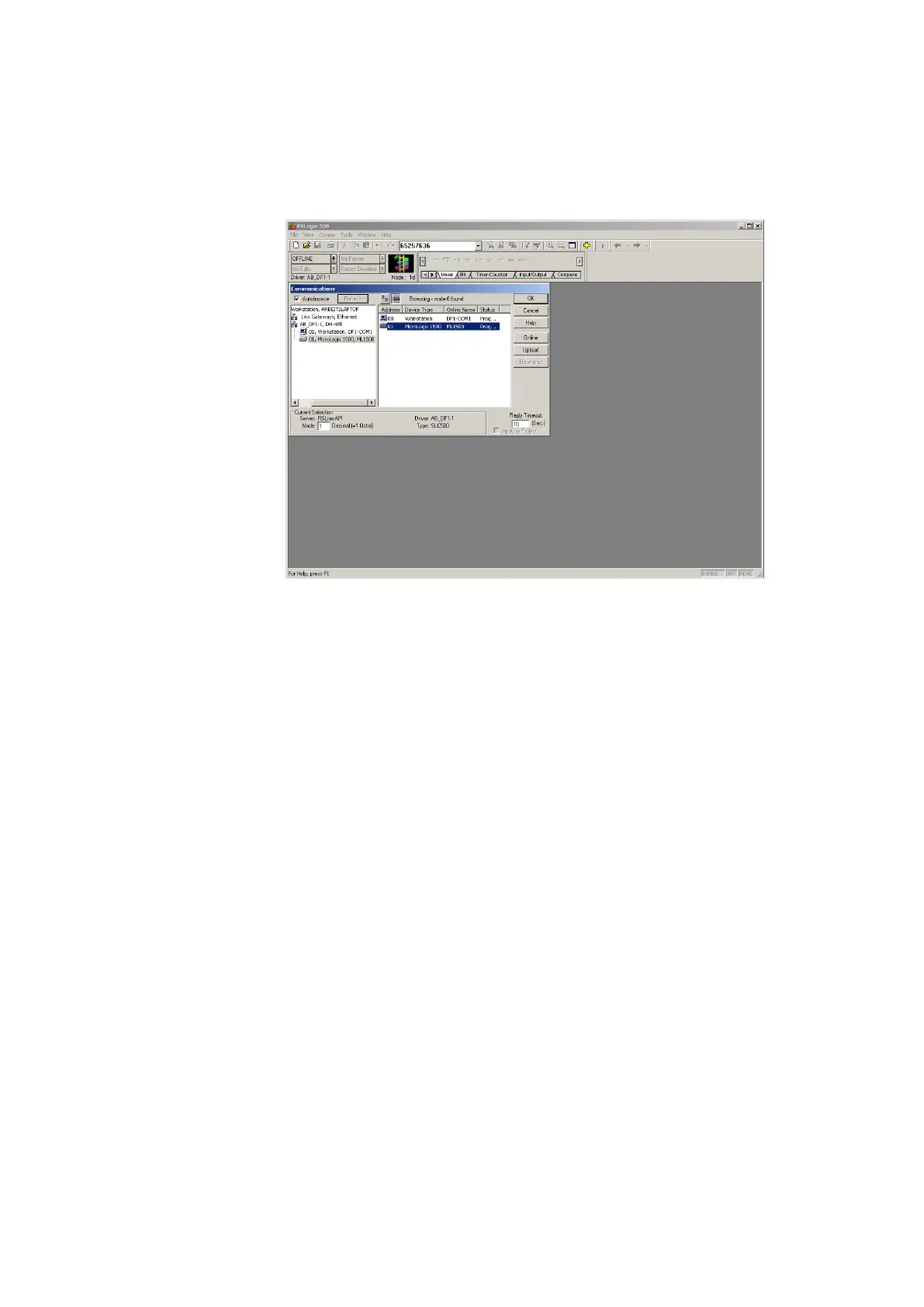
Comms System Comms… select the required controller and confirm with OK
5. Overall reset PLC memory:
Wait until the PLC has carried out its test routines.
CPU ML 1500
Turn the mode selector switch to REM or PROG.
Start the PLC programming software.
Select Comms System Comms… select the required controller and click
Online.
After connection the PLC and the PC select Comms Clear Processor
Memory and confirm with OK.
When the COMM 0.- LED stops blinking the memory reset is completed.
The PLC is ready for program download.
6. Open the file 01_VE_K



 To Next Page