26
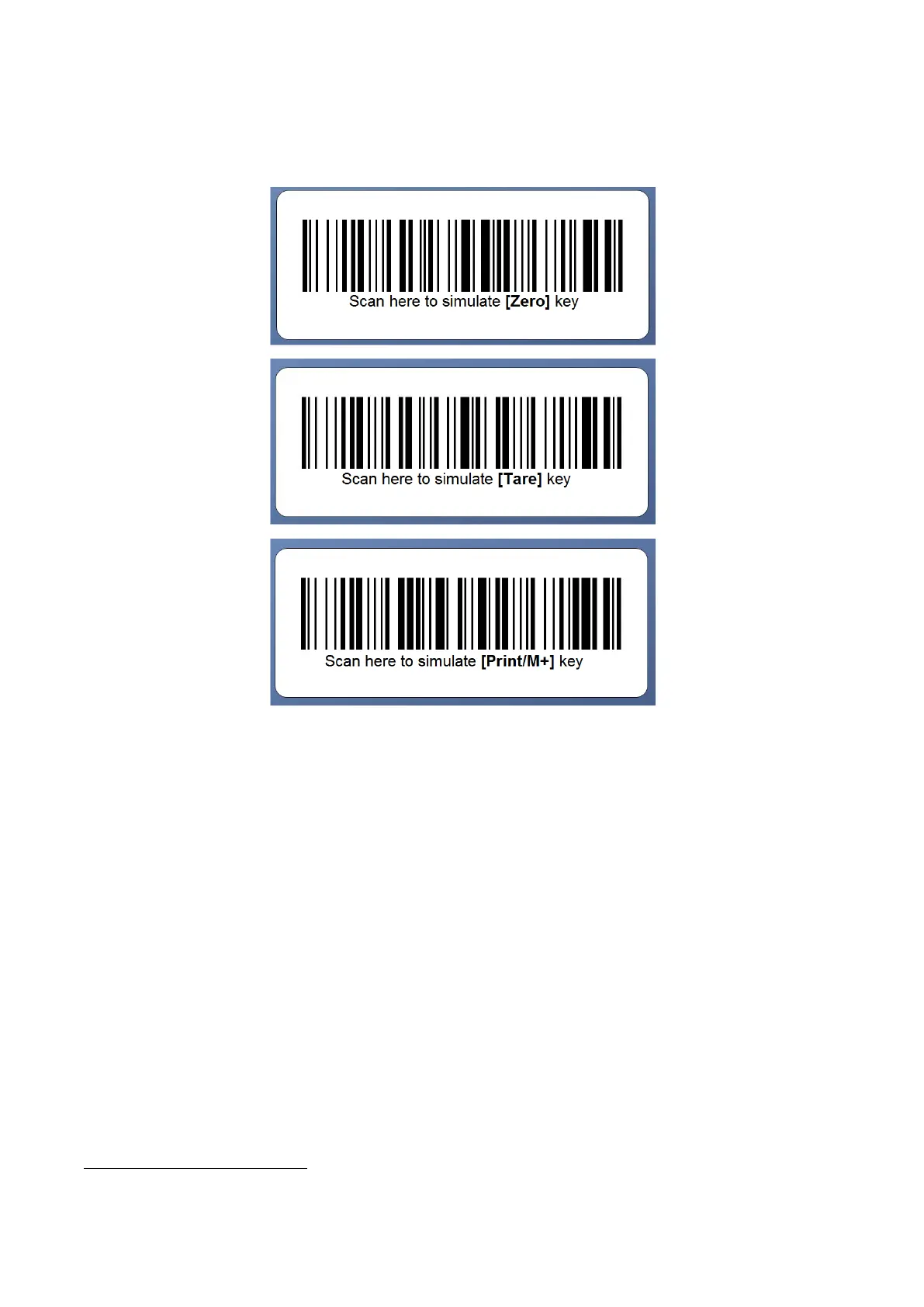
6.12 Enter a Key Command by Scanner
Simply scan one of the below barcodes to simulate pressing the [Zero], [Tare] and [Print/M+] on keyboard.
7. Weighing Mode
1. Refer to 6.6 on how to select the desired weight unit.
2. If zero weight cannot be obtained when unloaded, press [Zero]. After [Zero] is pressed, the Zero
Indicator will appear
.
3. Always place an object onto platform gently. Excessive force / shock applied to platform may cause un-
recoverable damage to the weight sensor inside platform.
4. The weight of the object is displayed automatically.
5. It is a good practice to remove all loads from platform after weighing. It will prolong the life of the weight
sensor.
Maximum weight value can be zero depends on F65 setting. Contact your dealer for detail.


 To Next Page