32
• Li Bar 4 = Range Position Mode. Under this mode, light bar shows only the current result by lighting
up one or several LED dot of respective check result. Number of dots depends on the actual result.
12.4.2 Light Bar action when result is negative
2 options are available: -
• Off = Light bar will be disable when result is negative.
• On = Light bar will treat all results as positive and react upon.
13. Dynamic Check Mode
Check function mode also supports dynamic applications which within the below specifications listed.
a. Maximum belt speed: - 30 meter per minute.
b. Maximum accuracy: - 3000d.
c. Maximum speed: - 30 pack per minutes.
This instrument supports near zero function. Enter near zero value in F26. It is recommended that this value is
= 70% of the target weight value. Refer to 13.1 for details.
13.1 Near Zero Function Description
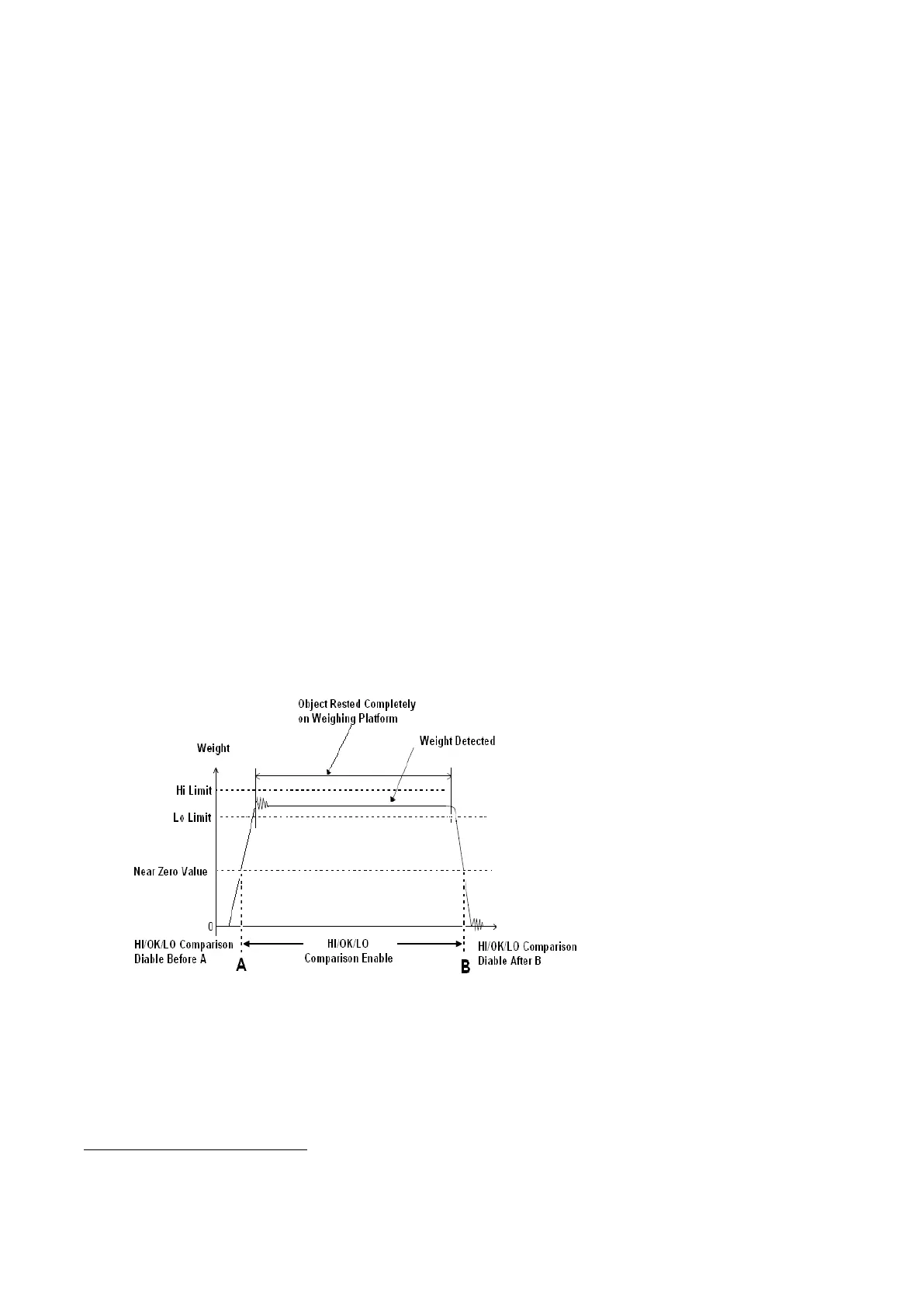
Near zero value is very useful for dynamic and conveyor weighing applications. It is used to avoid false LO
signal output when load is approaching and leaving the weighing platform.
HI/OK/LO comparison will only start when weight reading exceeds the preset near zero value. Refer to below
diagram for more illustration.
13.2 Near Zero Value Illustration Diagram
After Hi, Lo limits and near zero value have been entered, this instrument is ready for dynamic checking.
Set preferred near zero weight value in F26. By default, system will ignore any near zero which is less than 20d. If it is the case,
system will deem 20d as near zero weight value.


 To Next Page