61
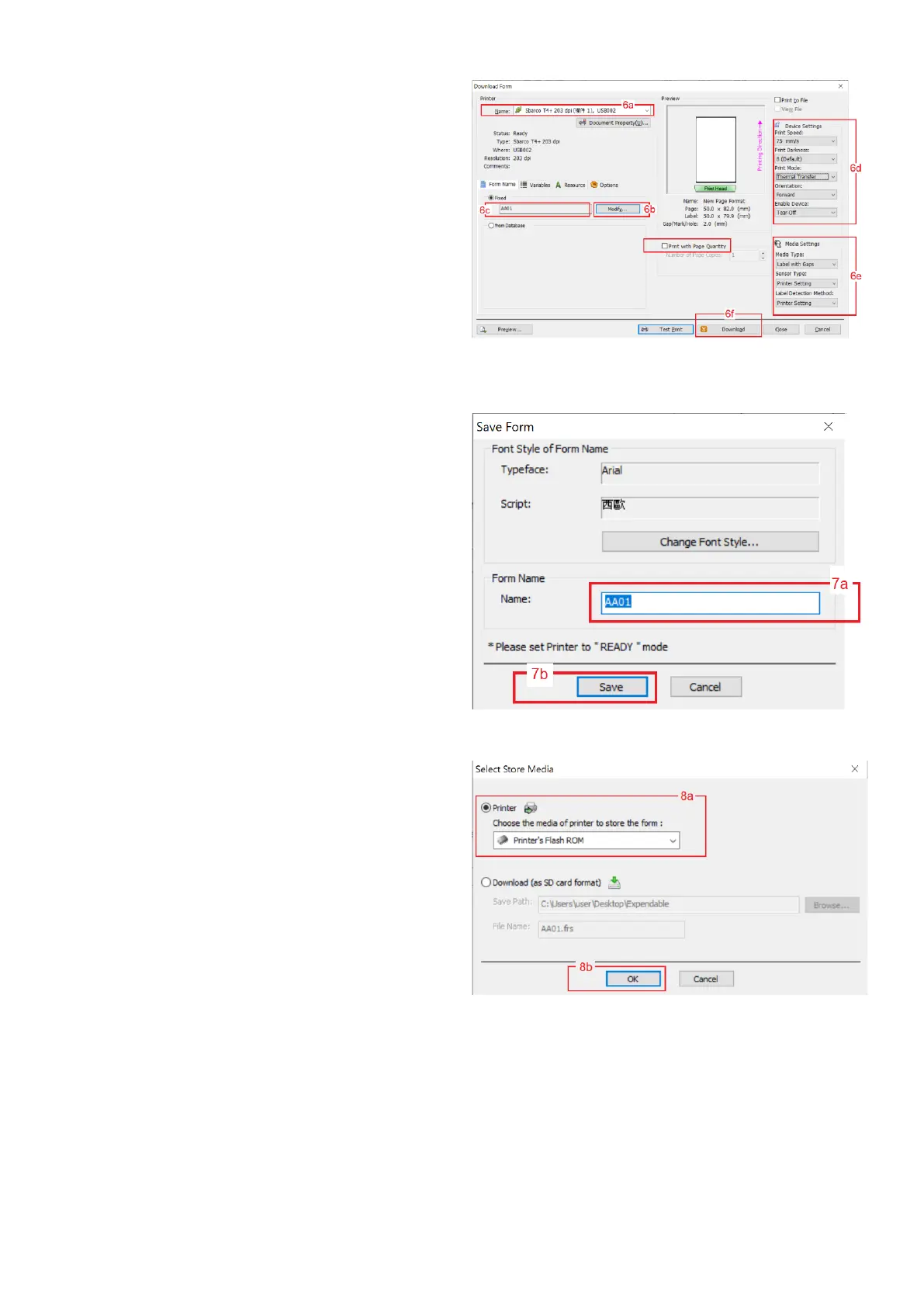
6. Once the label foundation has been completed, then
click on File then click on Print. On Download Form
page: -
a. select name of Print to output,
b. click Modify and then give proper name to
the file (e.g. AA01… AA99 for individual
transaction label and BB01…BB99 for
totalized label).
c. always leave Print with Page Quantity box
unchecked.
d. set all boxes under Device Settings,
e. set of boxes under Media Settings
f. Click Download.
7. On Save Form page: -
a. make sure that the Form name is correct,
then
b. Click Save
8. On Select Store Media page: -
a. select Printer, then
b. select Printer’s Flash ROM, then
c. click OK


 To Next Page