TWINFLEX
®
pro² Control Panel Engineering and Commissioning Manual
24
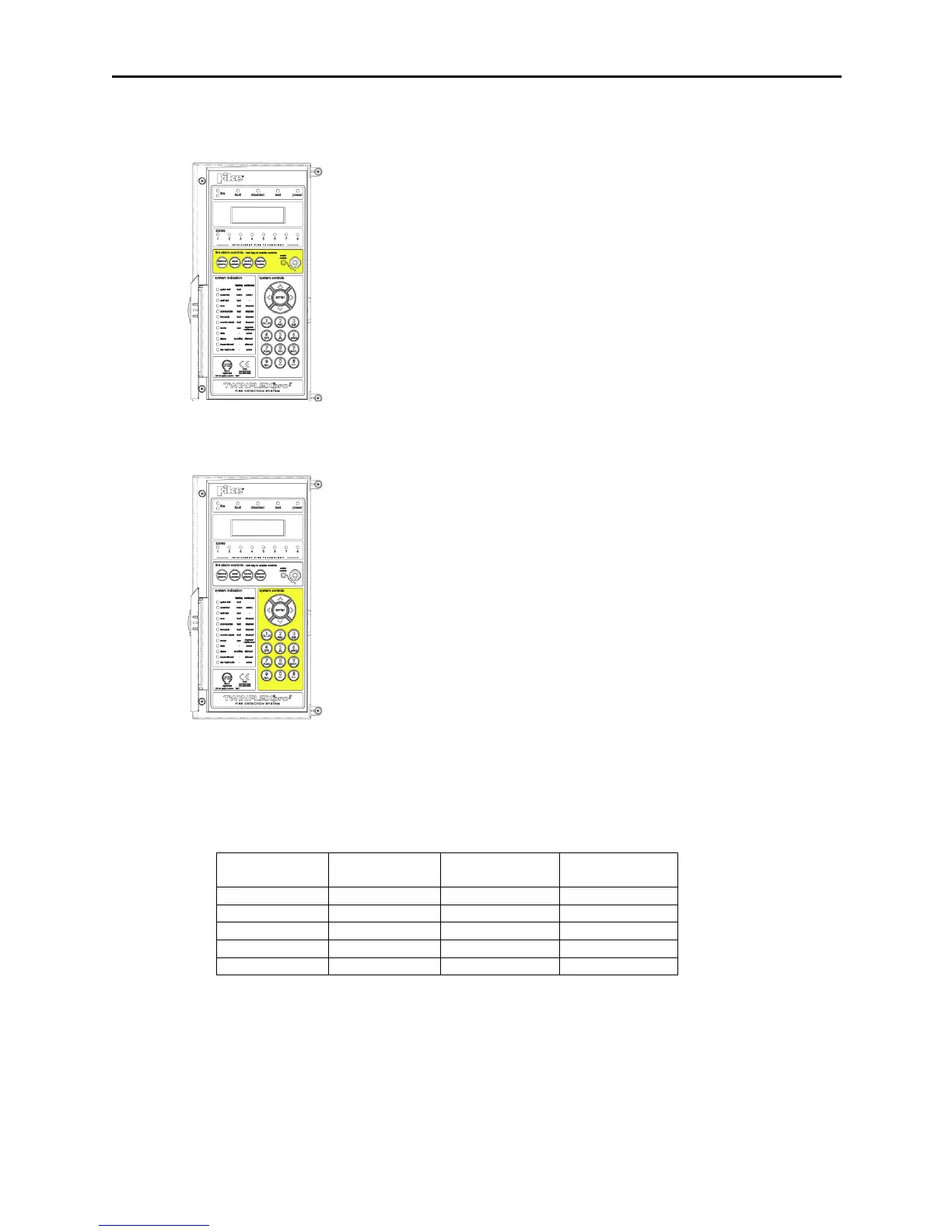
Fire Alarm Controls
Note : 4 Zone / 8 Zone Panel version shown
The main Fire Alarm Controls may be enabled by turning the key
switch to the controls enabled position to go from access level 1 to
AL2A, or by entering a valid access code to all modes above AL1.
Access levels can only be entered from AL1, except from AL3A to
AL3B where only the right hand side panel need be removed and the
write enable switch turned on to enter AL3B from AL3A.
System Controls
Note : 4 Zone / 8 Zone Panel version shown
A context-driven, cursor highlighted-selection menu system is used to
navigate around the menu system, automatically prompting you with
the relevant options for your Access Level and system status.
The menus may be navigated in one of two ways as required:
1. Use the UP / DOWN keys to move the highlighted selection and
press ENTER to select the chosen one.
2. Enter the desired option number and press ENTER to select it.
Press the ESC key to exit to the previous menu.
Access Levels and Codes
The menu system is divided into four access levels in order to allow access to only those who require it.
For simple indication, the status of the Controls Enabled light will show the level selected as follows;
Access to the menu system requires either the operation of the enable controls key for access to
Access Level 2A (User), or the correct entry of the relevant code for access to all other levels, in order
to protect against unauthorised access to the system. The codes may be changed using the relevant
panel menu or via the TWINFLEX®pro² OSP software.
To enter Engineer Access Level 3B, remove the right hand cover and move the write enable switch to
the ON position. Remember to put the switch back to the OFF position before leaving Engineer Level.



 To Next Page