EasyManua.ls Logo

Fike Twinflex pro2 - Supervisor Access Level Functions

Fike Twinflex pro2
80 pages
Print Icon
To Next Page IconTo Next Page
To Previous Page IconTo Previous Page
Loading...
TWINFLEX
®
pro² Control Panel Engineering and Commissioning Manual
28
Access Level 2B (Supervisor ): Enable Controls LED flashing slowly
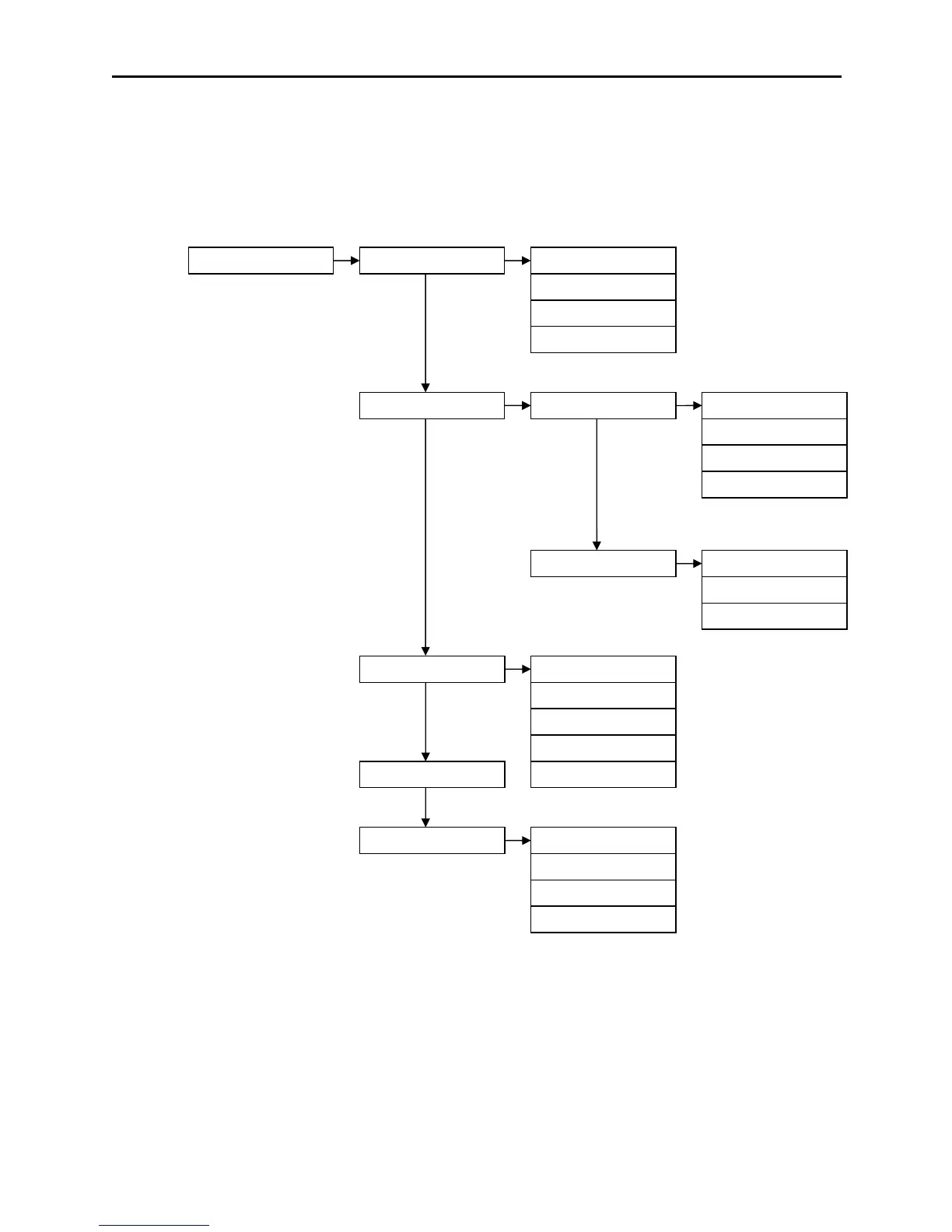
At Access Level 2B (Supervisor), the main Fire Alarm Controls are enabled and the following System
Controls are accessible.
Note: A system reset must be done after any changes are made in order for them to take effect.
Note: Ancillary equipment e.g. repeaters connected to the network do not meet EN 54-2 requirements.
These are described below. Note that actual display indications may differ from those shown in the grey
boxes below, depending on actual set up.

SUPR (7877)
1. View Current Events
1. Current Fires
2. Current Faults
3. Enable/ Disable
1. Remote Fires
2. All Sounders
3. Delays
4. Zone
5. Peripheral Buss
4. Set Time and Date
5. View Logs
1. All Event Logs
2. Fire Logs
3. Fault Logs
4. Panel Event Logs
3. Current Disables
4. Current Warnings
1. Test Cntrls & Disp
2. Test Zone
2. Test Modes
1. Test LCD Display
2. Test LEDs
3. Test Buzzer
4. Test Keyboard
1. Silent Test
2. Audible Test
3. System Test
www.acornfiresecurity.com

Table of Contents

Related product manuals