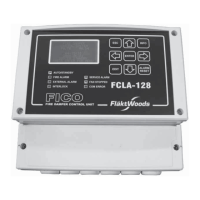
1. Identify components supplied separately against the enclosed bill of materials.
2. Fit external cable trunking (accessories), see page 14.
3. Connect the power and signal wiring to adjacent blocks, see page 15.
4. Connect sensors, actuators and accessories; see pages 12 and 17–31.
5. Connect the incoming supply, see pages 4–11.
6. Switch on the power. The control system starts.
7. Configure the control system using the display, see page 42–47.
a) Log in. Password: 2000
b) Current time
c) Fan setpoints
d) Temperature setpoints
e) Desired operating period
8. The air handling unit is ready for use.
Limits of responsibilities
Although Fläkt Woods has tested and reviewed the
documentation contained in this manual, Fläkt Woods
makes no warranty, neither expressed nor implied, with
respect to this manual, including its quality, performan-
ce, or tness for a particular purpose.
Fläkt Woods shall under no circumstances be liable
for direct, indirect, special, incidental or consequential
damage arising from the use or the inability to use
information contained in this manual. Fläkt Woods
reserves the right to revise this publication at any time
and to make changes to its content without prior notice
and has no duty to provide notice to previous or current
owners with respect such revisions or changes.
NOTE!
Prior to physical connection, air handling unit accessories not supplied with the unit, such as actuators, coolers and
active sensors etc., must first be configured in the controller. Contact Fläkt Woods support for advice.
Procedure



 To Next Page