42Fläkt Woods 8666 GB 2010.06
Specifications are subject to alteration without notice
Installation and maintenance instructions
Control equipment
Logging in
START PAGE LOGIN
To log on, select “Login” under the main menu.
The password is 2000
Operation
To start or stop the air handling unit use Manual control
under the start page.
Operating information
MAIN INDEX UNIT MAIN OVERVIEW
The status of the air handling unit is presented in the
main overview menu. Setpoints, actual values, control
signals, status of fans, output signals to heating, cooling,
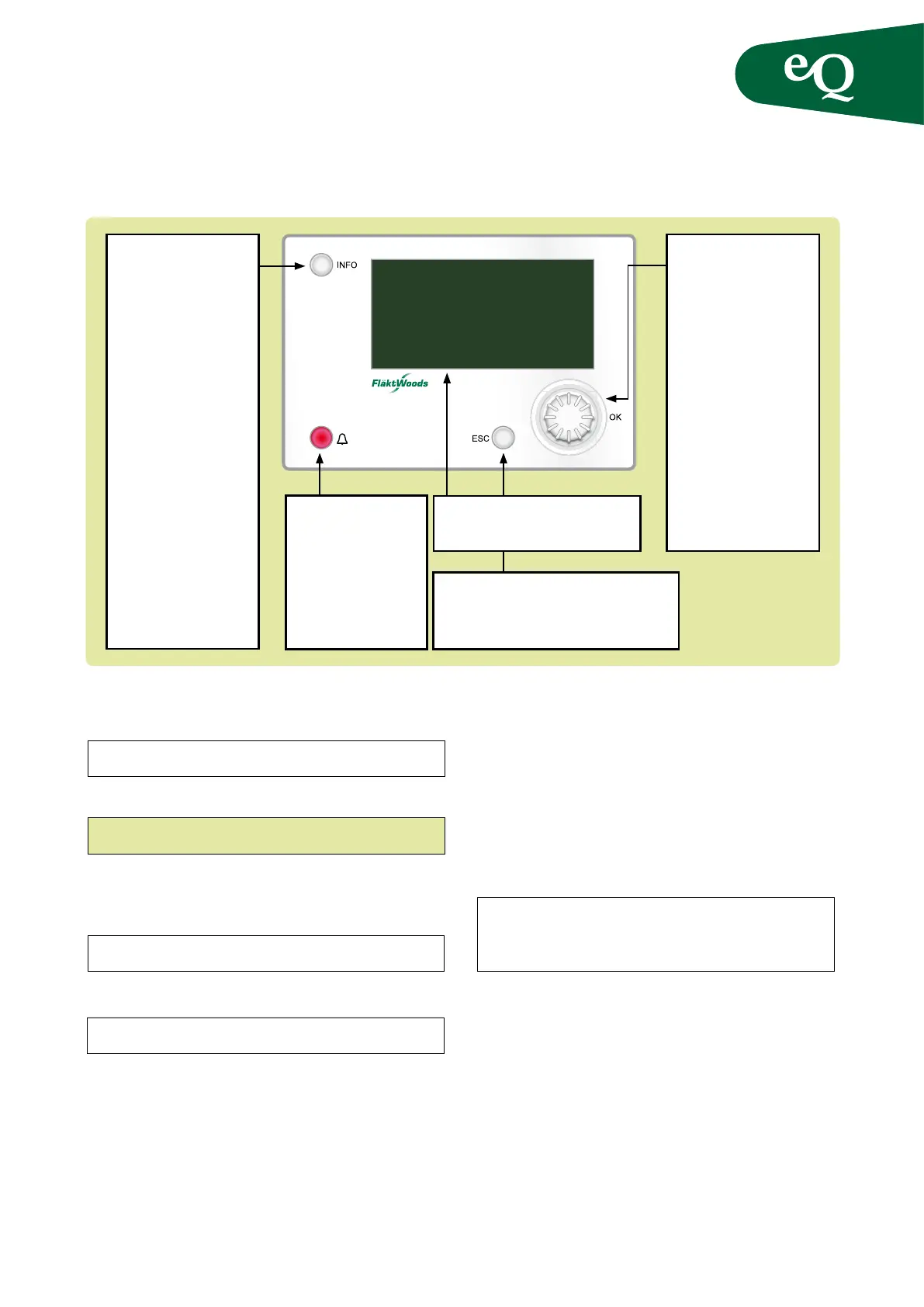
heat exchanger etc., can be read off. Use the knob (5) to
scroll up and down in the menu.
Alarm
Alarms are indicated by the red ashing LED on the
alarm button (4). Press the alarm button (4) once to dis-
play the alarm. Press the alarm button (4) once more to
display the entire alarm list. Alarms are presented in
clear text in the alarm list.
Use the knob (5) to scroll through the alarm list.
To step through the alarm menus as follows press the
alarm button repeatedly:
ALARM LIST DETAIL ALARM LIST
ALARM HISTORY SETTINGS ALARM LIST
DETAIL...
Return to the menu using the ESC button (3).
Alarm acknowledgement
Acknowledge an alarm by logging in and then press-
ing alarm button (4) twice. The conrmation/resetting
of alarms is at the top of the alarm list. The number of
alarms is also displayed there.
Press knob (5) and select Active to reset an alarm. If the
alarm persists the alarm lamp is steadily illuminated.
Using the controller
aa
a
a
a
a
a
a
START PAGE MANUAL CONTROL
1. Display
Display of readings and settings
2. Info button
Press to access the
Main index
• Off = Stop,
Re-cooling
• Green, steady glow =
Normal operation
• Green, ashing =
Start up, Night
operation test, Night
cooling or Night
heating/night cooling.
• Orange, steady glow =
Emergency stop and
alarm with stop
• Orange, ashing =
Fire damper exercising
from Climatix
• Alternating green/
orange = Manual
operation
3. ESC button
• Press to return to previous menu/page
• Press to cancel ongoing editing of a value.
5. Knob
Turn knob clockwise/an-
ticlockwise to advance or
move back in the menus.
Press the button to enter
a menu or to be able to
change a value after
reaching it. Turn knob
to change the value.
Hold the knob pressed
in for direct access to the
Password Enter Menu
in case the value you
want to change requires
password entry.
4. Alarm button
Function: see alarm
acknowledge
• Red, ashing = alarm.
• Red, steady glow =
alarm acknowledged
but remains in effect



 To Next Page