50Fläkt Woods 8666 GB 2010.06
Specifications are subject to alteration without notice
Installation and maintenance instructions
Control equipment
Alarm guide
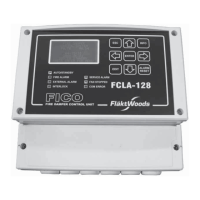
When the red LED on the handheld terminal starts to ash
an alarm has been generated. To check the alarm, press the
alarm button (4) once. Detailed information is displayed.
To reset the alarm press the button again and reset it by
changing Conrm/Reset to Active. If the LED lights con-
tinuously an alarm persists. Read the alarm guide para-
graph above for more information.
General fault-tracing
1. Read off the alarm from the handheld terminal.
2. Check the connections on terminal blocks and
quick connectors.
3. Check the component from which the alarm
was generated.
4. Check the connection of the component.
5. Check the contact function on the digital alarms in the
controller, compare with the drawing and component.
6. Check the parameter settings.
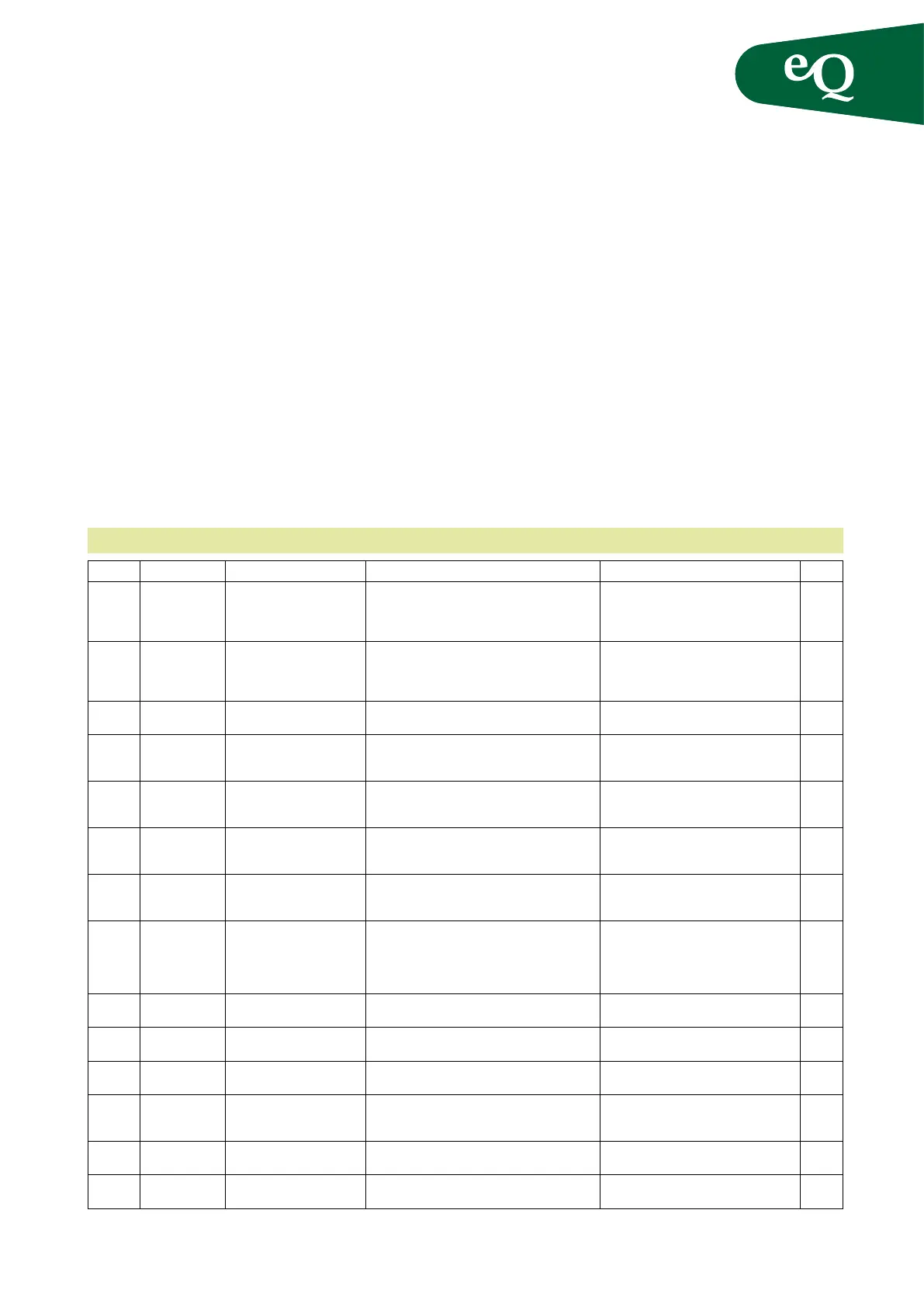
Below is a list of possible error messages and proposed
corrective action/causes.
Alarm Alarm text Cause Action – Operation Action – Startup Type
Fire
alarm
Fire alarm:
Alarm
The Fire terminal block in
the control panel indicates
an alarm
Check the connected re control centre on the air
handling unit.
Is re extinguishing equipment connected
to the control plate? If not check the jump-
er on the “Fire” terminal block. Check the
contact function for the “Fire” input.
A
Pump/
Alarm
heating/
cooling
Alarm pump
heating: Alarm
Motor protection alarm
pump heating water
Check the pump motor protection. Check the contact function on the Alarm
CP1/GT7 terminal block. Check that the
motor circuit breaker is on.
B
Alarm electric
heating: Alarm
Integrated electric heater
alarm signal triggered
Check the electric heater thermal overload
protection.
Check the contact function on the
Alarm CP1/GT7 terminal block.
A
Alarm recovery:
Alarm
The recovery control unit
indicates an alarm.
Check the alarm on the control unit. Reset the
control unit by switching off the power to it. Fault
trace using the heat exchanger instructions.
Check connections. Reset the control unit
by switching off the power to it. Fault
trace using the heat exchanger instructions.
B
Pump recovery
alarm: Alarm
Energy recovery pump mo-
tor protection alarm
Check the pump motor protection. Check the contact function on the “Alarm
HEX” terminal block. Check that the mo-
tor circuit breaker is on.
B
Cooling pump
alarm: Alarm
Cooling pump motor
protection
Check the pump motor protection. Check the contact function on the Alarm
CP2/DX terminal block. Check that the
motor circuit breaker is on.
B
Alarm DX
cooling
Alarm from cooler Check the alarm output on the cooler. Check the contact function on the Alarm
CP2/DX terminal block. Check that the
cooler is not in alarm mode.
Extra
heating/
cooling
pump/
alarm
Alarm pump
Extra heating
Pump alarm Extra heating Check the extra heating/preheater pump motor
protection.
Check the contact function. Check that the
motor circuit breaker is on.
Alarm Extra
electric heating
Alarm Extra electric heating Check the extra electric heater thermal overload
protection.
Check the contact function. Check that the
motor circuit breaker is on.
Alarm Extra
cooling pump
Extra cooling pump alarm Check the extra cooling coil pump motor
protection.
Check the contact function. Check that the
motor circuit breaker is on.
Alarm Extra DX
cooling
Alarm Extra DX cooling Check the alarm output on the cooler. Check the contact function. Check that the
cooler is not in alarm mode.
Filter Filter alarm:
Alarm
Combined lter alarm signal
in SAF and EAF. SAF lter
or EAF lter in alarm.
Check all lters. Check that all lter monitors are set to
nal pressure drop.
B
Alarm Filter clogged in supply
air unit
Check supply air lter. Check that lter monitors are set to nal
pressure drop.
B
Alarm extract
air lter
Filter clogged in extract
air unit
Check the extract air lters. Check that lter monitors are set to nal
pressure drop.
Alarm list



 To Next Page