Flashforge Corporation
Dreamer User Guide | www.flashforge.com
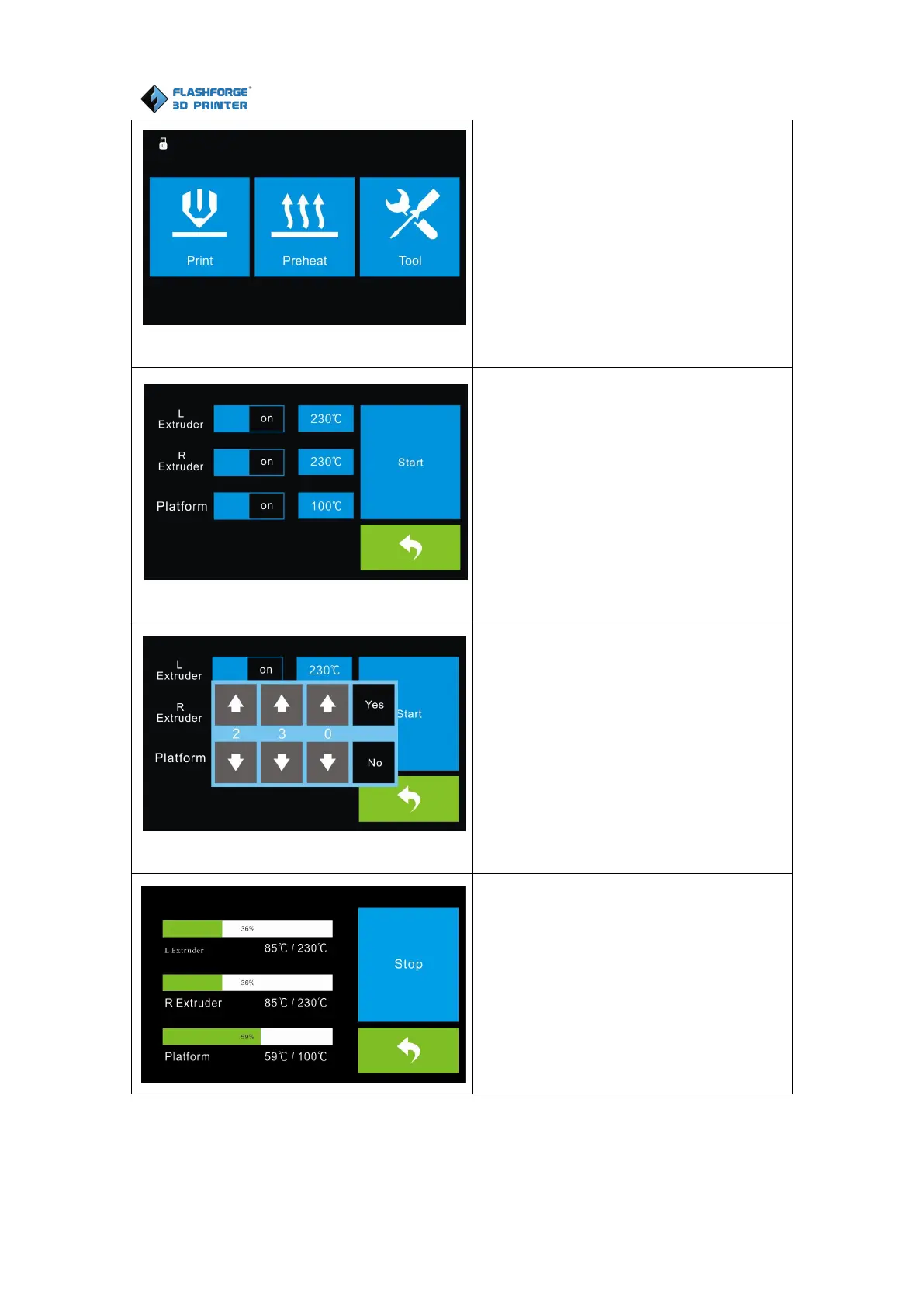
Tap the [Pr eheat] button to enter the
preheat interface. Tap the [Start] button
to heat up to the setting temperature.
The default temperature is 230℃.
Tap the temperature display bar to set
the temperature.
To set the preheat temperature.
Tap [Yes] to save the setting while tap
[No] to cancel the setting.
The picture displays the preheat
interface. It shows the actual
temperature and the target temperature.
Tap the [Stop] button to abort the
preheat job.















 To Next Page