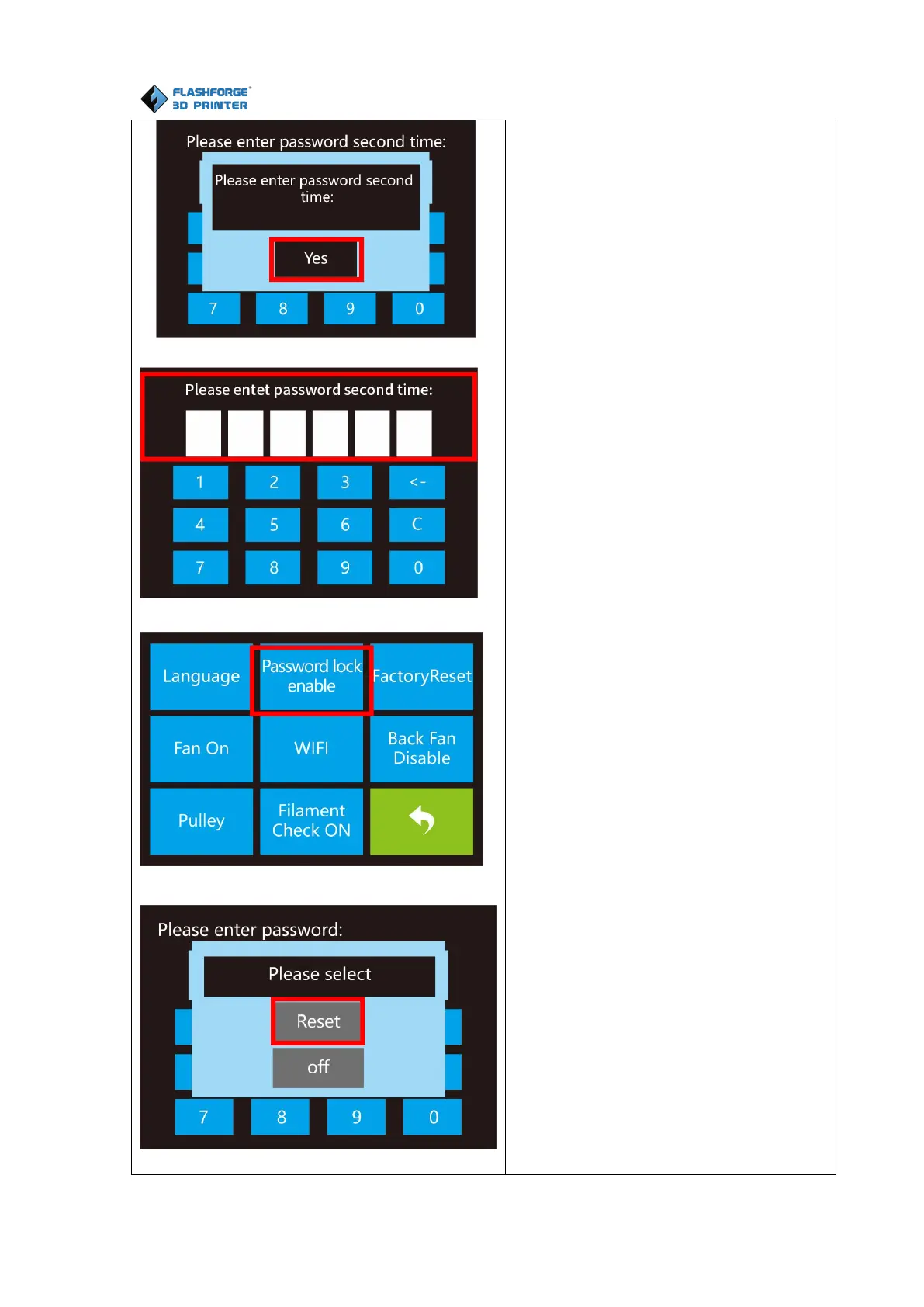
5.Please enter password for the second
time, Tap the [Yes] button.
6.Enter the 6-digit password on the touch
screen for the second time. If the two
password is consistent, password lock
setting is completed; if the two password
is inconsistent, please restart setting from
Step4 above.
7.After password lock setting is
completed, password lock status changed
from [Disable] to [Enable].
Restart the printer and enter password on
the touch screen. You are not allowed to
use the printer if you can not enter the
correct password.
8.Reset password lock:
After password lock setting is completed,
Tap the [Passwor d lock] button, then
Tap the [Reset] button. Set the new
password according to the same
instruction from Step4 to Step6.
The new password will be activated valid
and old password will be invalid after
restart the printer.















 To Next Page