Inventor User Guide | www.flashforge.com 0086‐ 0579‐82273989
49
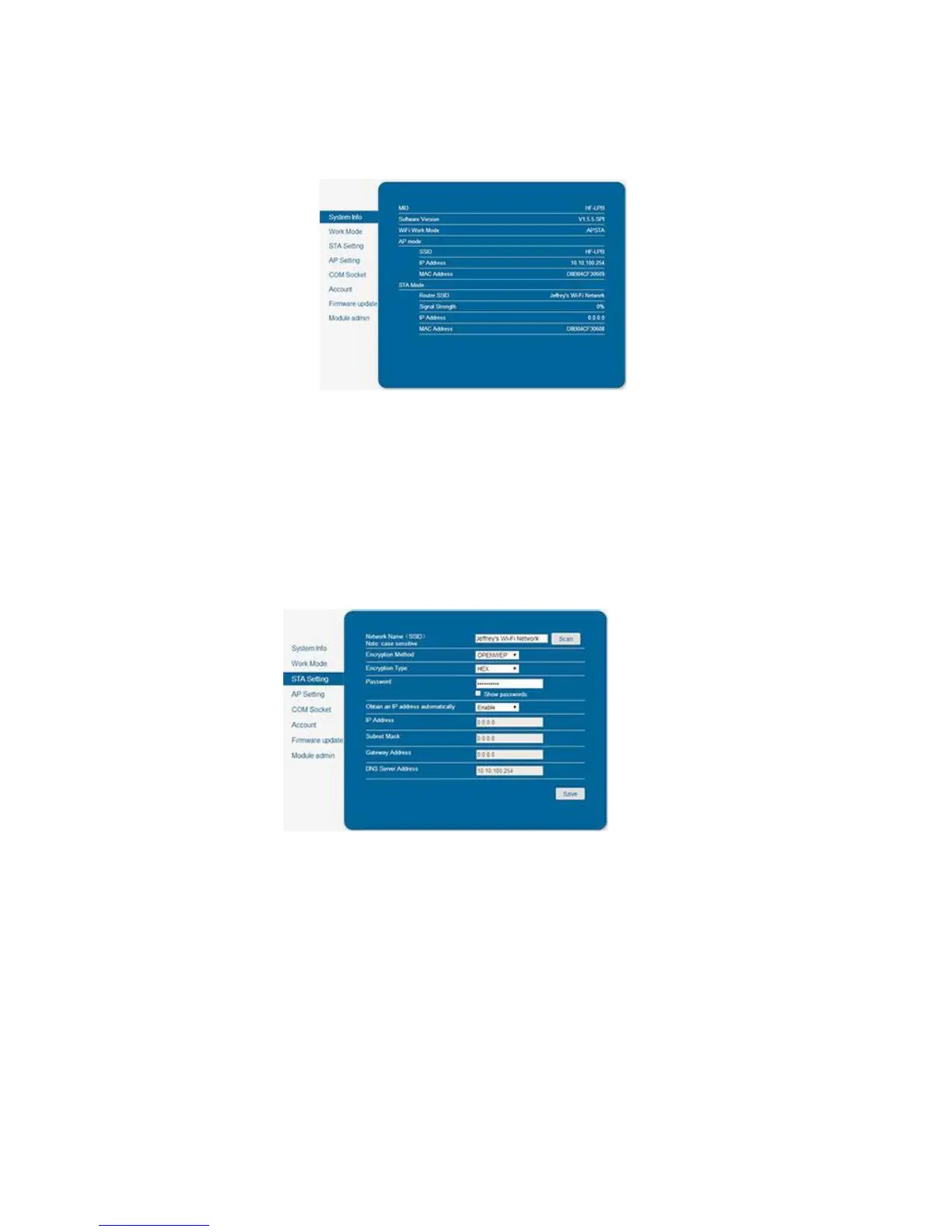
6-21
5. Click on [WorkMode]and choose“AP+STA mode” and save it.
6. Click on [STASetting], select a working network, enter the corresponding
password and save.
6-22
7. Restart the interface, close the page, turn off the Inventor, disconnect from the
network, and wait for 10 seconds.
8. Turn the Inventor back on and connect to the Inventor network. In Fla s hPrint,
choose [Print]from menu and select [ Connect ].
9. Under “Connection Mode”, select
Wi-Fi, and enter the “IP Address, Port” as shown on printer LCD screen. Then, click















 To Next Page