Inventor User Guide | www.flashforge.com 0086‐ 0579‐82273989
50
[ Connect ].
10. If successfully connected, you will see the following red mark.
①
Connect Inventor with your PC under STA mode
a. Turn on the WIFI of Inventor and connect your PC with Inventor via the WIFI.
②
Disconnect Inventor
Click [Print]--[Disconnect] to disconnect your PC and Inventor.
6.2.14 Tool Menus
①
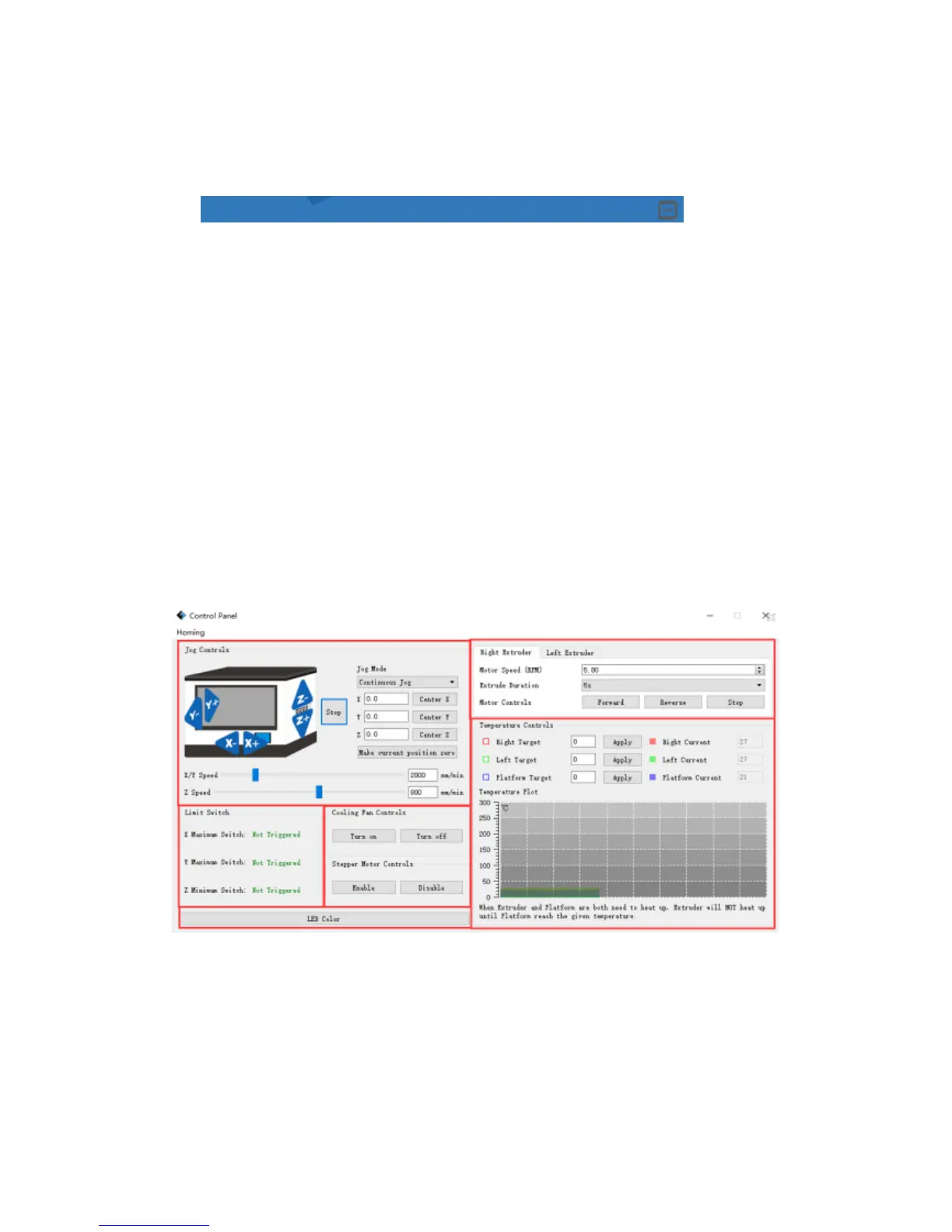
Control Panel
After connecting PC with Inventor, click [Tools]--[Control Panel] to open the control
panel.
● Jog Controls
a. Jog Mode
:
Select the distance that extruder/build plate move a single time (that is,
the distance extruder/build plate move upon your single click).
b. Six blue arrow direction button: Control the move along X/Y/Z axis. X/Y axis
1
2
3
4
5
6















 To Next Page