Page 1
Programming a Day of the Week Regenerated System
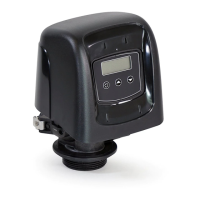
3. Individual Day of the Week Regeneration Setting
— Set to 1 or 0 using the Set Up and Set Down buttons (1 enables regeneration for that day; 0 disables
regeneration for that day)
— Press the Extra Cycle button once to exit Setup Programming Mode or press and hold the Set Up and
Set Down buttons for 5 seconds when viewing the regeneration time (Ex: 2:00 A.M.) to enter the
Extended Programming Mode.
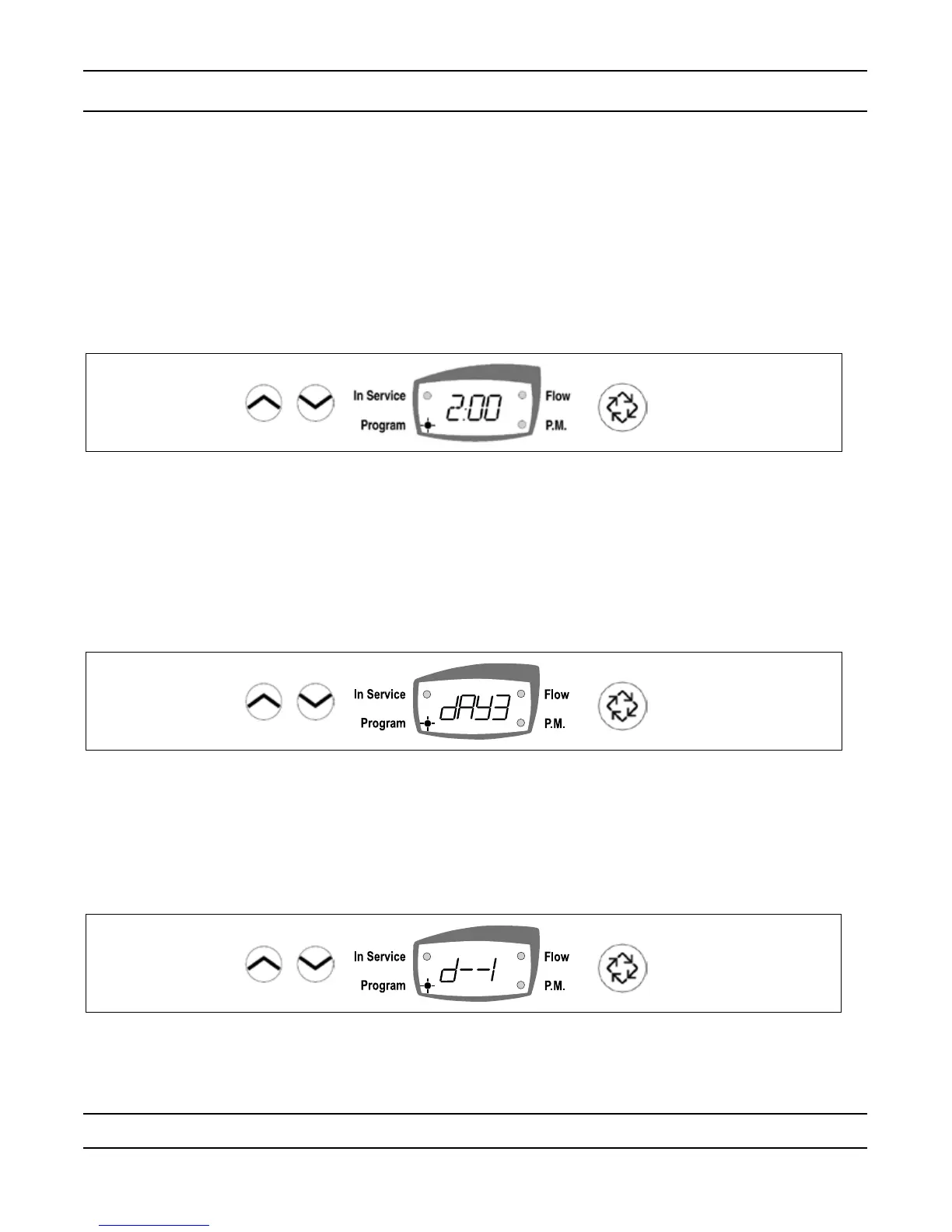
1. Regeneration Time (No Display Code)
NOTE: The Regeneration Time setting does not display in Meter Immediate Regeneration Mode since the
system regenerates immediately when the available capacity reaches 0.
Identify the Regeneration Time display by observing a non-ashing colon between two sets of numbers.
Set the desired Time of Day for Regeneration to occur.
Example: 2 o’clock A.M. Regeneration Time: [ 2:00 ] (P.M. Indicator Dot Off)
— Press the Set Up and Set Down buttons to adjust this value.
— Press the Extra Cycle button to exit the Programming Mode or press and hold the Set Up and Set Down
buttons simultaneously for 5 seconds to enter the Extended Setup Programming Mode.
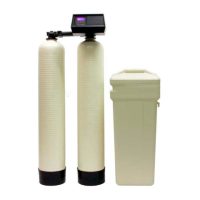
2. Current Day of the Week
Use the display to enter the current day setting. Enter day 1 through day 7.
Example: If Monday, setting is Day 1. If Tuesday, setting is day 2, etc.
— Press the Set Up and Set Down buttons to adjust this value.
— Press the Extra Cycle button to advance and set the individual day(s) on which a regeneration will occur.
NOTE: The current day display is incremented each day at 12:00 AM (Midnight).
— Press the Extra Cycle button once to advance to the next step.


 To Next Page