FOM16 Installation Description
FOM16-V2.0-20021114
-37-
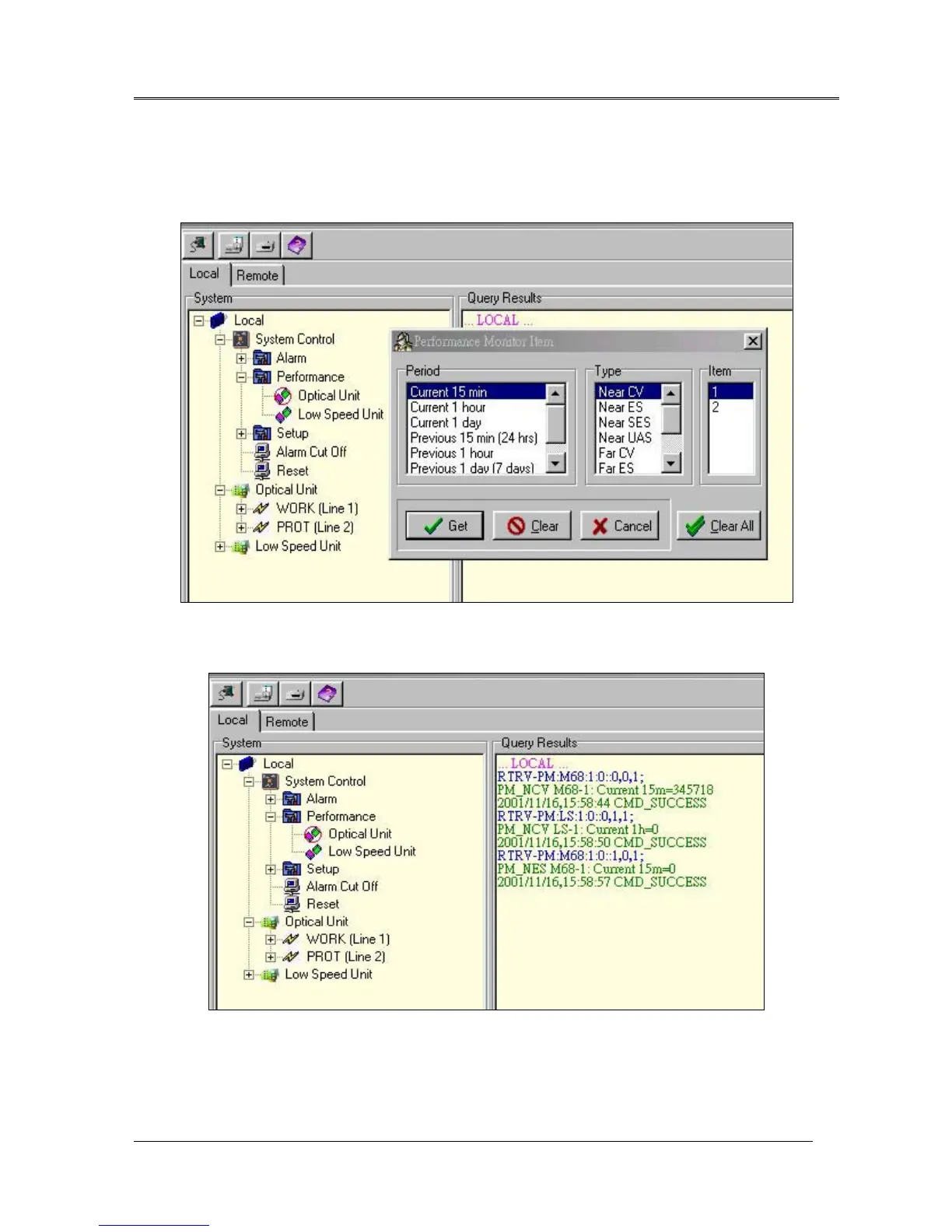
previous 1 hour, and previous 1 day (7 days). Performance type includes Near CV, Near ES, Near SES,
Near UAS, Far CV, Far ES, Far SES, and Far UAS. The low speed does not support Near SES, Near
UAS, Far SES, and Far UAS. The item option provides interface number. Performance monitor response
is shown in Fig.20.
Fig.19 Performance monitor setting window
Fig.20 Performance Monitor Response
System Setup
provides an interface to set up system time, IP address, gateway IP address, Trap target IP
and Subnet mask. User selects setup time to update time in FOM16. Users enter IP, GWIP, TRIP and
Subnet mask addresses to provide address for the SNMP agent on the FOM16 . IP input command is
shown as Fig.7.



 To Next Page