FOM16 Installation Description
FOM16-V2.0-20021114
-40-
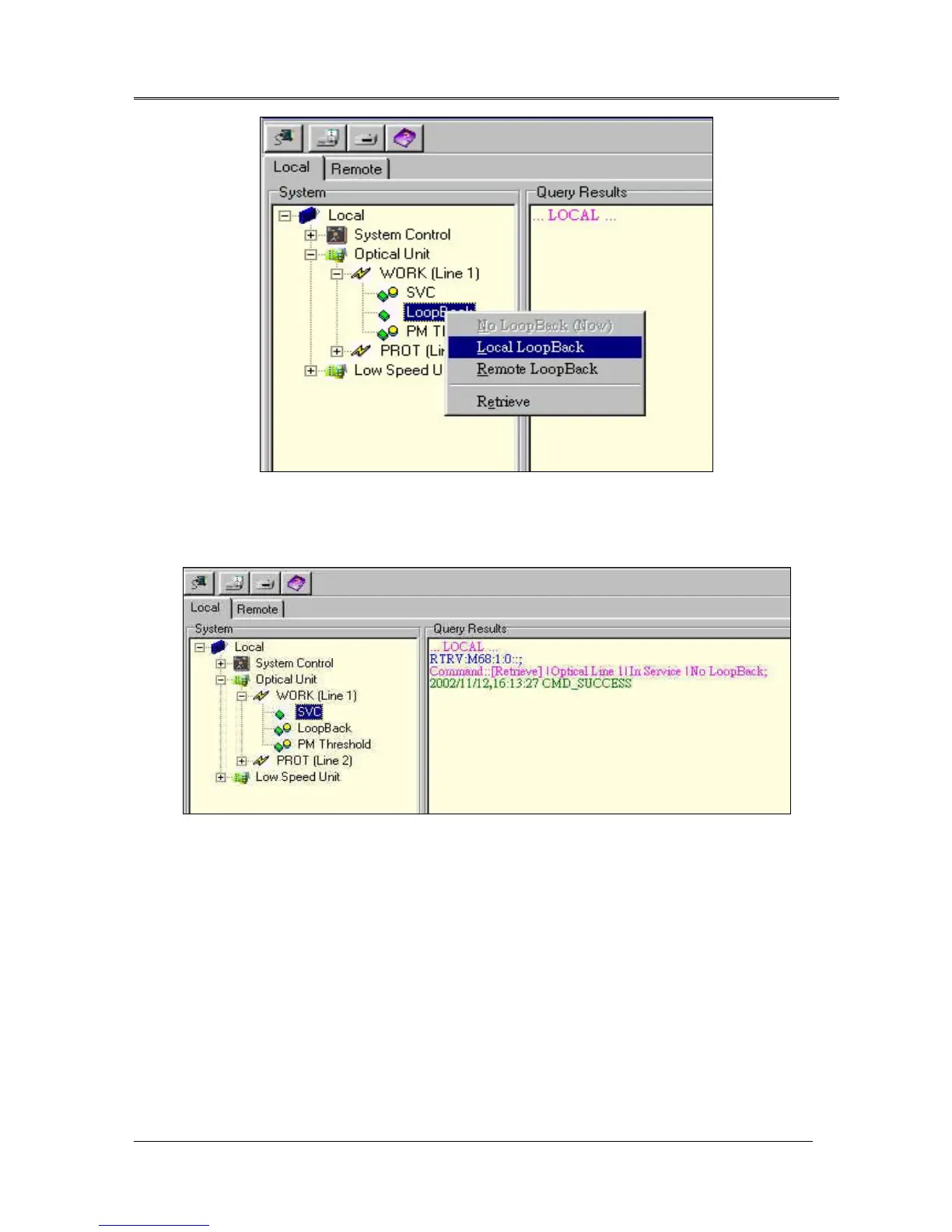
Fig.24 Loopback Command settings
The retrieve command gets the unit setting information. For example, Fig.25 will display the optical unit
setting information. The response will display working unit index, service state, and loopback setting.
Fig.25 Optical unit retrieve information
Users can set performance threshold for performance monitor. If performance monitor parameters are
above threshold settings, FOM16 will auto-report the results. The performance threshold dialog is shown
as Fig.26. There are three scroll-boxes to input performance thresholds of per 15 minutes, 1 hour, and 1
day periods. Users can choose performance type to monitor. If users have to set the performance
thresholds, FOM16 will auto record the threshold parameters in the system. PM retrieve will get the
thresholds from the FOM16.



 To Next Page