Pump Status screens
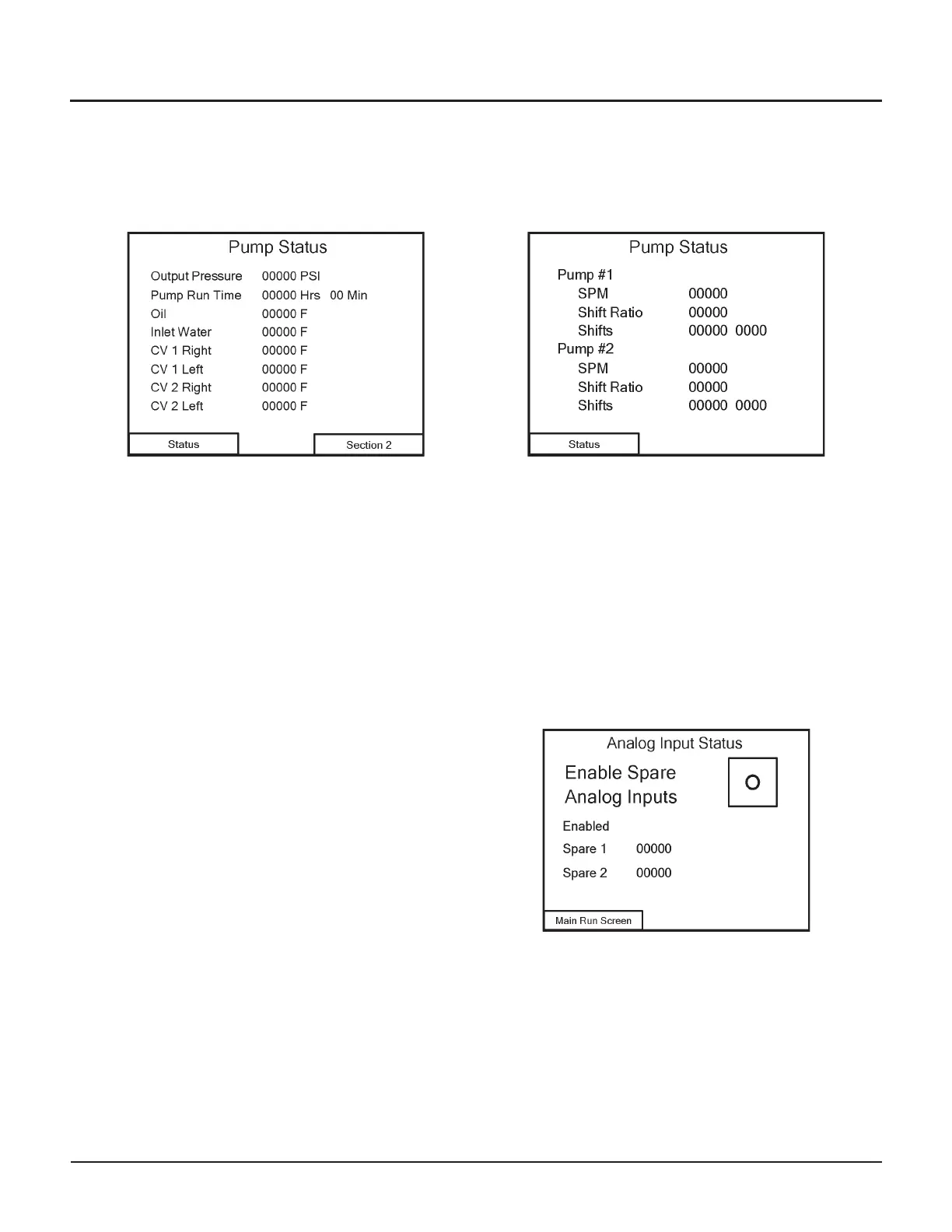
The Pump Status screens display information about the health indicators of the pump.
Pump Status 1
The first Pump Status screen shows the status of the var
-
ious temperature indicators, plus the output pressure
and current pump run time.
Navigation
•
Touch the Status button to continue to the second
Pump Status screen
•
Touch the Section 2 button to go to Configuration
Screen 1
Pump Status 2
The second Pump Status screen shows the status of the
intensifiers:
•
Shifts per minute
•
Shift ratio
•
Total number of shifts
Navigation
•
Touch the Status button to continue to the
Analog Input Status screen
Analog Input Status
You can enable up to two spare analog inputs:
•
[I] = enabled
•
[O] = disabled (default)
Once enabled, data from these inputs will also be
displayed on this status screen.
Navigation
•
Touch the Main Run Screen button to return to the
Main Run screen.
© Flow International Corporation M-390 | 25
CHAPTER 3
Operating the 87K Standalone Pump


 To Next Page