Replacing the kidney loop oil filter
Replace the hydraulic oil filter:
•
if the restriction indicator has actuated
•
after a specific number of operating hours
•
after a specific length of time
•
when you change the hydraulic oil
Service steps
WARNING
Place the main electrical disconnect in the OFF
position and bleed down all high-pressure lines.
Place an Out of Service tag on the main electrical
disconnect and lock it out. Failure to do so can result in
equipment damage or injury to personnel.
1. Shut down the system.
2. Locate the oil filter housing within the pump frame.
3. Place a drip pan under the housing.
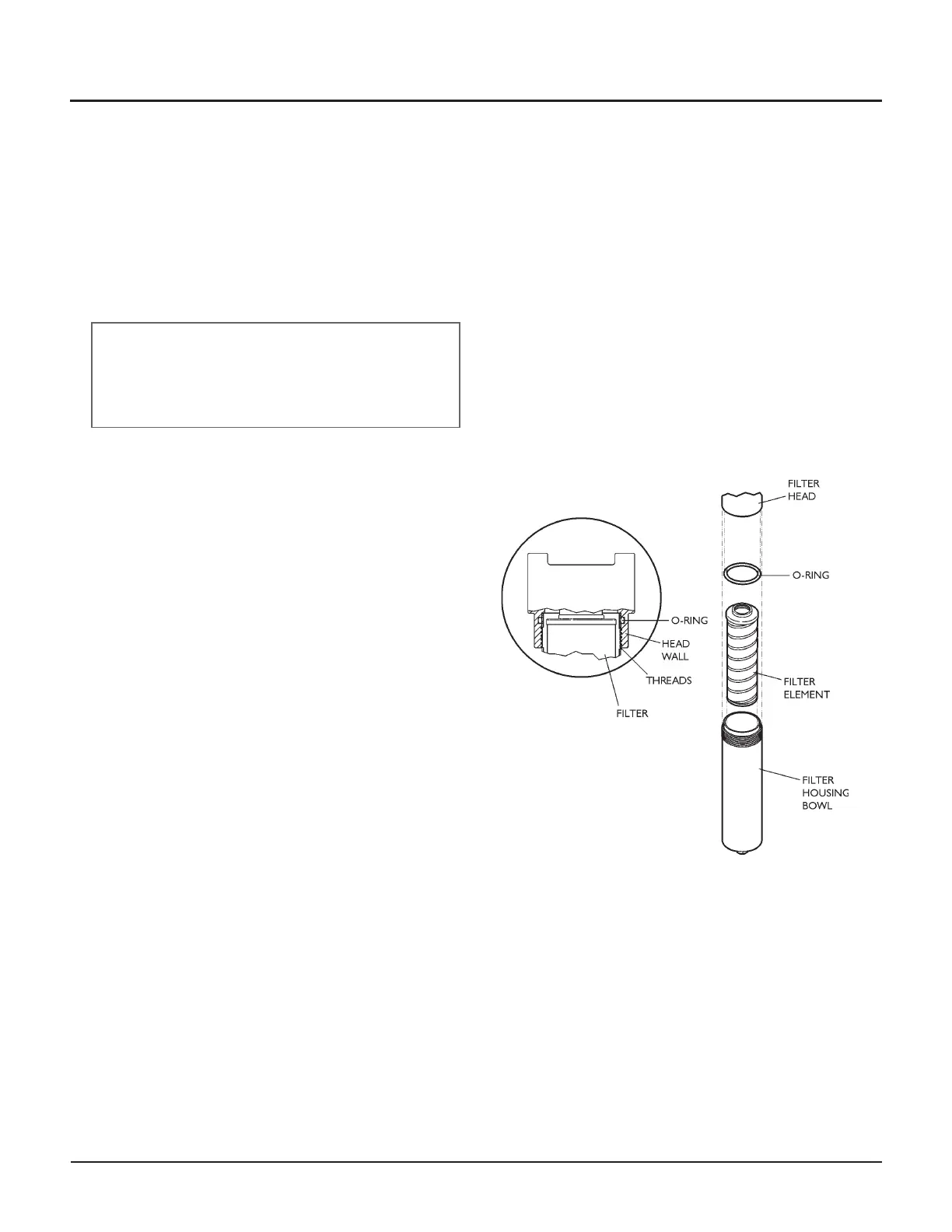
4. Unscrew the filter bowl from the filter head. Drain
the oil from the bowl into the drip pan.
5. Gently pull and turn the filter element to remove it
from the housing head, and place it in a drip pan.
Inspect the element and bowl for visible dirt or
particles—this can give early warning of component
failure.
6. Clean out the bowl and the filter housing and insert
a new element.
7. Lubricate the new element o-ring with clean hydrau
-
lic oil and install in the housing head.
8. Raise the bowl into position to engage the threads.
Thread the bowl into the filter head until it is firmly
seated.
9. Operate the pump for 3–5 minutes at the maximum
rated pressure. Check for leaks.
When all work is satisfactory, remove tools, parts, and
rags from the pump and close the cover. Remove the
Out of Service tag from the main electrical disconnect.
© Flow International Corporation M-390 | 51
CHAPTER 5
Servicing the Pump


 To Next Page