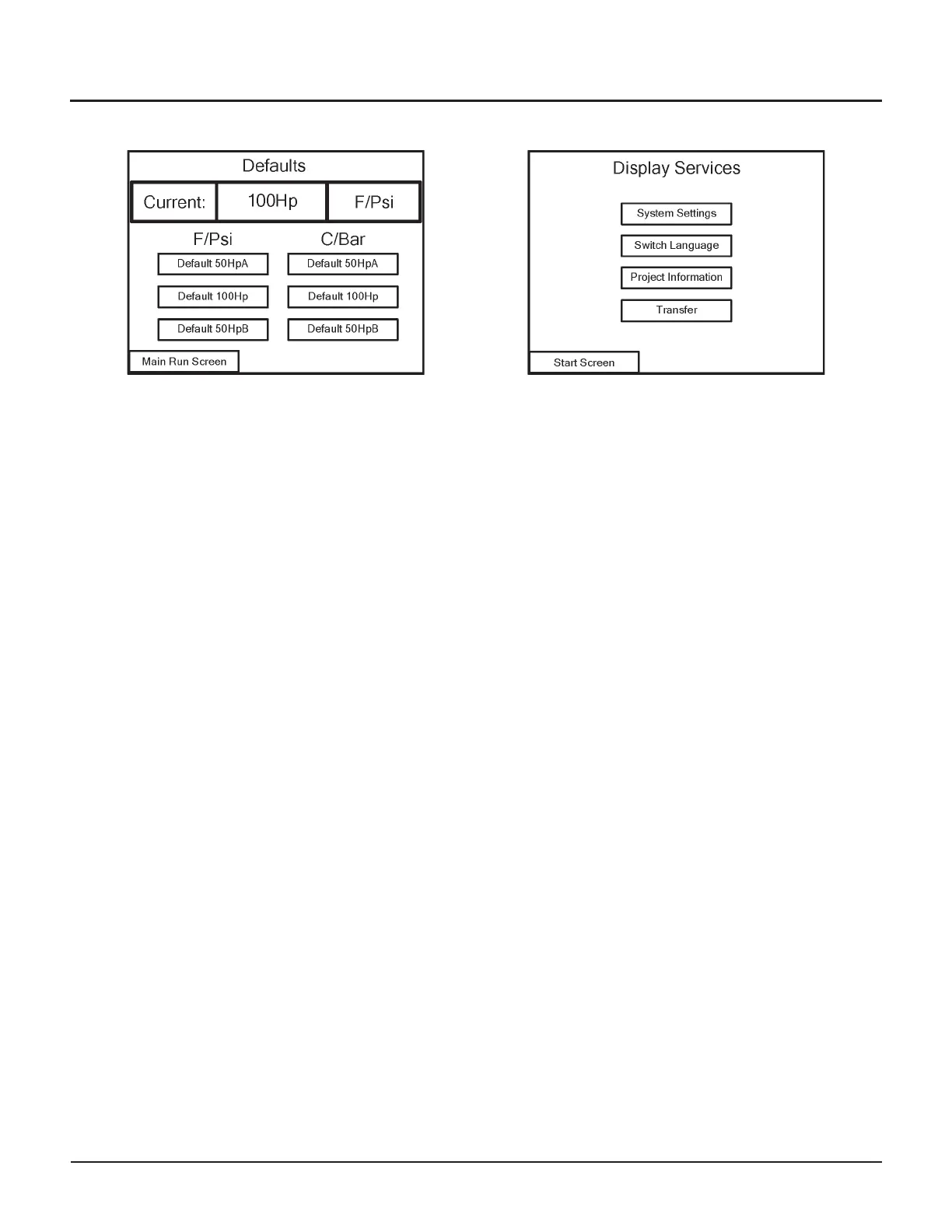
Defaults
From the Defaults screen, you can quickly reconfigure
the pump to its default settings. The pump’s current
configuration is displayed at the top of the screen; this
example shows the 100 hp setup.
•
50HpA – is a 100 hp unit running only the #1 motor/
intensifier (the #1 motor is closest to the control
enclosures)
•
50HpB – (only valid with a 100 hp pump) uses the
#2 motor/intensifier (the motor farthest from the
control panel)
•
100Hp – (only valid with a 100 hp pump) uses both
motors
To restore the default settings, touch the button that
corresponds to the original configuration, in the units
you want pump status information to be displayed in
(°F/psi or °C/Bar).
Navigation
•
Touch the Main Run Screen button to return to the
Main Run screen
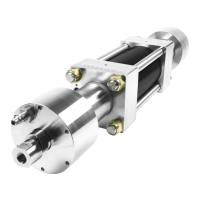
Display Services
From the Display Services screen, you can change the
display settings of the control panel, view information
about the program controlling the pump, or download
a new program.
•
System Settings – to adjust the display contrast,
calibrate the display, or clean the display.
•
Switch Language – has no function at this time.
•
Project Information – to view data about the display
and the program being used.
•
Transfer – to download a new program.
Navigation
•
Touch the Start Screen button to return to the Start
screen
© Flow International Corporation M-390 | 29
CHAPTER 3
Operating the 87K Standalone Pump


 To Next Page