STRADA PAL – MAINTENANCE MANUAL
127/149
8.7.7 Replacing the collection trapdoor closing sensor
8.7.7.1 Preliminary operations
A. Ask a collection operator to perform a first collection of the banknotes and the coins
to remove the banknote stacker and the coinbox.
B. Perform function 57 (SAO transfer) to forward the financial data to the Parkfolio
server.
C. Ask the collection operator to perform a second collection so that it unlocks the
collection compartment.
D. Open the maintenance door
E. Turn off the terminal
F. Disassemble the collection trapdoor
8.7.7.2 Replacement
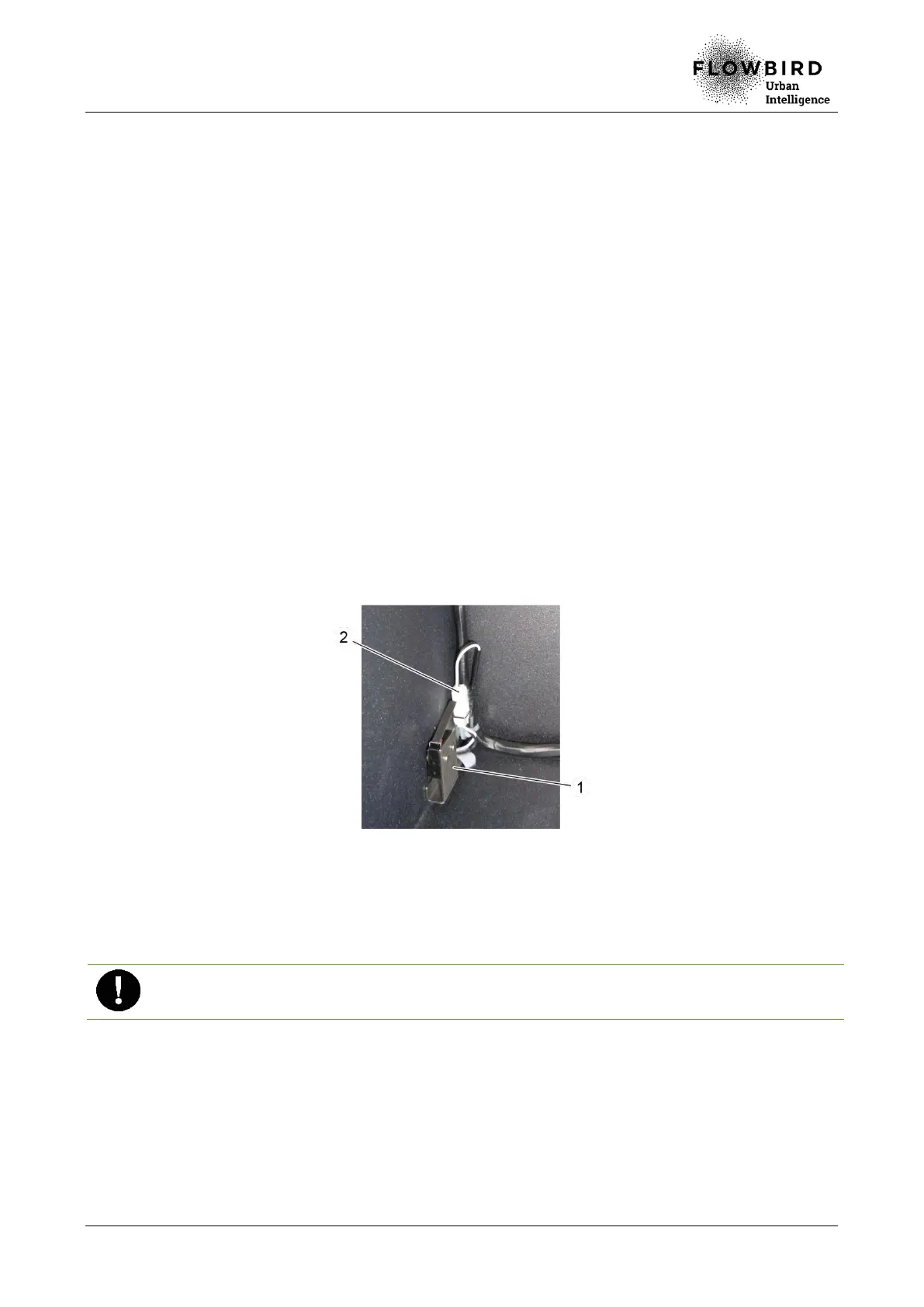
A. Loosen the clamping screw of the capteur holder (1).
B. Unplug the cable (2) of the collection trapdoor closing sensor.
C. Remove the sensor and its support.
Replacing the collection trapdoor closing sensor
8.7.7.3 Installation
A. Repeat the previous steps in reverse.
When reassembling, make sure to put the sensor back as high as possible before
tightening the screw.
8.7.7.4 End of procedure
A. Reassemble the collection trapdoor
B. Turn on the terminal
C. Close the maintenance door



 To Next Page