STRADA PAL – MAINTENANCE MANUAL
43/149
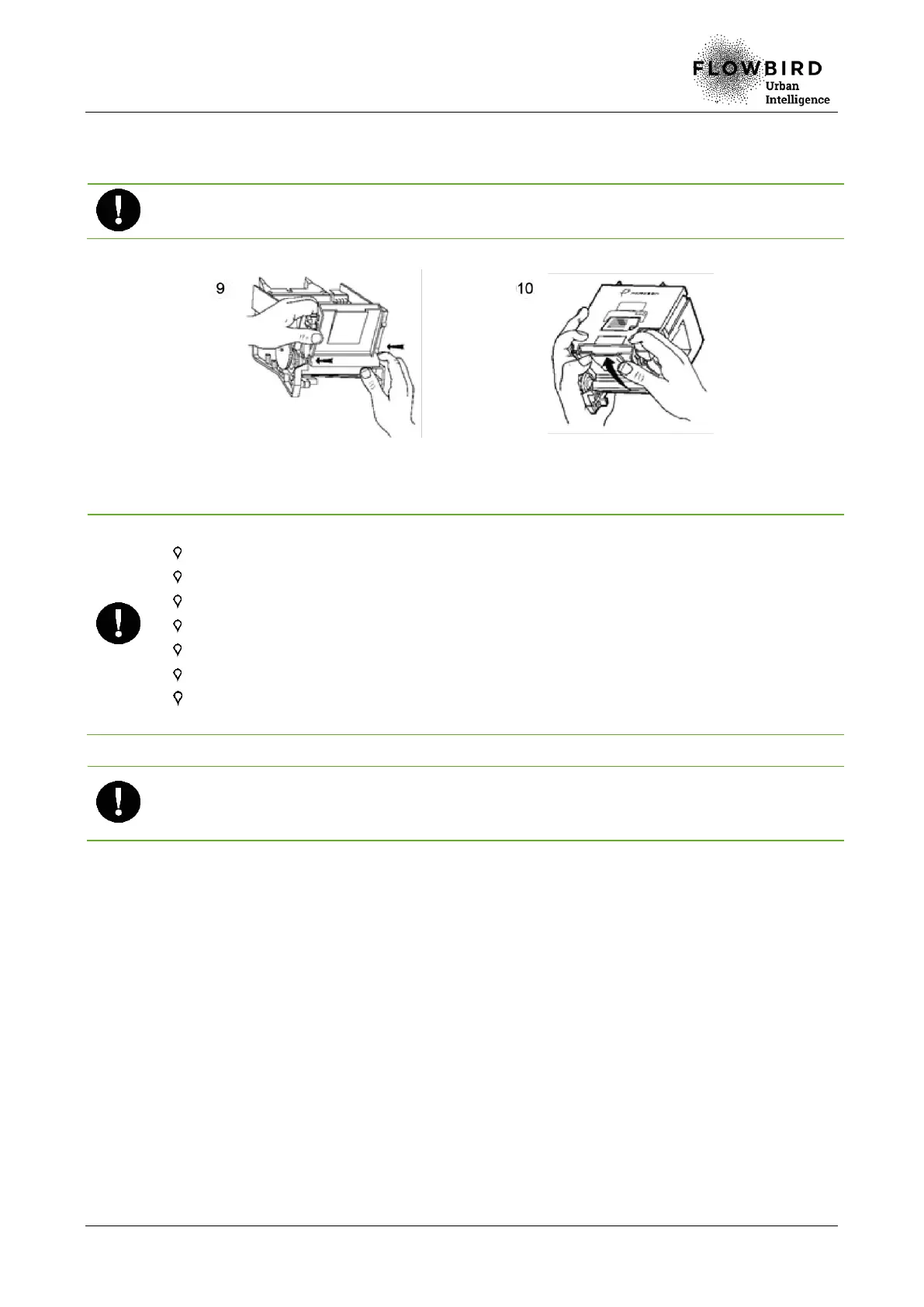
M. Attach the paper guide using the clips (10).
N. Reassemble the printer into the terminal
Insert the paper guide with care. An incorrect positioning will lead to default of the printer.
Correcting paper jams in the printer (4/4)
Precautions:
Use an antistatic wrist strap when handling the print head.
Do not modify the paper sensors settings.
Never touch the printer while in use.
Use paper recommended by Flowbird.
Exclusively use isopropylic alcohol for cleaning.
Do not drop the ticket roll on the printer paper guide.
The cutter knife used for the paper is self-sharpening. No maintenance operation is
required.
The paper guide must only be disassemble in case of a significant paper jam or during
the print head cleaning.
The clips on the paper guide are fragile: unclip them with care.
7.6.4.3 End of procedure
A. Turn on the terminal
B. Perform function 211 (print test).
C. Close the maintenance door



 To Next Page