STRADA PAL – MAINTENANCE MANUAL
44/149
7.6.5 Cleaning the change assembly / coin selector
7.6.5.1 Preliminary operations
Open the maintenance door A.
Turn off the terminal B.
7.6.5.2 Cleaning and installing
Unplug the flat cable of the coin selector. A.
Remove the coin selector by pushing it to the back, in order to compress the B.
metallic spring of the escrow, and then tilt it to the top to extract it.
Push the knurled knob and rotate it a quarter turn until you hear "clic".
C.
Open the coin selector. D.
Remove any foreign elements. E.
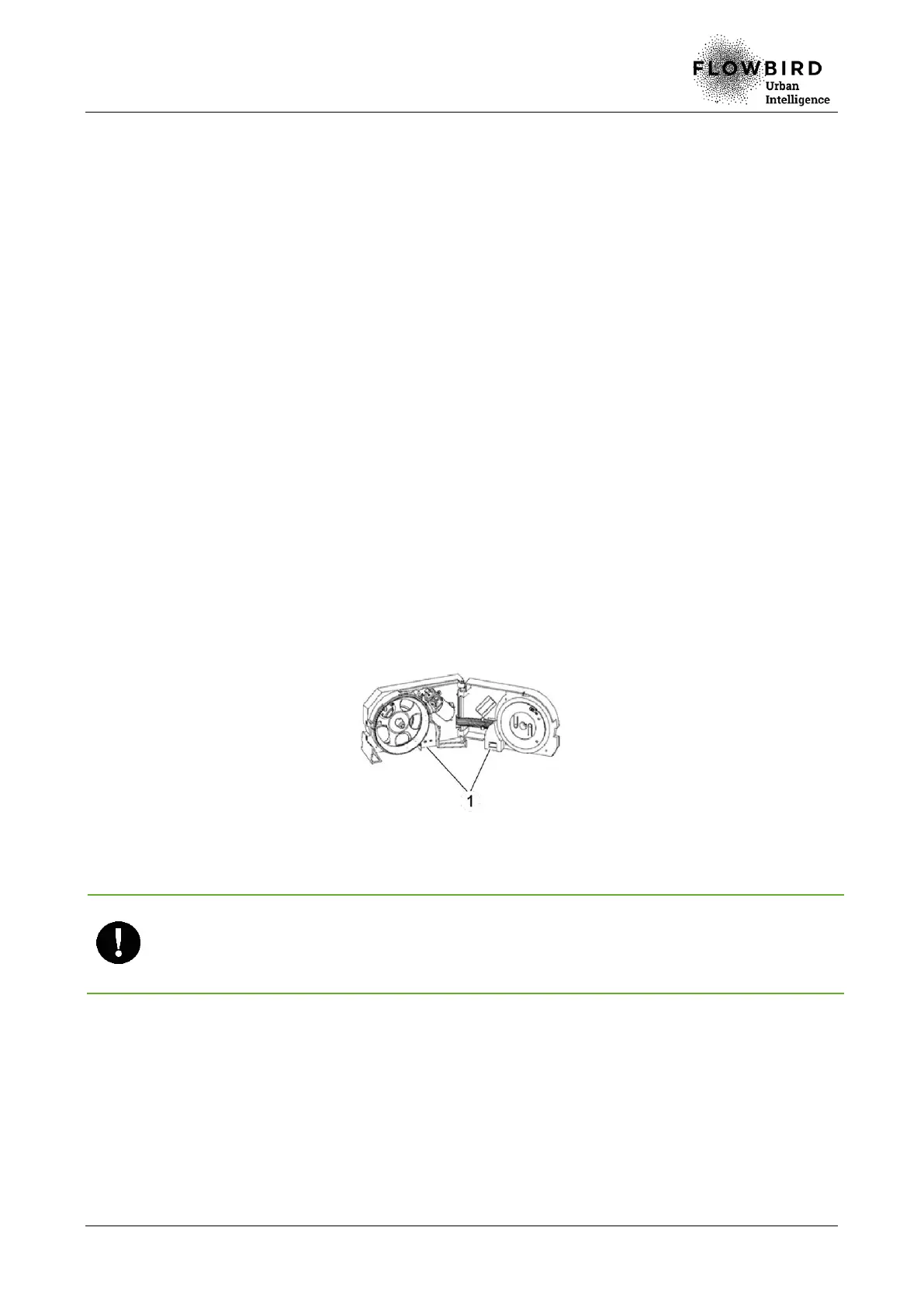
Ensure that the optical sensors (1) are clean. Otherwise, clean them with a clean F.
cloth moistened with isopropylic alcohol.
Ensure that there is no foreign element, sand, etc. in the wheel and the gears. G.
Close the coin selector and lock it (push the knob and rotate it a quarter turn H.
counter clockwise)
Reassemble the coin selector I.
If the selector wheel is damaged, change the entire selector.
Do not lubricate the selector wheel.
Do not forget to lock the selector with the knurled knob, otherwise the coin selection will
fail.
7.6.5.3 End of procedure
Turn on the terminal A.
Close the maintenance door B.



 To Next Page