STRADA PAL – MAINTENANCE MANUAL
79/149
8.3.3 Correcting jams in the banknote reader
8.3.3.1 Preliminary operations
A. Open the maintenance door
B. Turn off the terminal
8.3.3.2 Replacement
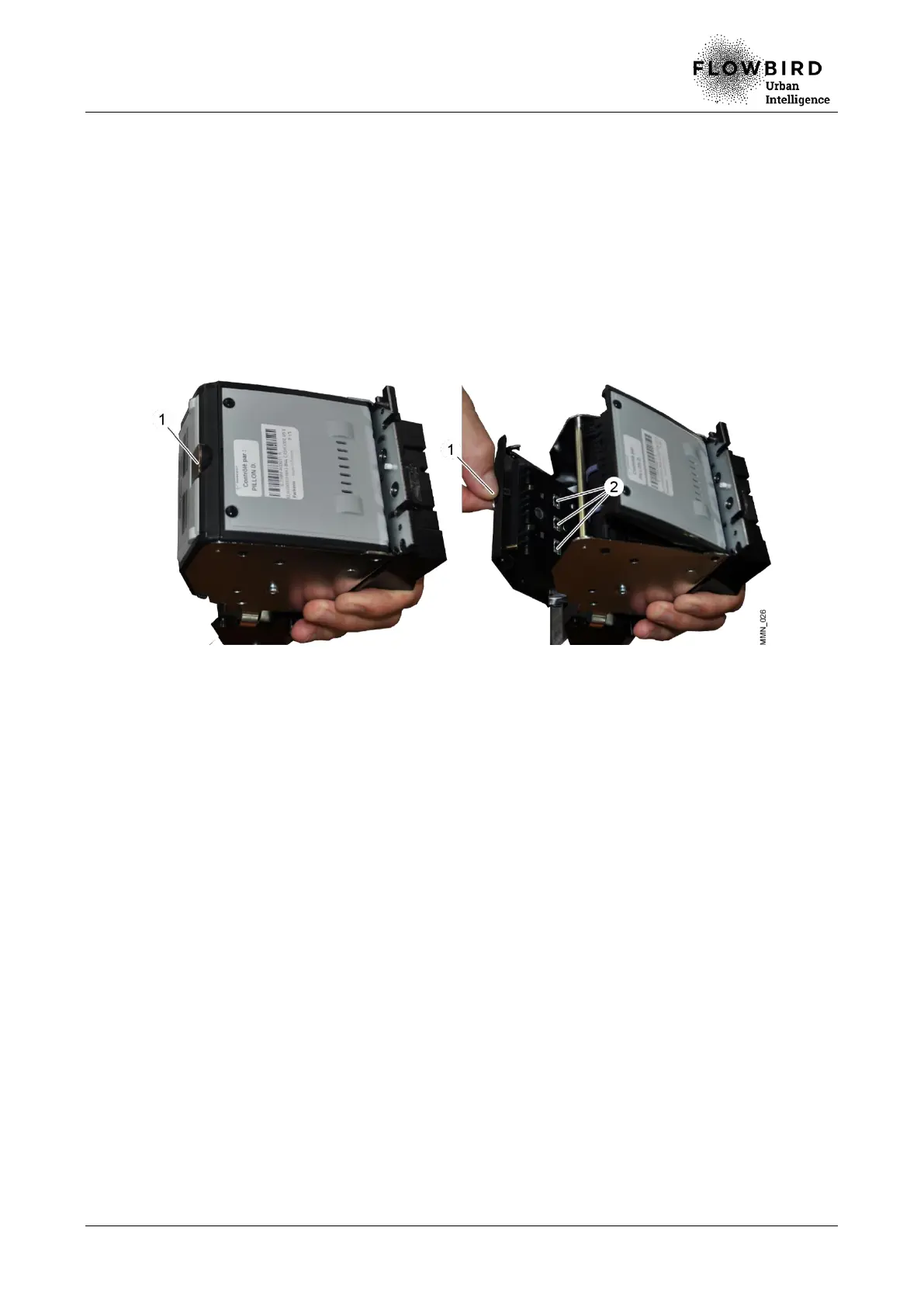
A. Remove the banknote reader Open the banknote reader by pulling the lever (1).
B. Remove any residue inside the reader (2).
Correcting jams in the banknote reader
8.3.3.3 Installation
A. Repeat the previous steps in reverse.
8.3.3.4 End of procedure
A. Turn on the terminal
B. Run a banknote payment test, then cancel it.
C. Close the maintenance door



 To Next Page