STRADA PAL – MAINTENANCE MANUAL
82/149
8.3.6 Replacing the mechanical lock of the maintenance door
8.3.6.1 Preliminary operations
A. Open the maintenance door
B. Turn off the terminal
8.3.6.2 Replacement
A. Remove the ticket roll
B. Tilt the protective cover towards the end of the rack.
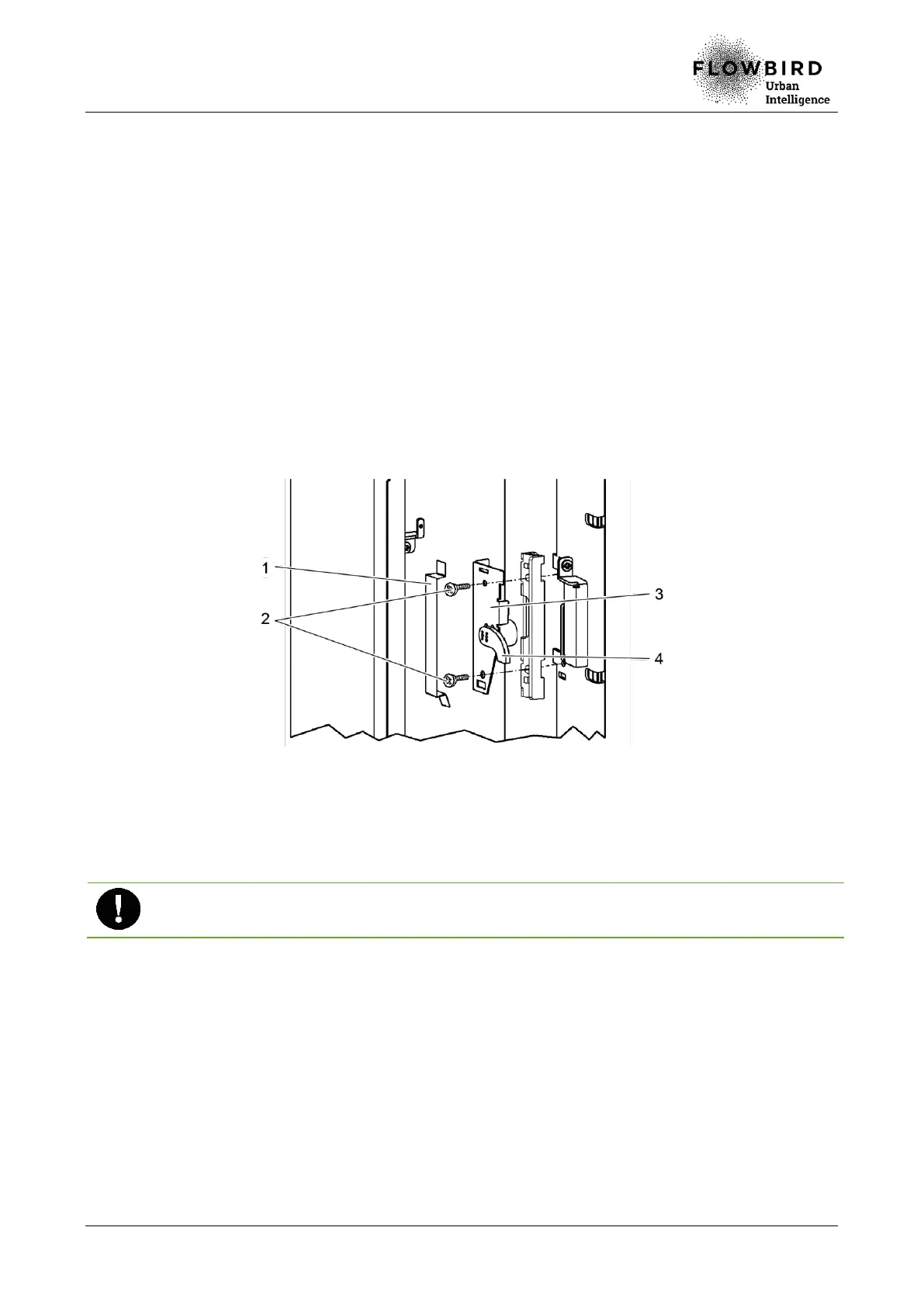
C. Unclip the bottom of the locking cover (1) from the lock system (3), then the top.
D. Loosen the 2 clamping screws (2) of the lock (4).
E. Remove the equipped mechanical lock from its support.
Replacing the mechanical lock (maintenance door)
8.3.6.3 Installation
A. Repeat the previous steps in reverse.
Once the lock is back on place, insert the key in the lock and ensure that the lock is
centered before tightening the 2 clamping screws.
8.3.6.4 End of procedure
A. Turn on the terminal
B. Close the maintenance door



 To Next Page